How to disable celery-beat for a client
Disabling celery-beat for a client to remove the celery-beat component from Central Services.
Before you begin
You need:
- Access to the
empower-tenantrepository - VSCode to edit the YAML file(s).
- The location of the configuration file:
empower-tenant/tenants/empcentral-pd-aks/client/deploy.yaml. - Permission to create branch and submit pull requests.
- Access to Weave GitOps (Prod)
If you are missing any of these prerequisites, then you will not be able to complete the outlined steps
Procedure
-
After creating your branch, locate the deployment configuration file.
empower-tenant/tenants/empcentral-pd-aks/<client>/deploy.yaml -
Change the required configuration keys under each
organization.organizations:- name: augustusceleryBeatEnabled: false <-- set to false -
Save changes and submit PR and await approval.
-
After your PR is approved, merge your PR.
-
Verify the deployment
Check the deployment status, application logs, health endpoint, or configuration-inspection command.
Verify the result
Confirm that:
- The deployment progresses as expected
- The deployment reports a healthy state.
- Celery-beat is removed from Central Services for the intended Client>Org>Env.
- Scheduling and workflow triggers function as expected.
Post-Deployment Verification Steps
Verify HelmReleases
-
Log into Weave GitOps
https://gitops.empoweranalytics.io -
Go to Applications under the Delivery section:
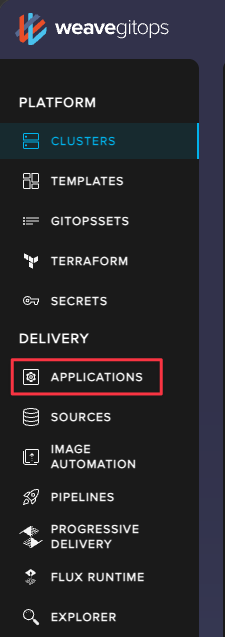
-
Apply filters to narrow down the results to your target client
- Click the Filter icon
- enter
empower-celery-beat-<client>-<env>into the search field¹ - Select
HelmReleaseunder theKindsection - Select the client's namespace
- Verify in the listed applications that the celery-beat
HelmReleasesare not present
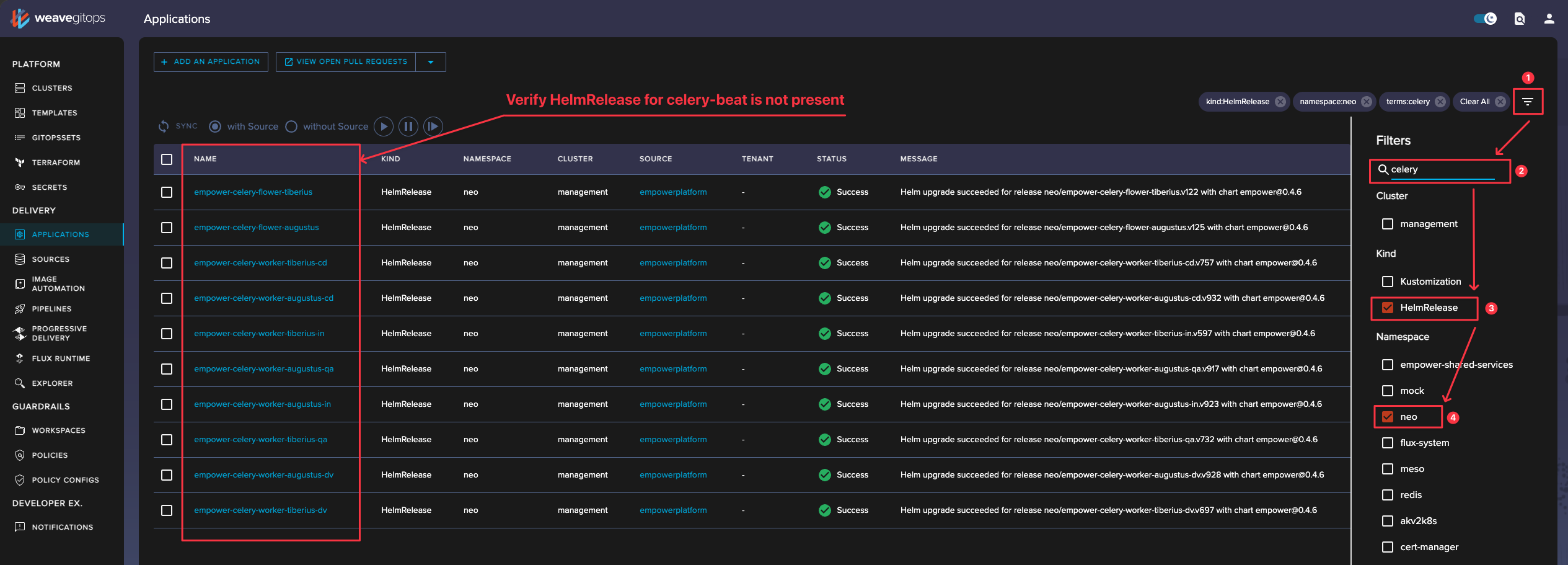 ¹ Filtering Bug in Weave
There is a known bug in the Weave Enterprise UI where the UI’s full-text filter has historically treated a dash (-) as a token separator or special character rather than preserving it as part of a literal name. Weave’s own release notes specifically call out that flux-system is interpreted as the two terms flux and system, rather than as an exact string.
You MUST enter the name in its entirety for Weave to pull up the Application. Any combination of text and (-) will not work.
Verify Redis Dependencies
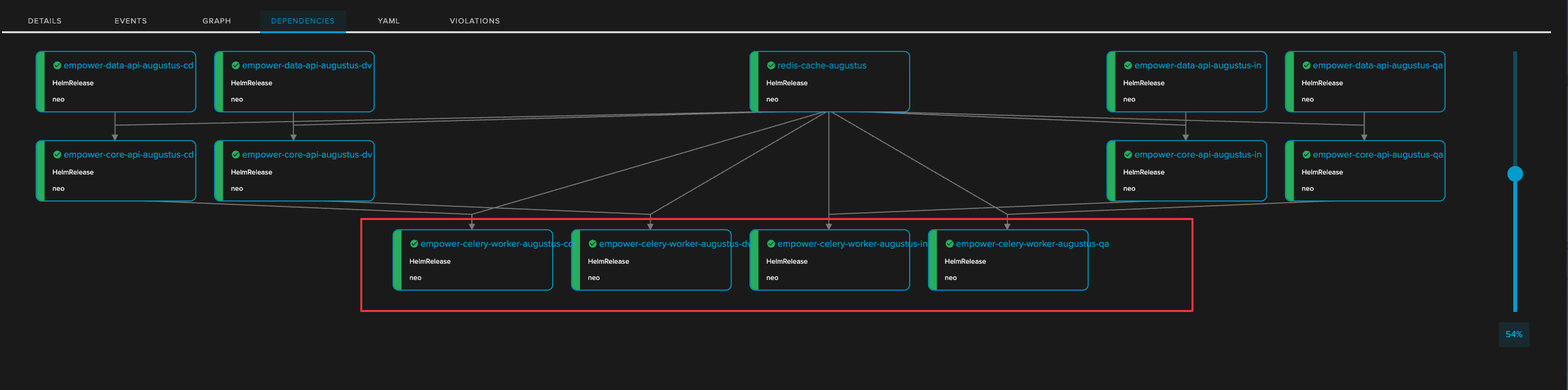
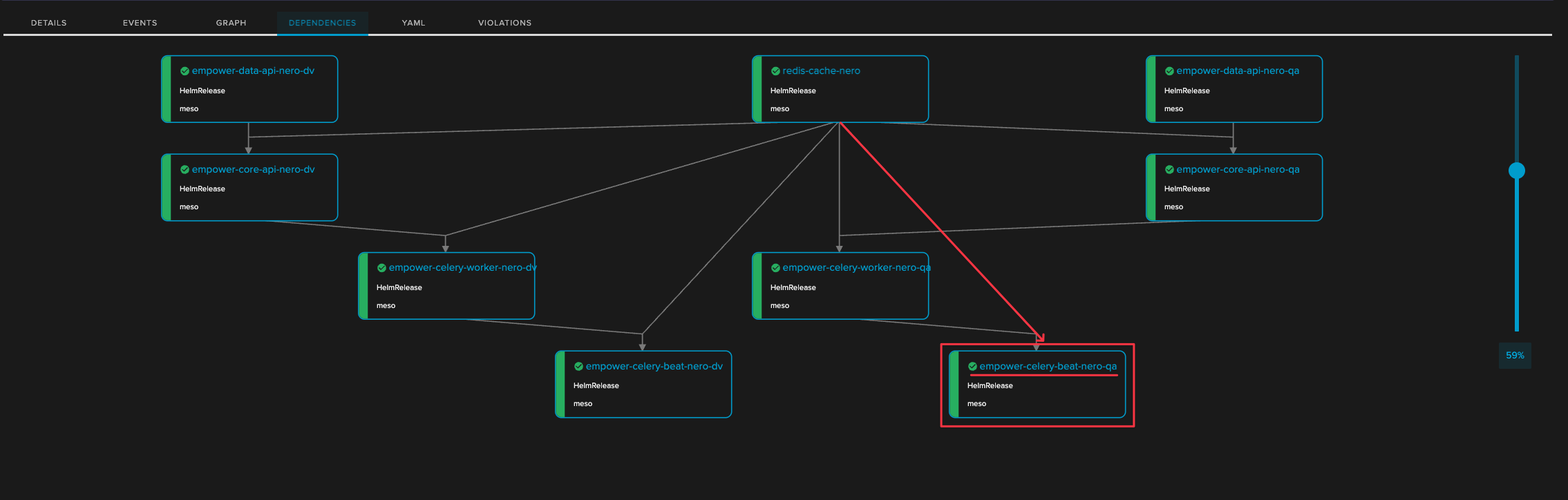
The celery-beat component is a dependency to the redis-cache in Central Services. You can check the corresponding redis-cache dependencies to see if the celery-beat HelmRelease is present.
-
Similar to the previous verifications step, under
Applicationsfilter for the client'sredis-cachewith "redis" -
Verify the
empower-celery-beat-<client>-<env>is not tied to theredis-cacherelease.- Celery-beat removed
- Celery-beat Existing
 click on image to zoom
 click on image to zoom
Common variations
No variations available