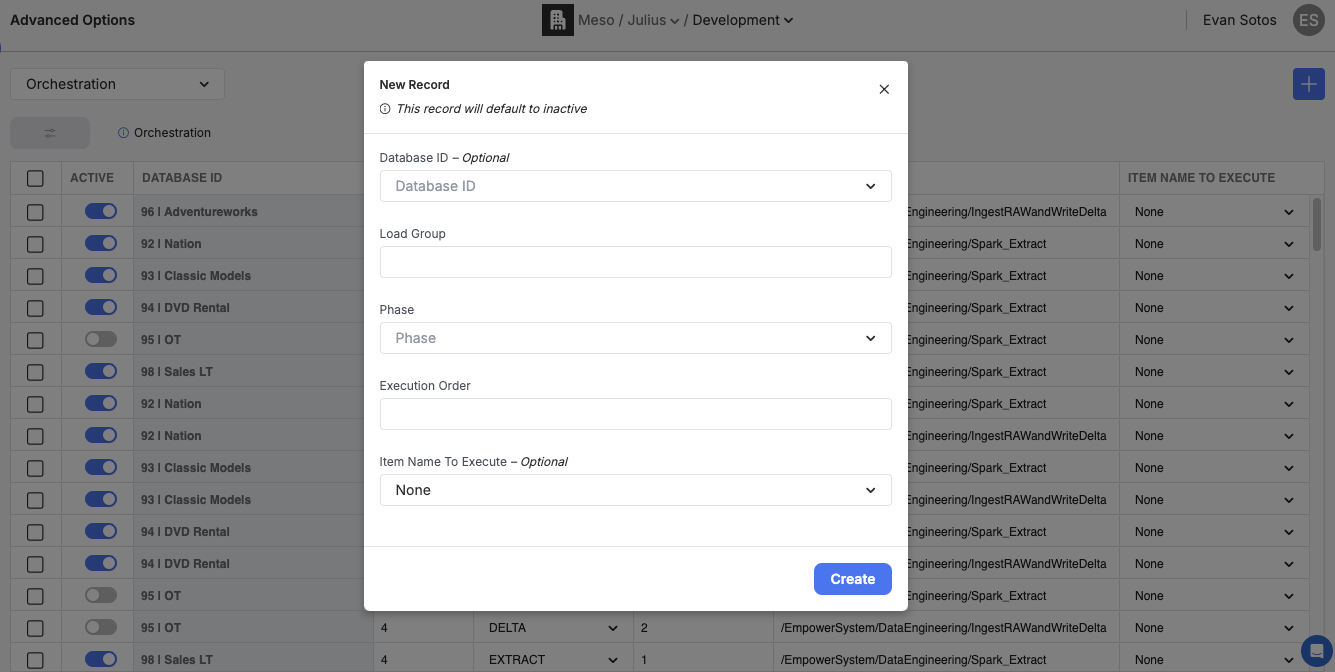
Navigate to the 'Orchestration' tab of Empower's advanced options and select the '+' button to create a new DB2Step entry
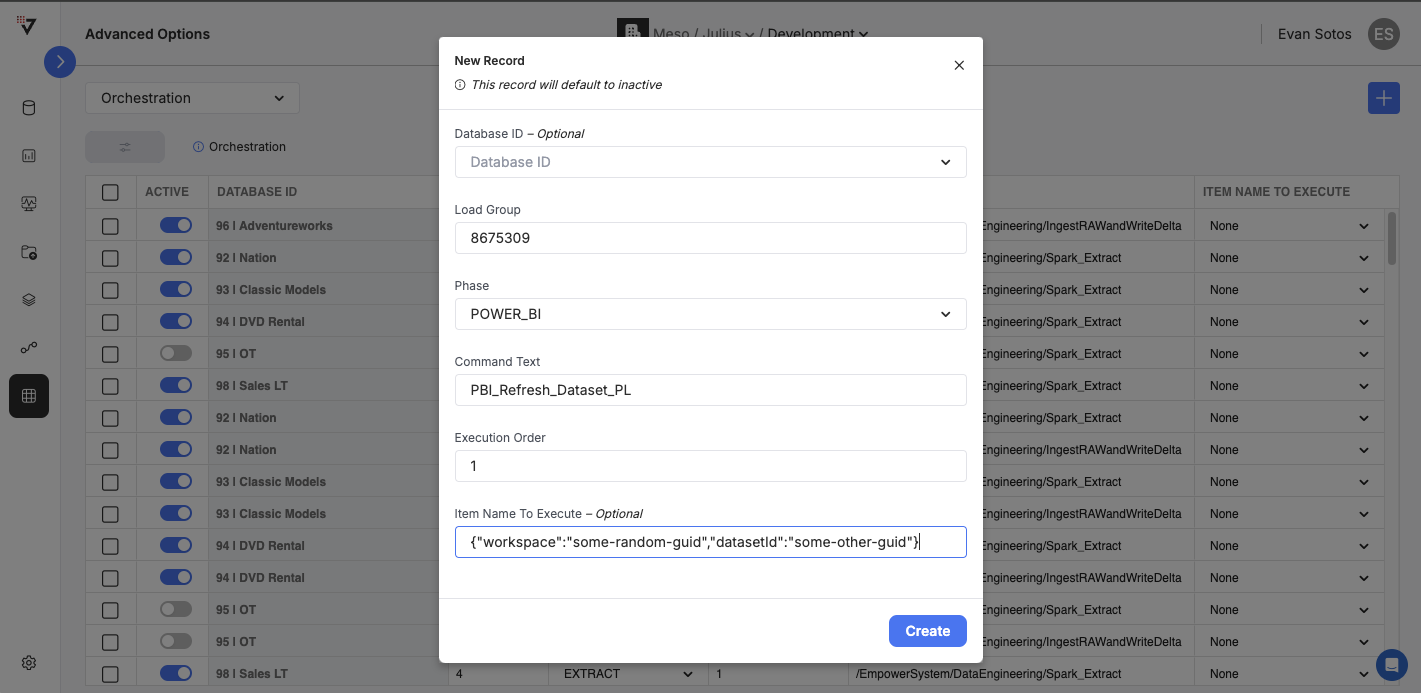
Enter a new unused load group ID to act as the load group for ONLY the PowerBI refresh page, set Phase to 'POWER_BI', set execution order to any positive number and provide workspace and datasetId for Item Name to Execute
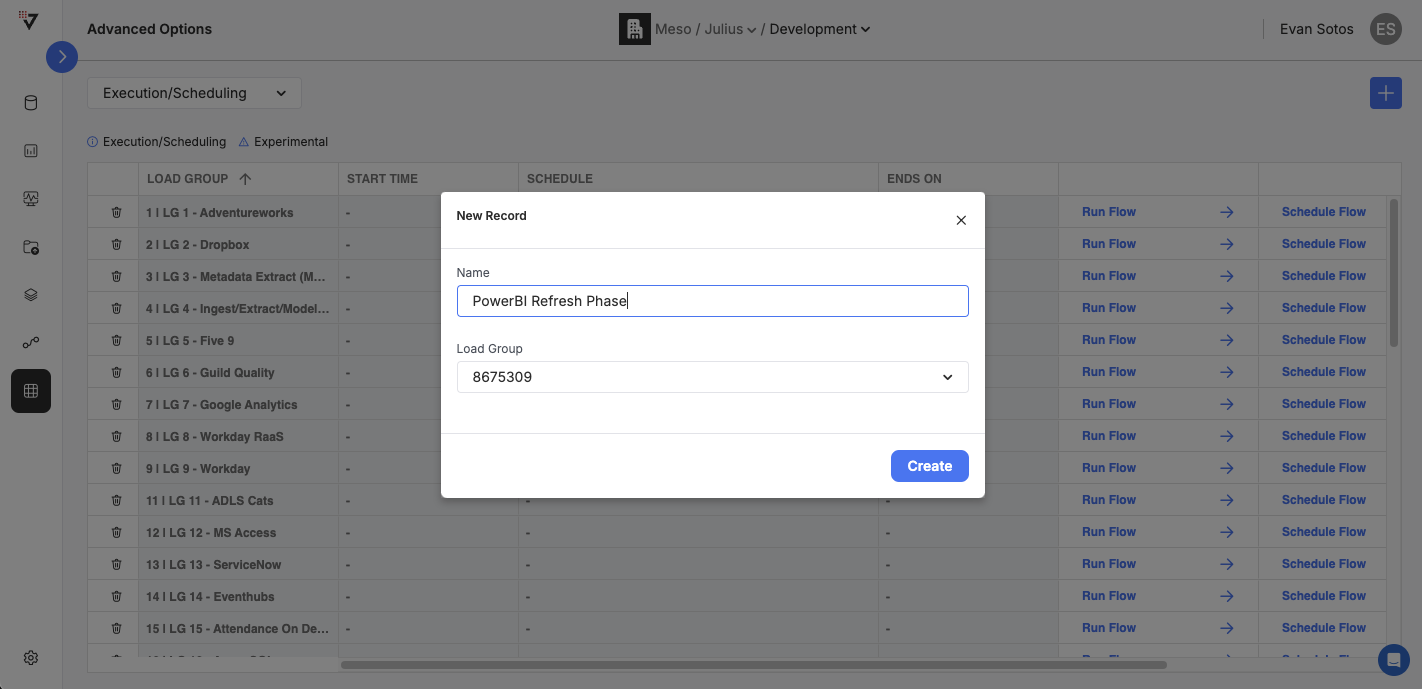
Once the new load group is created with an entry for ONLY PowerBI refresh, navigate to the 'Execution / Scheduling' page of the Advanced Options UI and select the '+' button to create a new MAIN_PL based flow
Once selected, provide a descriptive name and select the load group from step 2
Repeat steps 1-3 as necessary to move over all PowerBI Refresh phases to MAIN_PL flows for use in workflows