Data Acquisition Flows
-
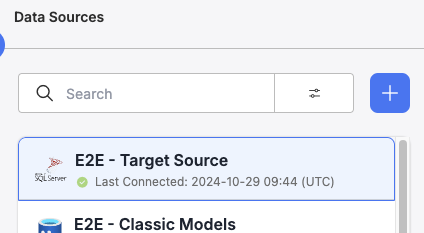
Select an existing Data Source Connection to create an Acquisition Flow from
-
-
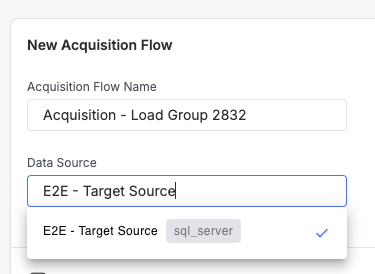
Navigate to the Acquisition flows page, select the plus button and configure a new Flow tied to the existing Data Source connection
-
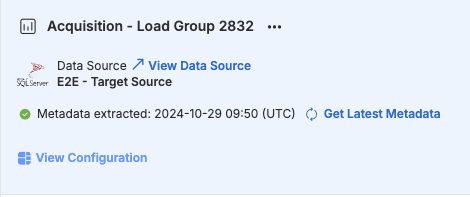
Once an Acquisition Flow is created, Select 'View Configuration' for the given Acquisition Flow, this will route you to the Flow configuration page for the given Data Source, allowing configuration of which objects will be included as part of the flow run
-
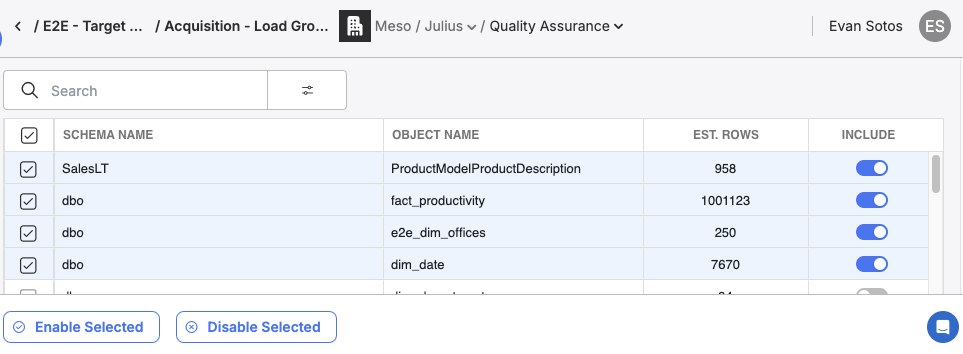
Select the Objects to be included as part of the Data Flow run, an easy way for determining which objects should be selected is to cross reference with ObjectList / Metadata Catalog, any object on this Data Source that has a 'Load Group' value aligning with the load group you are trying to move over should be included in this Acquisition flow
- NOTE - Objects on Metadata Catalog should be 'Enabled' in order to be added to an Acquisition, if you'd like to disable an object on a per flow level, simply uncheck the 'Include' column on a given flow, otherwise if you'd like to disable an object at a global level, uncheck the 'Enabled' column in Metadata Catalog as done previously
-
If you have multiple objects across different Data Source Connections included as part of the Ingestion / Extraction phases for DatabaseToStep, create a new Acquisition Flow for each Data Source and repeat steps 1-4 in order to move over all objects that are part of a single load group