Feature Requests
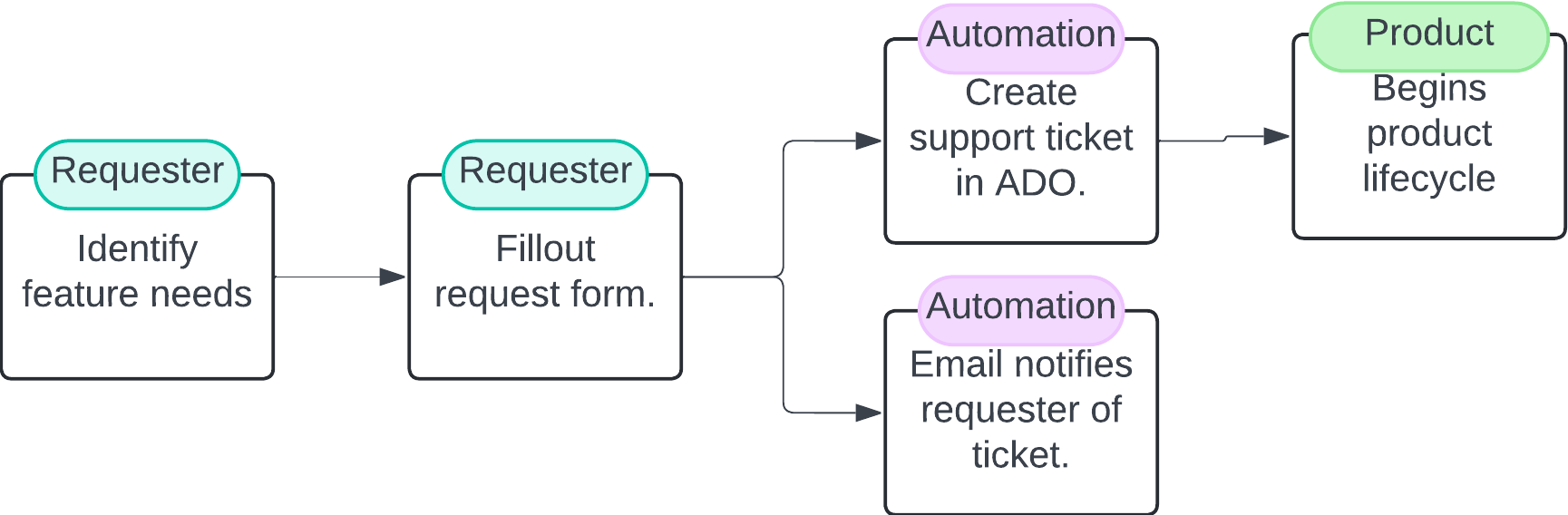
To Submit a Feature
- Open theEmpower Ticketing Dashboard: This dashboard contains a central location for bug, feature, and support requests.
- Click "Submit a feature request": This will take you to our feature request form
- Enter contact information: Provide your name and email address so we can follow up with you.
- Identify your user type: It helps us to design a helpful feature for your use case.
- Describe your use case: Be descriptive and specific in what you are trying to do/suggest. It helps often to detail your problem not just the solution you are proposing. We need these details to research the problem further and better design a feature.
- Define impact: In addition to describing your use case, rate how useful this would be for you if we solved for your issue.
- Suggest a priority We don't guarantee we will prioritize it the same way you do, but this will help us in case we need to move things around in our product roadmap.
- Click submit: This kicks off automation to alert our product team. It will also send you an email
After Submission
Product managers will receive your request and review it. It will then undergo our Product Lifecycle Process, before being written up as a two-pager on the Problem Solution Alignment Hub.