Run extraction metadata or data directly
If you need to use any available source that does not appear in the UI, you can run the extraction directly through a Databricks notebook and export it to a file (e.g., a parquet file).
Step 1
First, you need to know the format of the connection string and have access to the source.
The format of the connection string may vary depending on the source. Below is an example connection string format for PostgreSQL:
"jdbc:cdata:postgresql:"
"Server=<server url>;"
"User=<user>;"
"Password=<password>;"
"Database=<database>;"
"Port=<port (PostgreSQL default port: 5432)>;"
"AuthScheme=Password;"
"UseSSL=true;"
"RTK=<RTK token>"
Step 2
You need to set up the extraction process.
-
Import the
empoversparkandjsonlibraries (jsoncould be useful if the connection string has JSON format or you pass option in JSON format): -

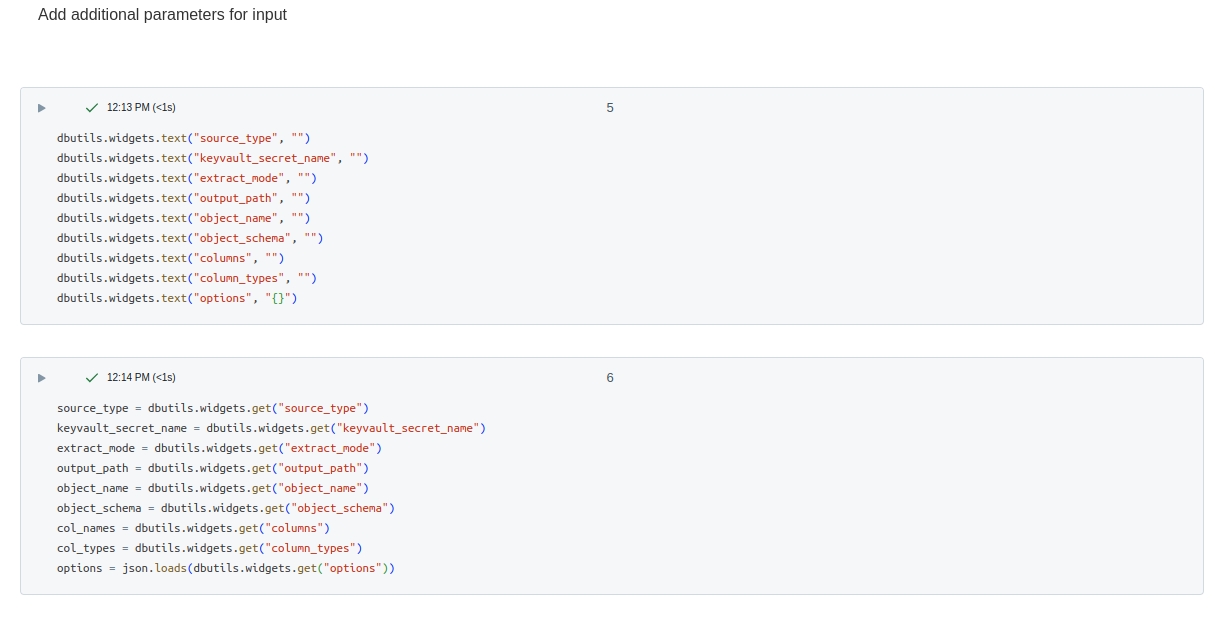
Prepare the scope parameters for the setup of the extraction process. You can define them directly in a notebook but if you are going to share it, more efficiently will use
widgets: -
If you know the right string format, you can just add the connection string into your KEY VAULT service and then use the name of the secret as a value of the parameter
keyvault_secret_name: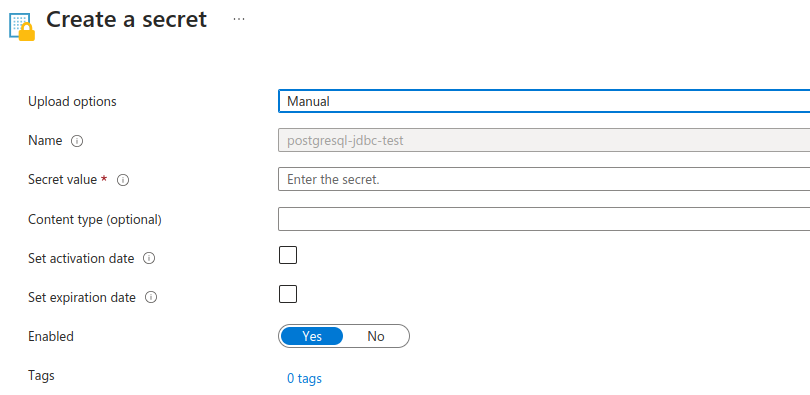
3.1 In case when you know the format but by some reason not able to create a secret, you can apply monkey-patching for the specific method and pass your connection string directly:
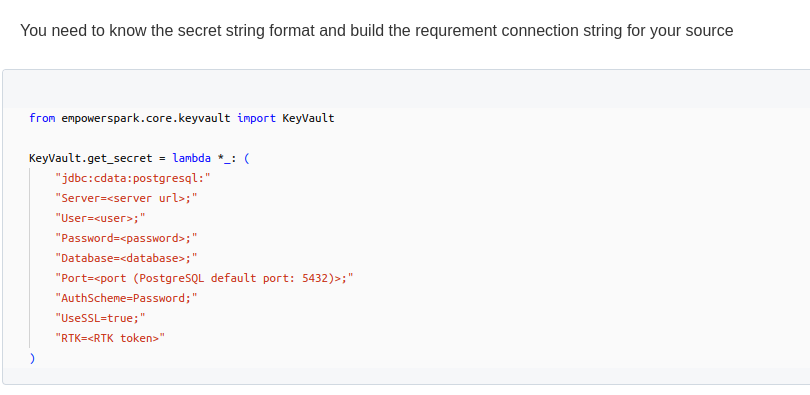
Generally, the interface for data or metadata extraction is the same, but the required data will vary.
Here’s an example of how the extraction process might look:
Empower.source(source_type)
    .keyvault_secret(keyvault_secret_name)
    .set_extract_mode(extract_mode)
    .output_path(output_path)
    .object_name(object_name, object_schema)
    .options(**options)
    .acquire()
    .metrics()
but the params are different:
-
Metadata extraction:
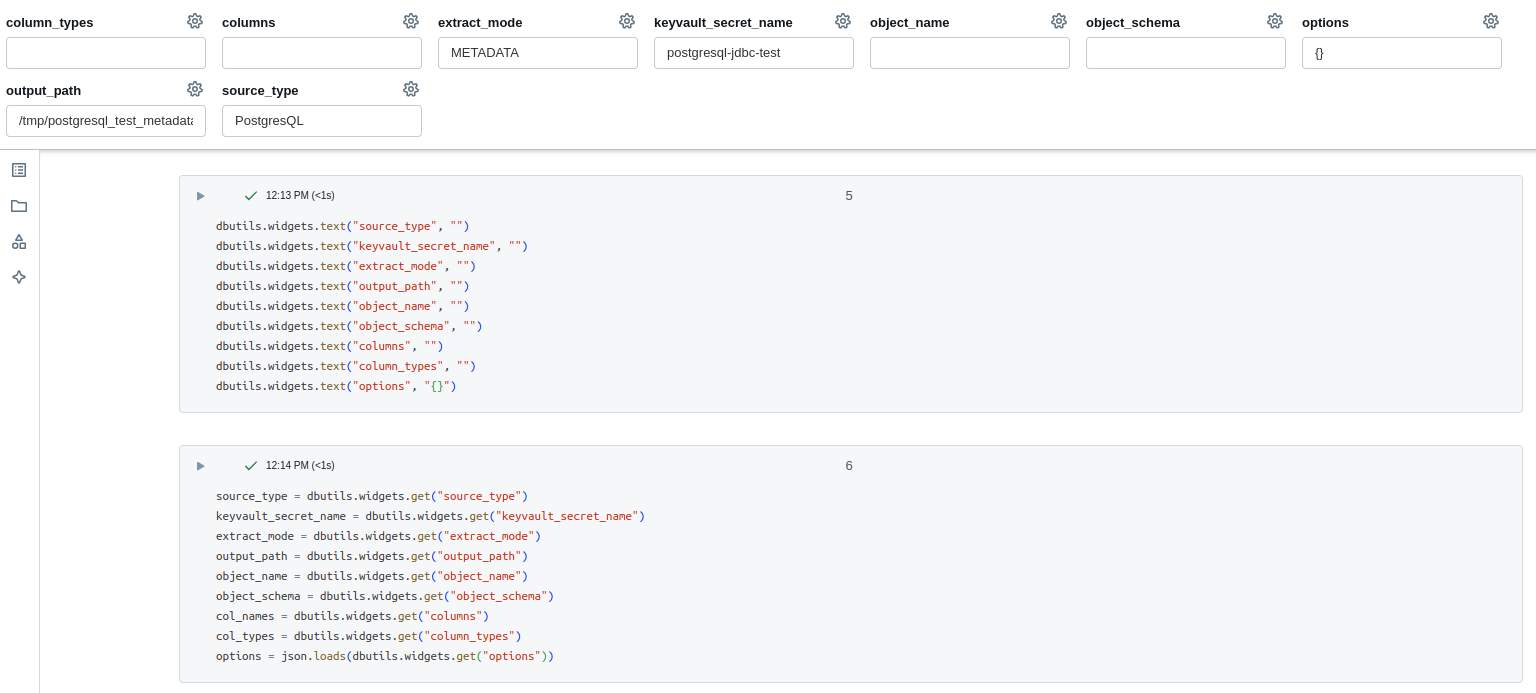
-
Data extraction:
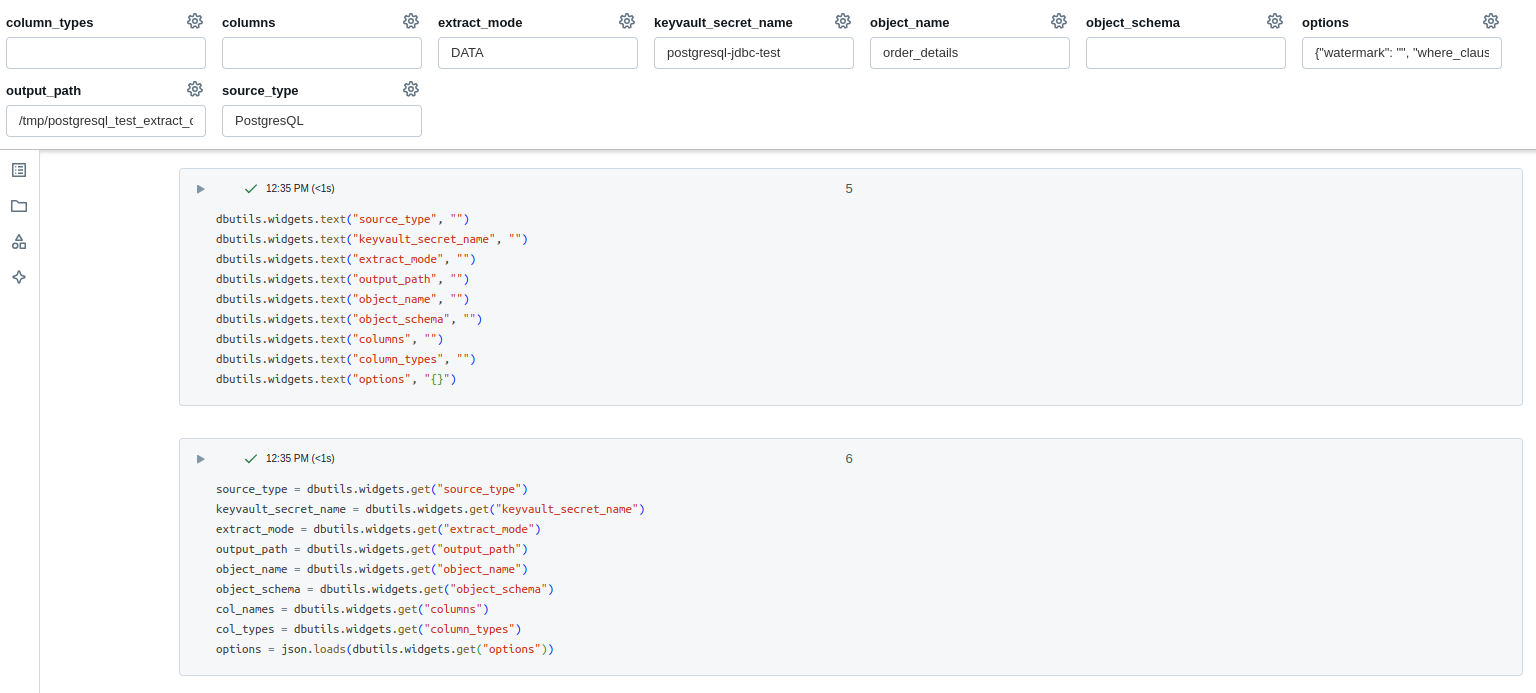
The main differences between data and metadata extraction are as follows:
- The
extract_modediffers for each type of extraction. - The
object_nameis used for data extraction. - The
optionsare specific to data extraction. - The
output_pathshould be unique for each run to avoid overwriting data.
Step 3
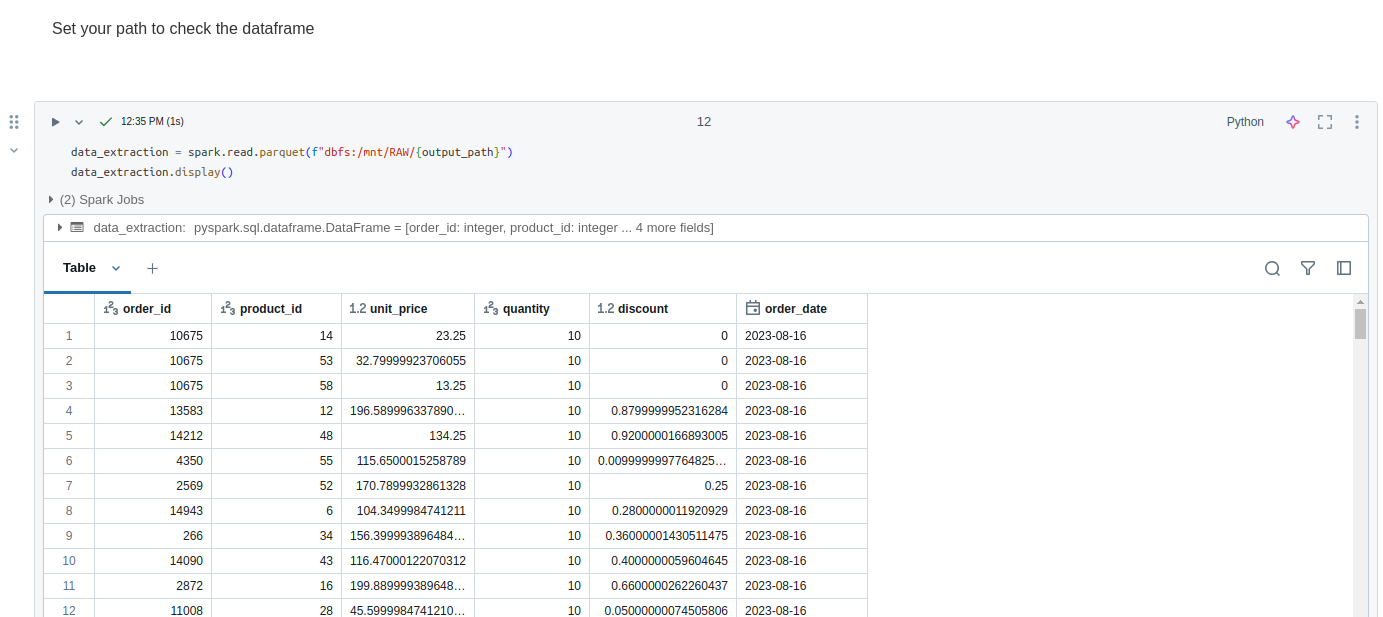
After successful extraction, you can verify the result using common Spark methods to read the file.
You need only pass the path to your source or use theCatalog Explorer in Databricks for that:
Example of the notebooks:
# Databricks notebook source
# MAGIC %md
# MAGIC # Template data extraction notebook
# MAGIC If you want to use any source to extract data
# MAGIC you can use this notebook like a template

# COMMAND ----------

# MAGIC %md
# MAGIC Be sure that you have installed `empowerspark` library

# COMMAND ----------

import json

from empowerspark import Empower

# COMMAND ----------

# MAGIC %md
# MAGIC Add additional parameters for input

# COMMAND ----------

dbutils.widgets.text("source_type", "")
dbutils.widgets.text("keyvault_secret_name", "")
dbutils.widgets.text("extract_mode", "")
dbutils.widgets.text("output_path", "")
dbutils.widgets.text("object_name", "")
dbutils.widgets.text("object_schema", "")
dbutils.widgets.text("columns", "")
dbutils.widgets.text("column_types", "")
dbutils.widgets.text("options", "{}")

# COMMAND ----------

source_type = dbutils.widgets.get("source_type")
keyvault_secret_name = dbutils.widgets.get("keyvault_secret_name")
extract_mode = dbutils.widgets.get("extract_mode")
output_path = dbutils.widgets.get("output_path")
object_name = dbutils.widgets.get("object_name")
object_schema = dbutils.widgets.get("object_schema")
col_names = dbutils.widgets.get("columns")
col_types = dbutils.widgets.get("column_types")
options = json.loads(dbutils.widgets.get("options"))

# COMMAND ----------

# MAGIC %md
# MAGIC You need to know the secret string format and build the requrement connection string for your source

# COMMAND ----------

from empowerspark.core.keyvault import KeyVault

# Optional, if you are not able to create a secret
KeyVault.get_secret = lambda *_: (
    "jdbc:cdata:postgresql:"
    "Server=<server url>;"
    "User=<user>;"
    "Password=<password>;"
    "Database=<database>;"
    "Port=<port (PostgreSQL default port: 5432)>;"
    "AuthScheme=Password;"
    "UseSSL=true;"
    "RTK=<RTK token>"
)

# COMMAND ----------

# MAGIC %md
# MAGIC Run the data extraction

# COMMAND ----------

(
    Empower.source(source_type)
    .keyvault_secret(keyvault_secret_name)
    .set_extract_mode(extract_mode)
    .output_path(output_path)
    .object_name(object_name, object_schema)
    .options(**options)
    .acquire()
    .metrics()
)

# COMMAND ----------

# MAGIC %md
# MAGIC Set your path to check the dataframe

# COMMAND ----------

data_extraction = spark.read.parquet(f"dbfs:/mnt/RAW/{output_path}")
data_extraction.display()
# Databricks notebook source
# MAGIC %md
# MAGIC # Template metadata extraction notebook
# MAGIC If you want to use any source to extract metadata
# MAGIC you can use this notebook like a template

# COMMAND ----------

# MAGIC %md
# MAGIC Be sure that you have installed `empowerspark` library

# COMMAND ----------

import json

from empowerspark import Empower

# COMMAND ----------

# MAGIC %md
# MAGIC Add additional parameters for input

# COMMAND ----------

dbutils.widgets.text("source_type", "")
dbutils.widgets.text("keyvault_secret_name", "")
dbutils.widgets.text("extract_mode", "")
dbutils.widgets.text("output_path", "")
dbutils.widgets.text("object_name", "")
dbutils.widgets.text("object_schema", "")
dbutils.widgets.text("columns", "")
dbutils.widgets.text("column_types", "")
dbutils.widgets.text("options", "{}")

# COMMAND ----------

source_type = dbutils.widgets.get("source_type")
keyvault_secret_name = dbutils.widgets.get("keyvault_secret_name")
extract_mode = dbutils.widgets.get("extract_mode")
output_path = dbutils.widgets.get("output_path")
object_name = dbutils.widgets.get("object_name")
object_schema = dbutils.widgets.get("object_schema")
col_names = dbutils.widgets.get("columns")
col_types = dbutils.widgets.get("column_types")
options = json.loads(dbutils.widgets.get("options"))

# COMMAND ----------

# MAGIC %md
# MAGIC You need to know the secret string format and build the requrement connection string for your source

# COMMAND ----------

from empowerspark.core.keyvault import KeyVault

# Optional, if you are not able to create a secret
KeyVault.get_secret = lambda *_: (
    "jdbc:cdata:postgresql:"
    "Server=<server url>;"
    "User=<user>;"
    "Password=<password>;"
    "Database=<database>;"
    "Port=<port (PostgreSQL default port: 5432)>;"
    "AuthScheme=Password;"
    "UseSSL=true;"
    "RTK=<RTK token>"
)

# COMMAND ----------

# MAGIC %md
# MAGIC Run the metadata extraction

# COMMAND ----------

(Empower.source(source_type)
    .keyvault_secret(keyvault_secret_name)
    .set_extract_mode(extract_mode)
    .output_path(output_path)
    .object_name(object_name, object_schema)
    .options(**options)
    .acquire()
    .metrics()
)

# COMMAND ----------

# MAGIC %md
# MAGIC Set your path to check the dataframes

# COMMAND ----------

metadata_tables_extraction = spark.read.parquet(f"dbfs:/mnt/RAW/{output_path}/objects")
metadata_tables_extraction.display()

# COMMAND ----------

metadata_fields_extraction = spark.read.parquet(f"dbfs:/mnt/RAW/{output_path}/fields")
metadata_fields_extraction.display()