Resetting Databricks service principal secret
Summary
The Databricks workspace in the client's environment requires a service principal to communicate with the datalake. The service principal will have the same name as the databricks workspace.
If this service principal's secret expires, or is refreshed, the mount points between the databricks workspace and the empower datalake will have to be recreated.
This guide will cover how to reset both the databricks service principal's secret as well as recreating the mount points with the new secret.
Pre-Requisites
-
In order to follow this guide you will need to be able to login as Empower Service. This is our most secure service principal. If you are unable to login as Empower Service please contact the SRE team to execute these steps for you.
-
You will also need access to the customers external keyvault and databricks workspace
Steps
-
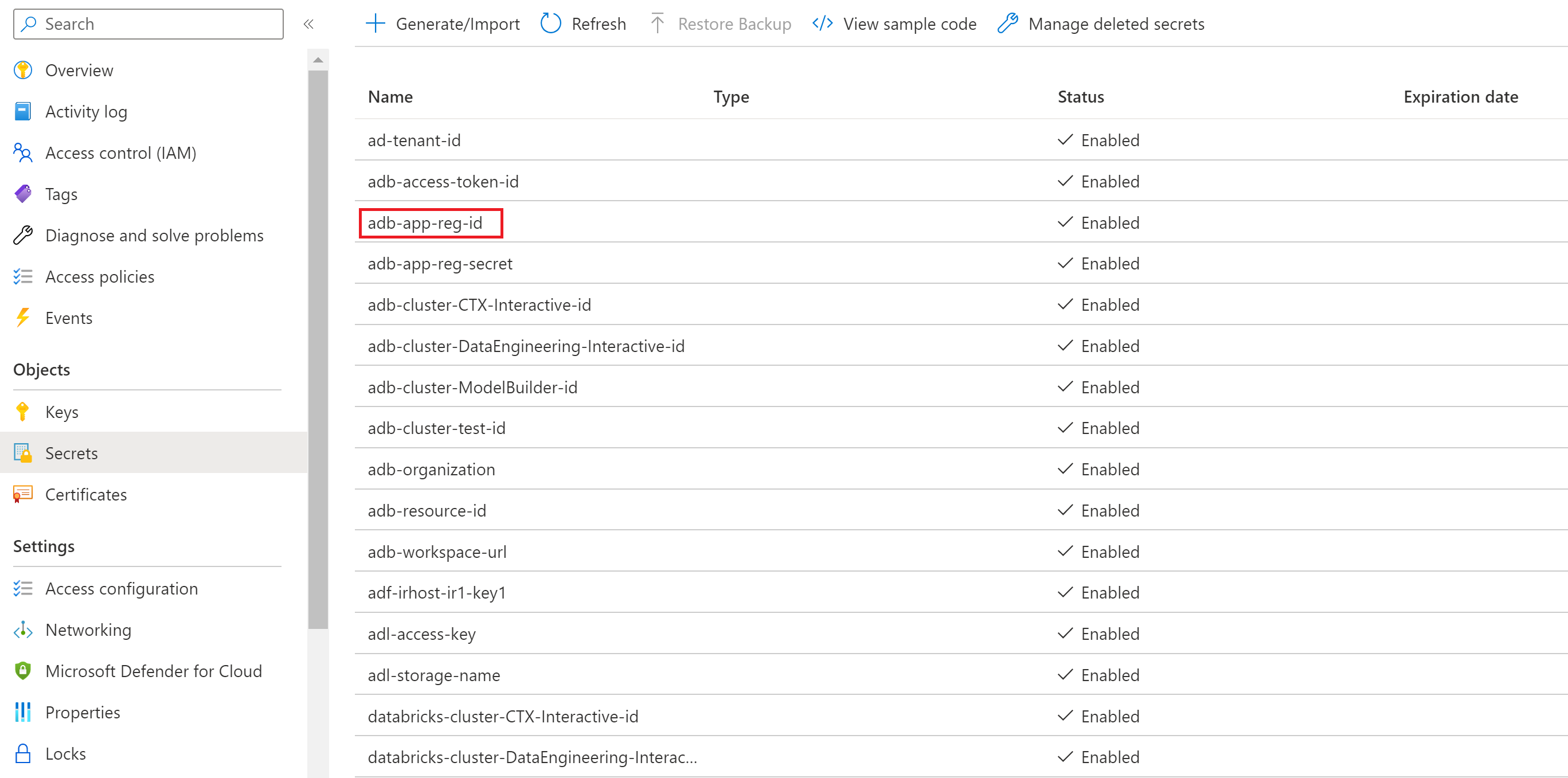
Navigate in the portal to the customer's keyvault and get the databricks SP App ID. The name of the secret is adb-app-reg-id
-
Login to the customer's tenant as Empower Service.
az login --service-principal -u {Empower Service App ID} -p {Empower Service Password} -t {Customer tenant id}
- Run the AZ Cli Command as Empower Service to reset the credentials of the databricks service principal
az ad app credential reset --id {Databricks SP App ID}
-
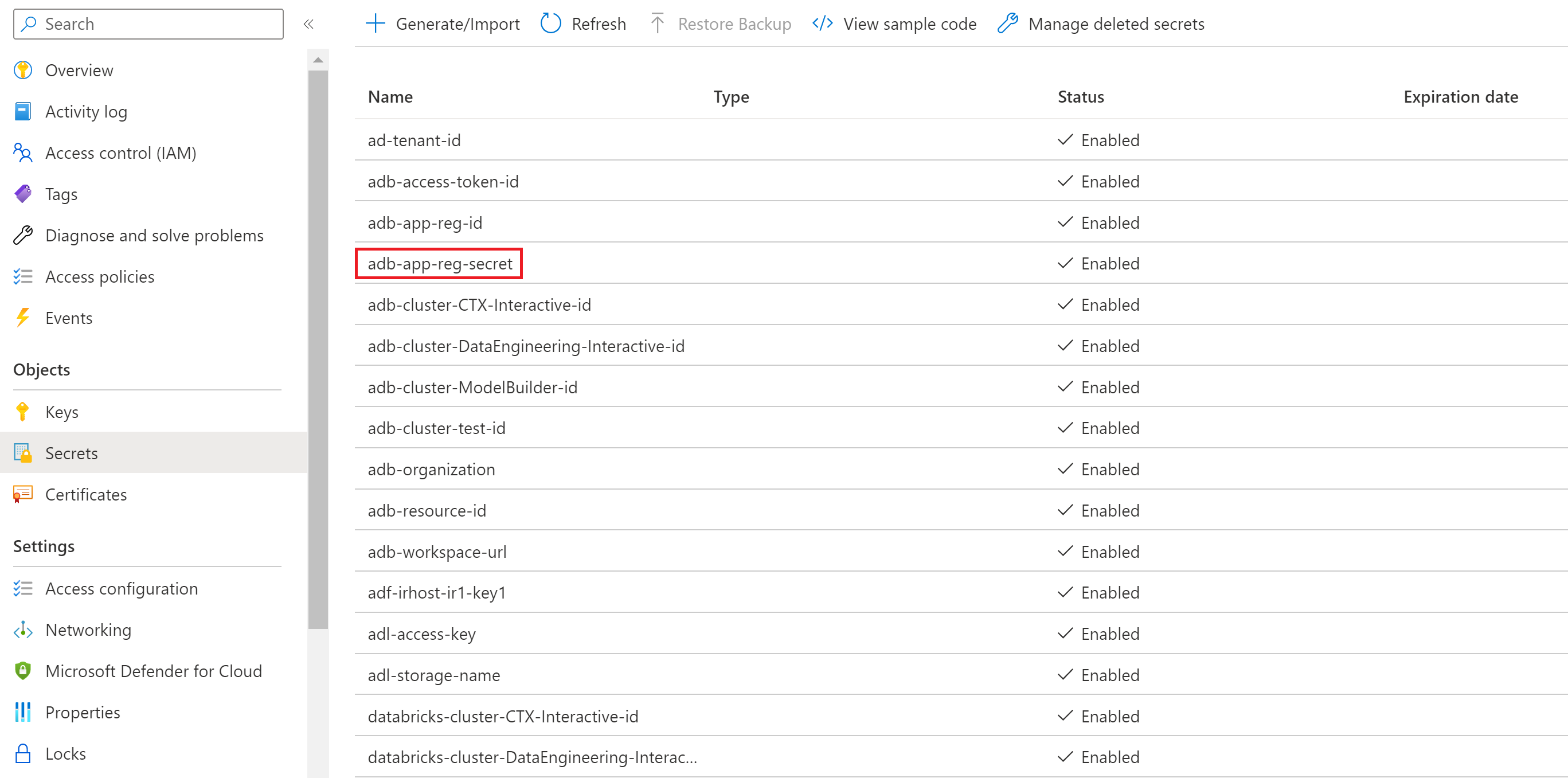
The response will follow the format below. Take the password field returned and store it in the customer's keyvault under adb-app-reg-secret. '''
{
"appId": "example",
"password": "example",
"tenant": "example"
}
'''
-
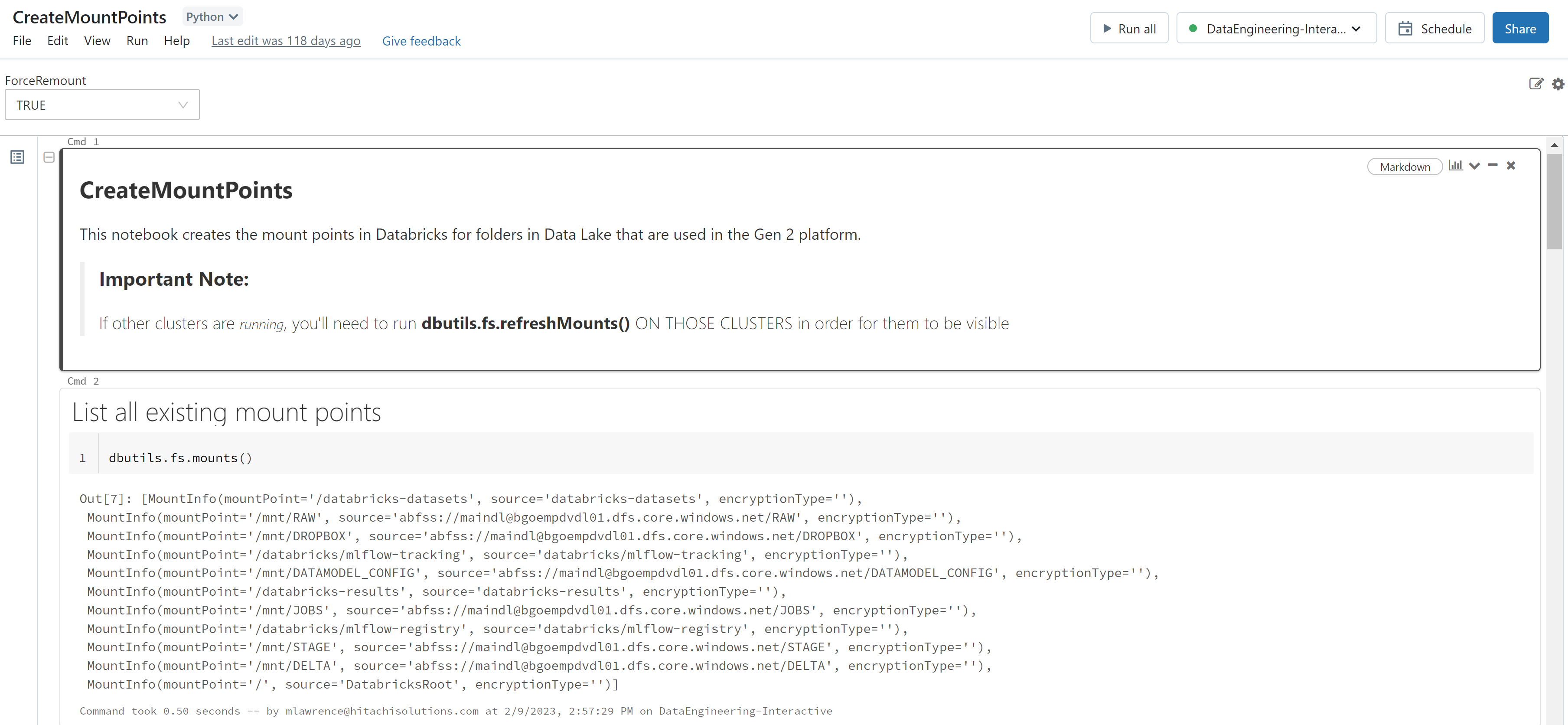
Finally, navigate to the client's databricks workspace and run the notebook at the path /EmpowerSystem/DataEngineering/CreateMountPoints. Important: The "ForceRemount" input variable must be set to true.
-
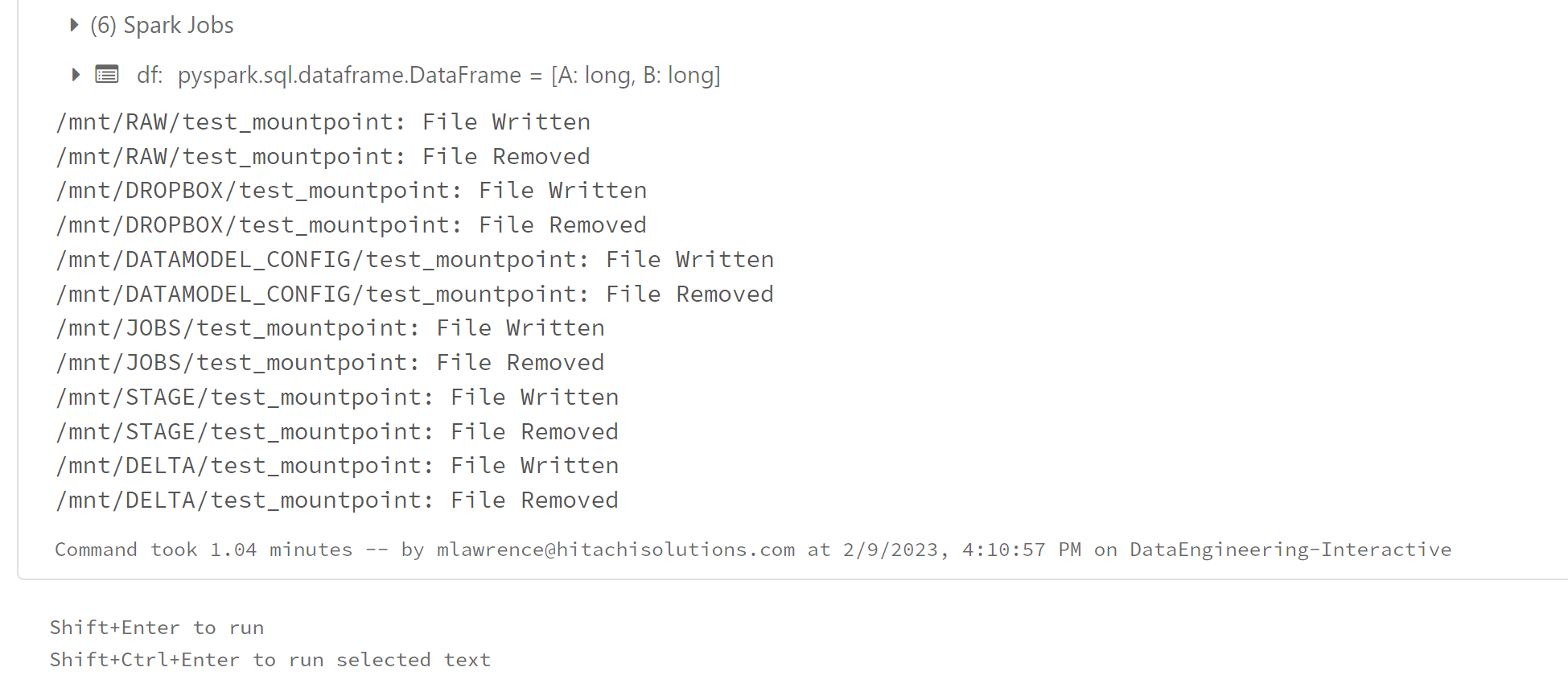
Finally check the tests at the bottom of the notebook run to ensure that the test passed.