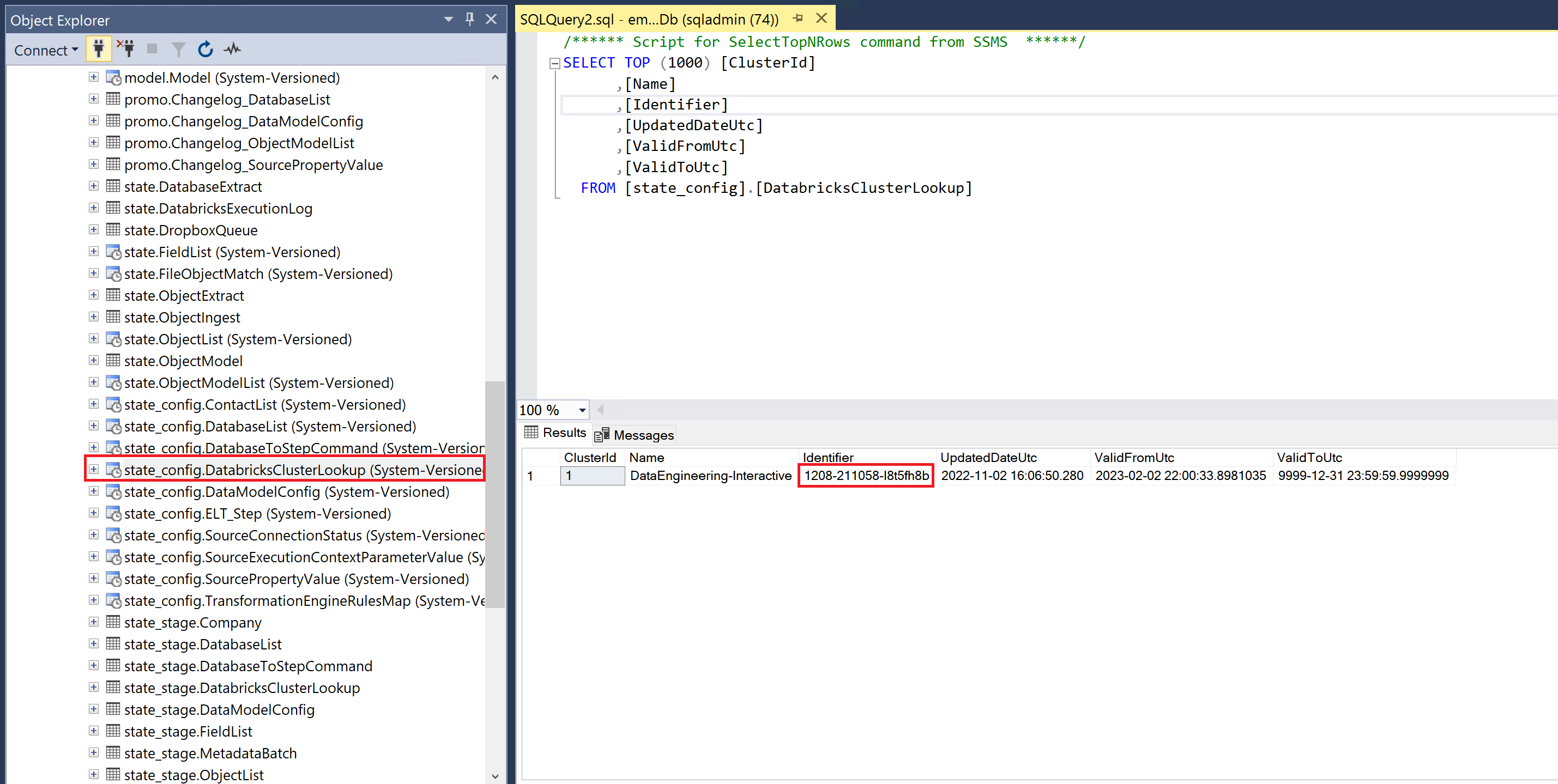
Populate databricks cluster ID in state database
Prerequisites
- Access to the associated statedb
- Access to the databricks workspace
Steps
-
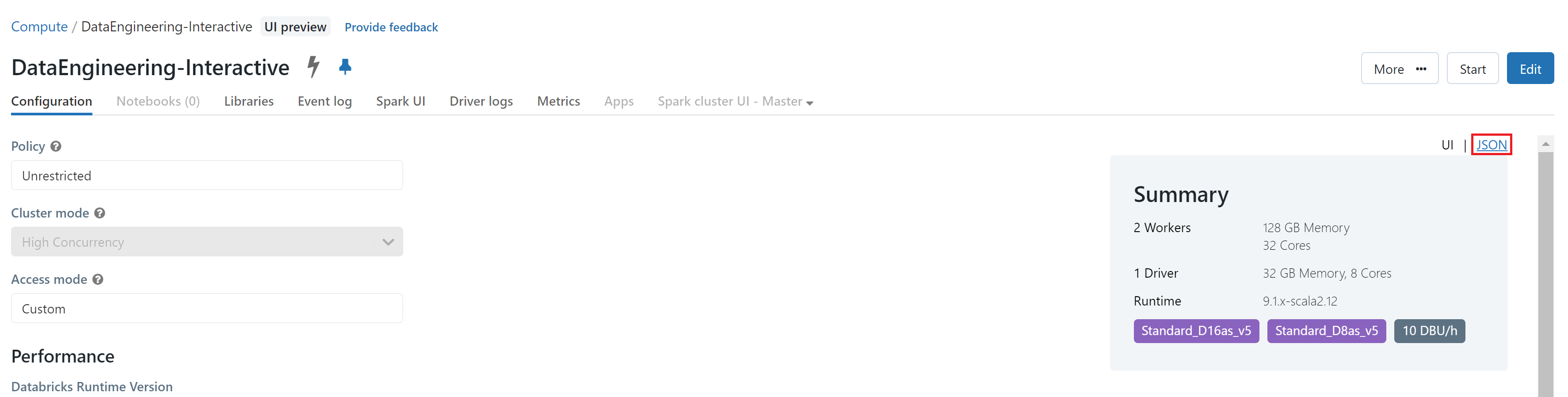
First navigate to the cluster 'Data-Engineering-Interactive' in the databricks workspace. Then click on the JSON tab in the far right.
-
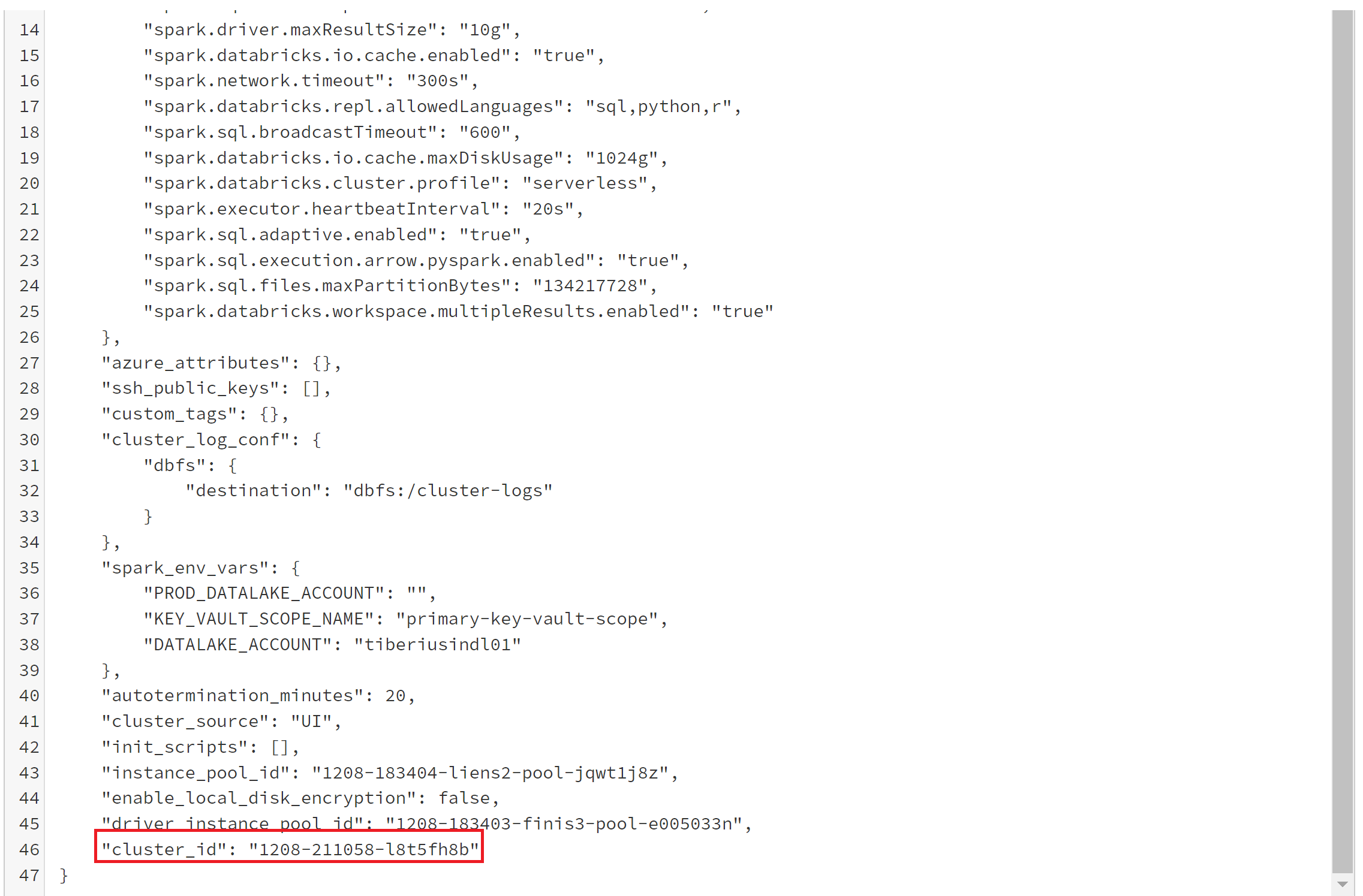
Scroll all the way to the bottom of the cluster definition and grab the cluster ID.
-
Then, login to the sql database through your preferred method and change the identifier value in the state_config.DatabricksClusterLookup table.