Datafactory Global Parameter Import Process
Steps
Note: This process only applies to sandbox deployment.
-
Open datafactory and sign into github. This will be prompted as soon as datafactory launches.
-
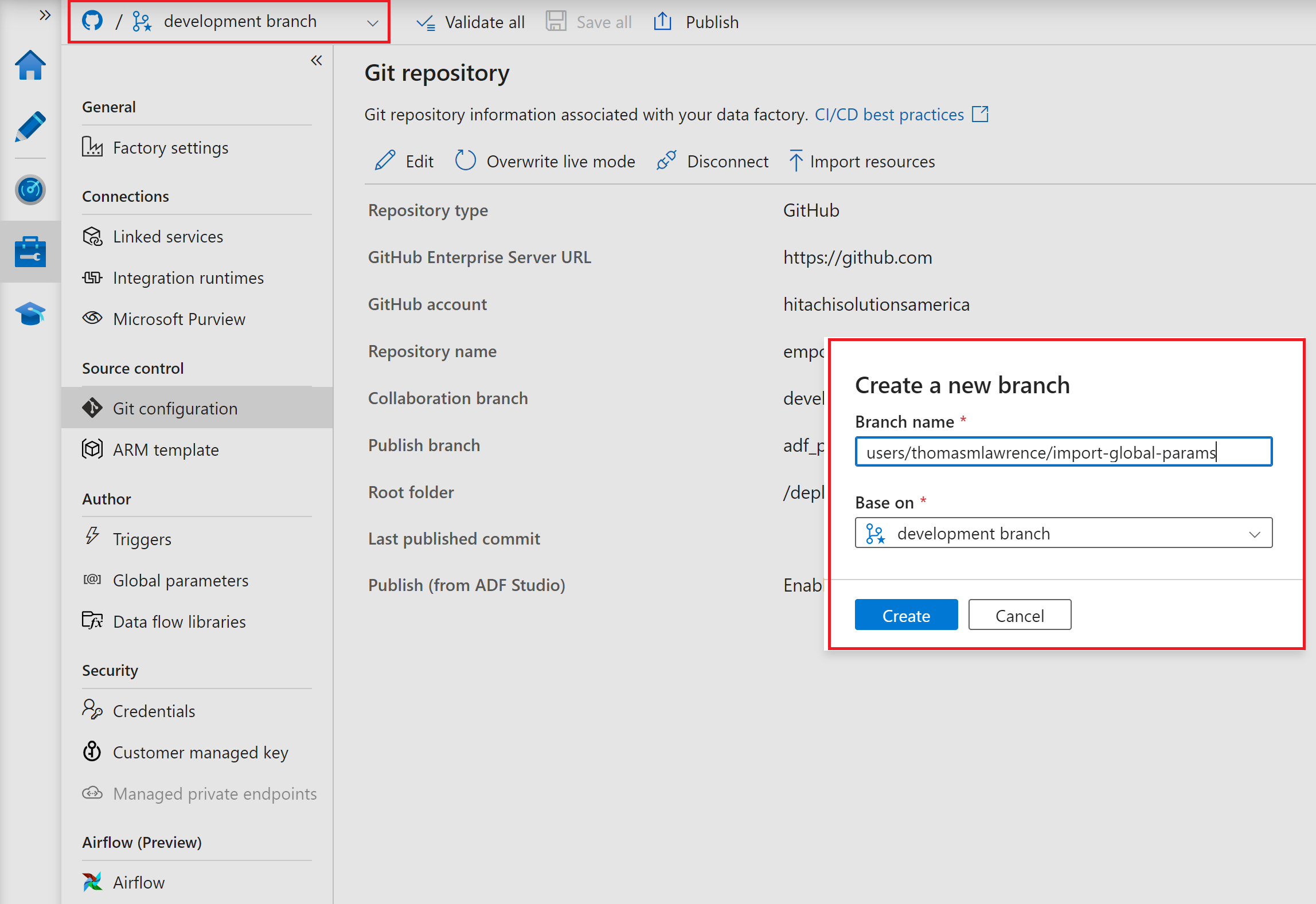
In the drop-down menu at the top left, create a new branch based off of the development branch.
-
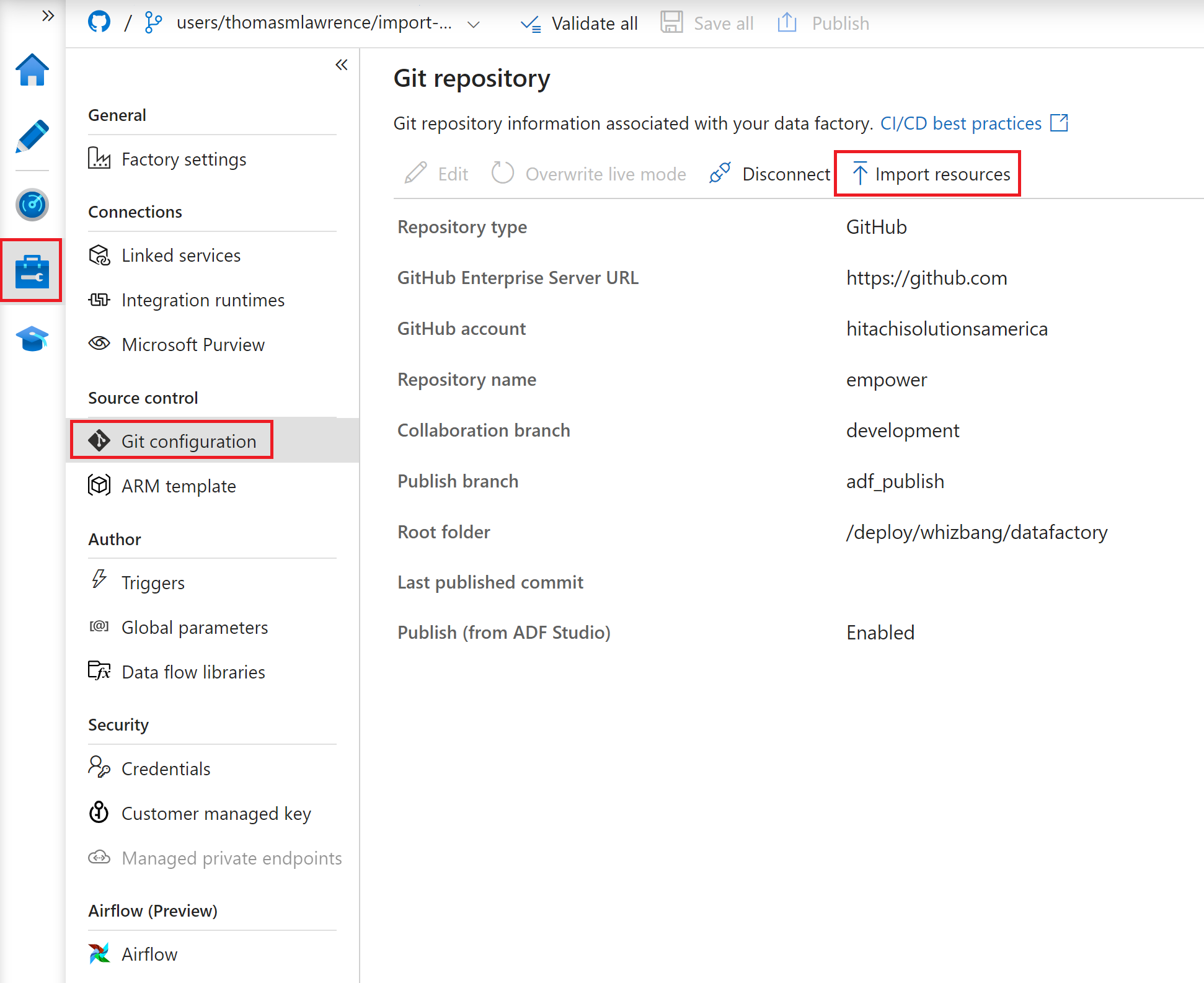
Navigate to the git configuration tab, under the management tab. Click the import resources button.
-
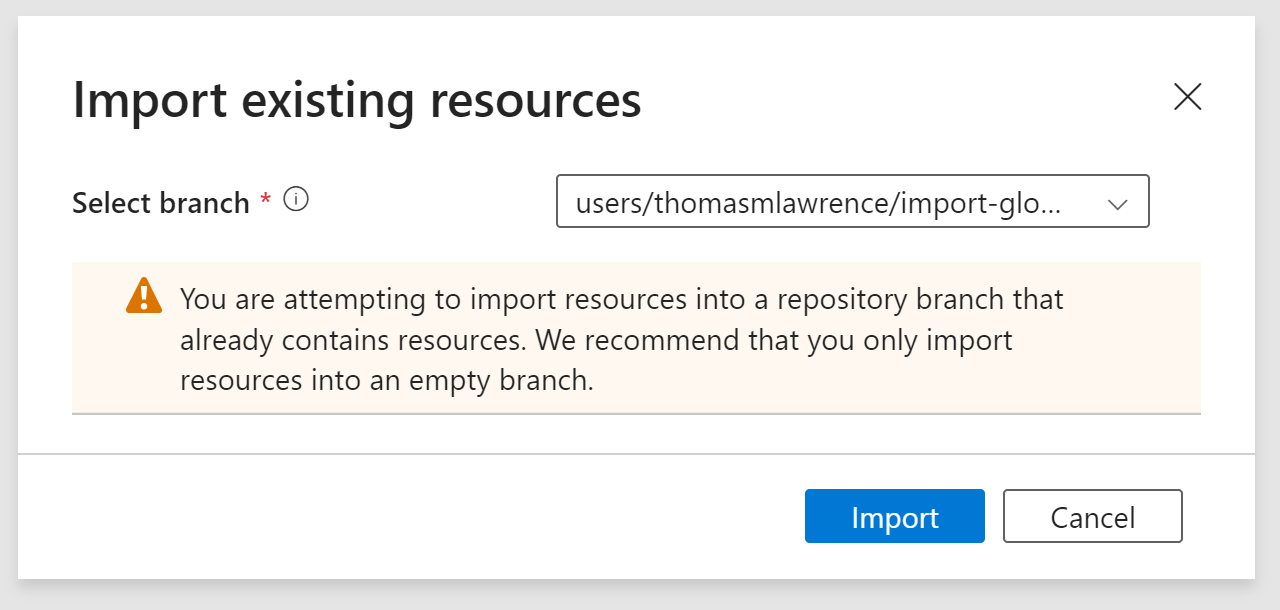
Hit import when the dialogue option is displayed. While normally you would import into an empty branch, for sandbox setup that is not necessary as this is an empty datafactory.
-
Finally, before creating a pull request, complete the databricks pool ID steps here
-
After the pool ID has been added, Setup linked integration runtime instructions
-
click the large publish button at the top of the screen. Then use the drop down menu in the top left to create a pr. The create pr option is directly beneath the new branch option.
-
After the pr has been merged, the global parameters for the sandbox datafactory will be in git. You may need to refresh that workspace page to see them.