Gerkin UX Requirements
Metadata Management via Data Sources Module
Get Latest Metadata
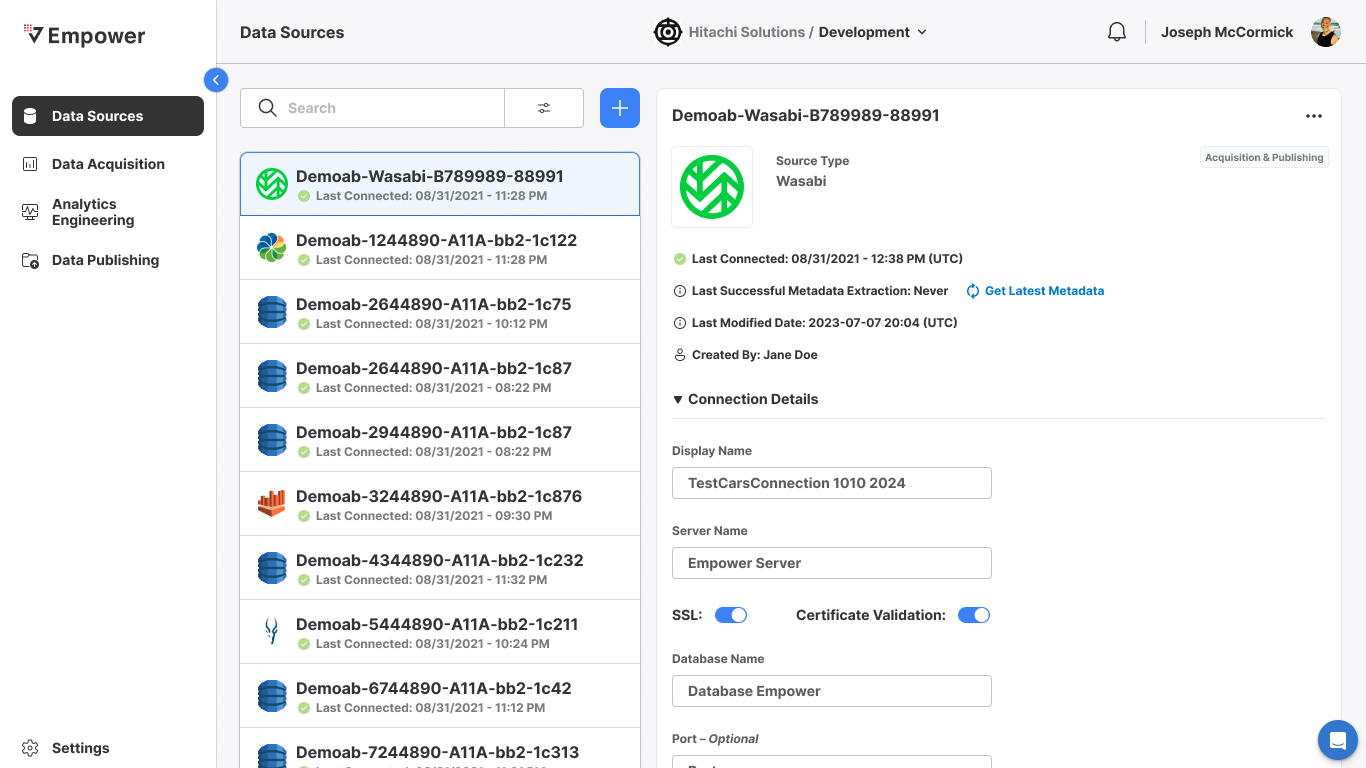
Given
- That I have created a new data source
When
- I navigate to the data source details view in the Data Sources module
And
- That source is a data acquisition source-type (labeled Acquisition & Publishing on the source)
Then
- I am able to Get Latest Metadata
Trigger Metadata Extraction
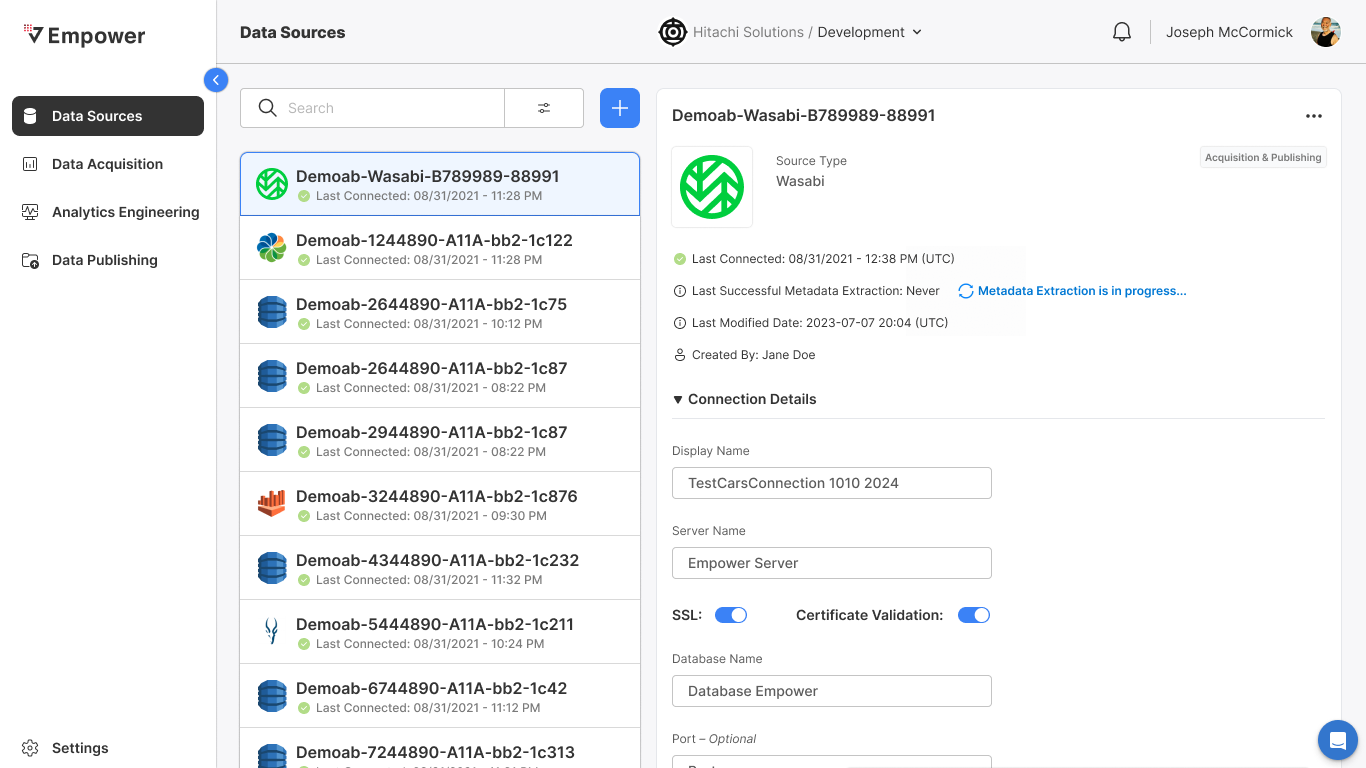
Given
- That I am able to extract metadata
When
- I select Get Latest Metadata
Then
- Metadata extraction process kicks off for that source
Metadata Extraction Complete
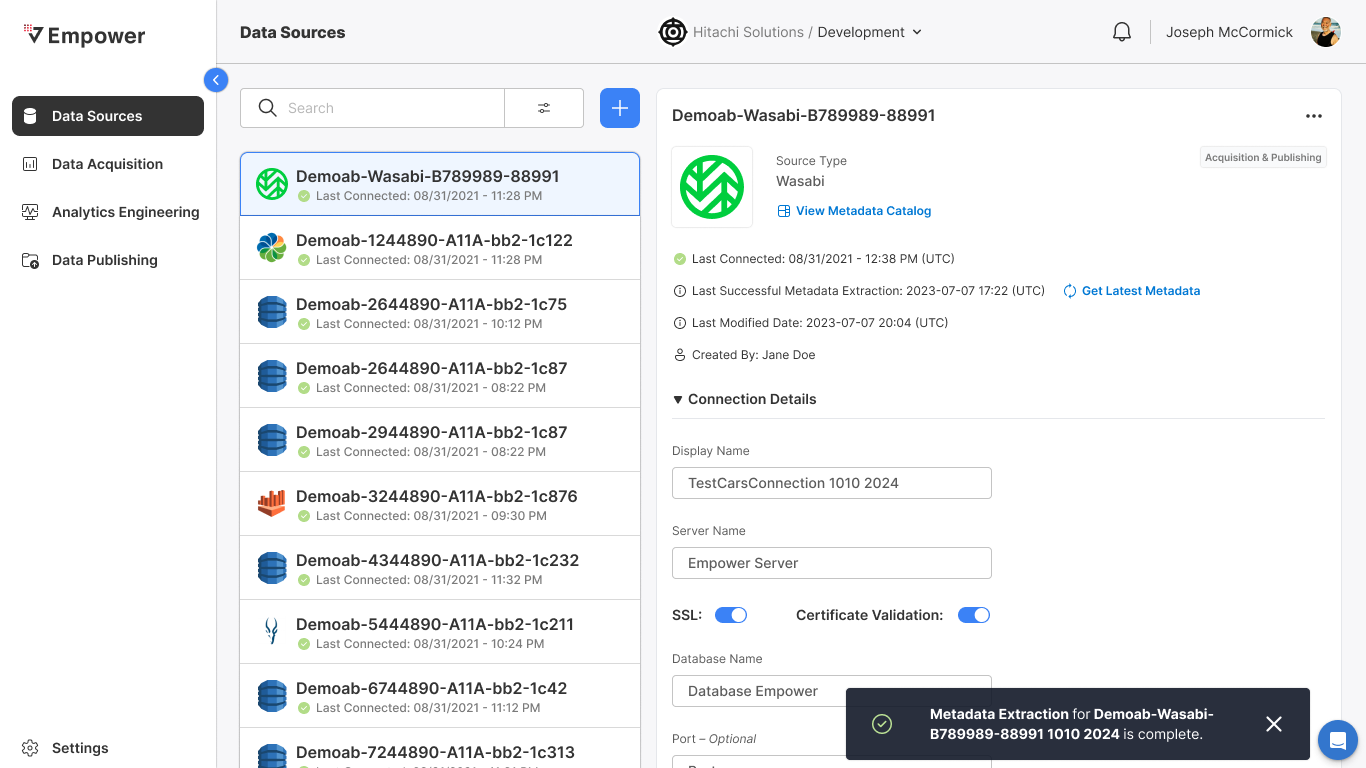
Given
- That I have kicked off the metadata extract process for a given source
When
- The metadata extract process completes
Then
- Toast notification is thrown stating "Metadata extraction for<sourceName> is complete"
- View Metadata Catalog CTA appears in the data source details for that source
View Metadata Catalog
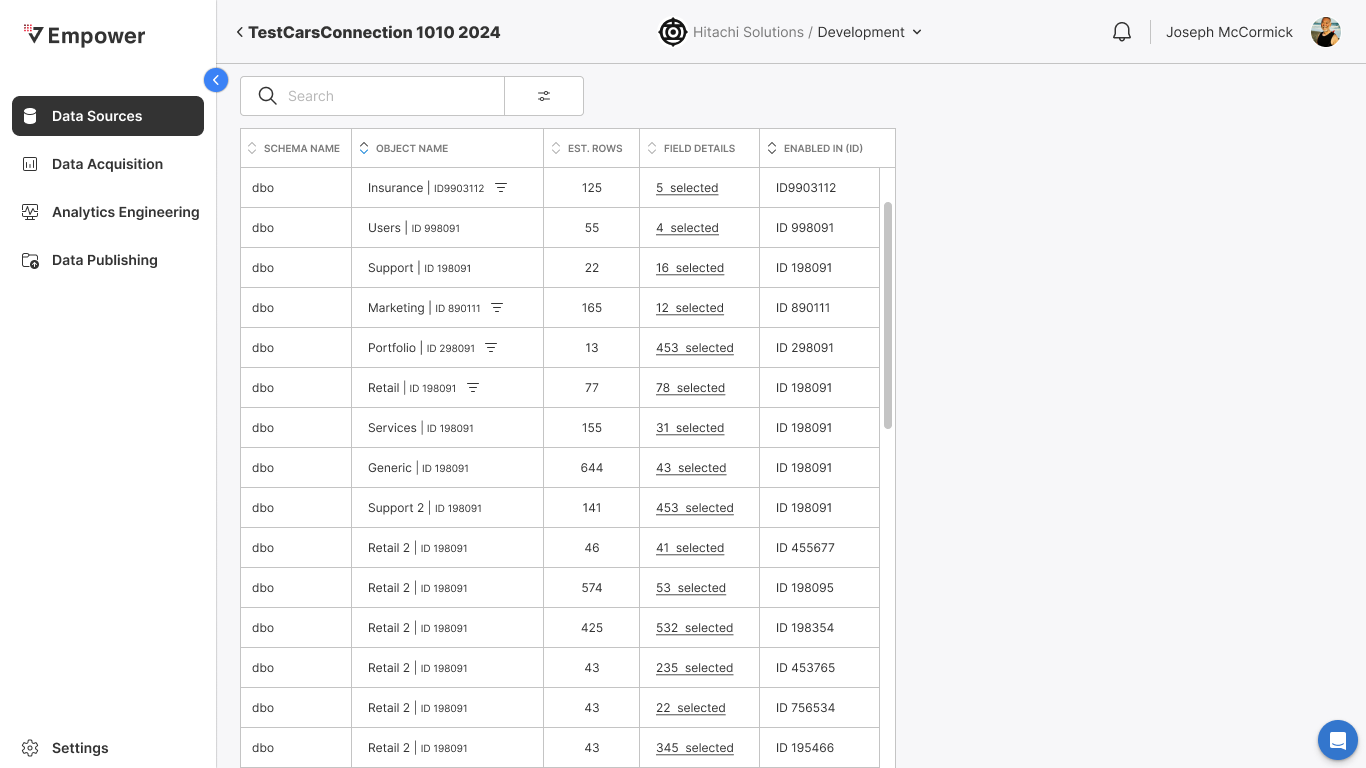
Given
- That metadata extraction successfully completed for a source
When
- I select View Metadata Catalog for that source
Then
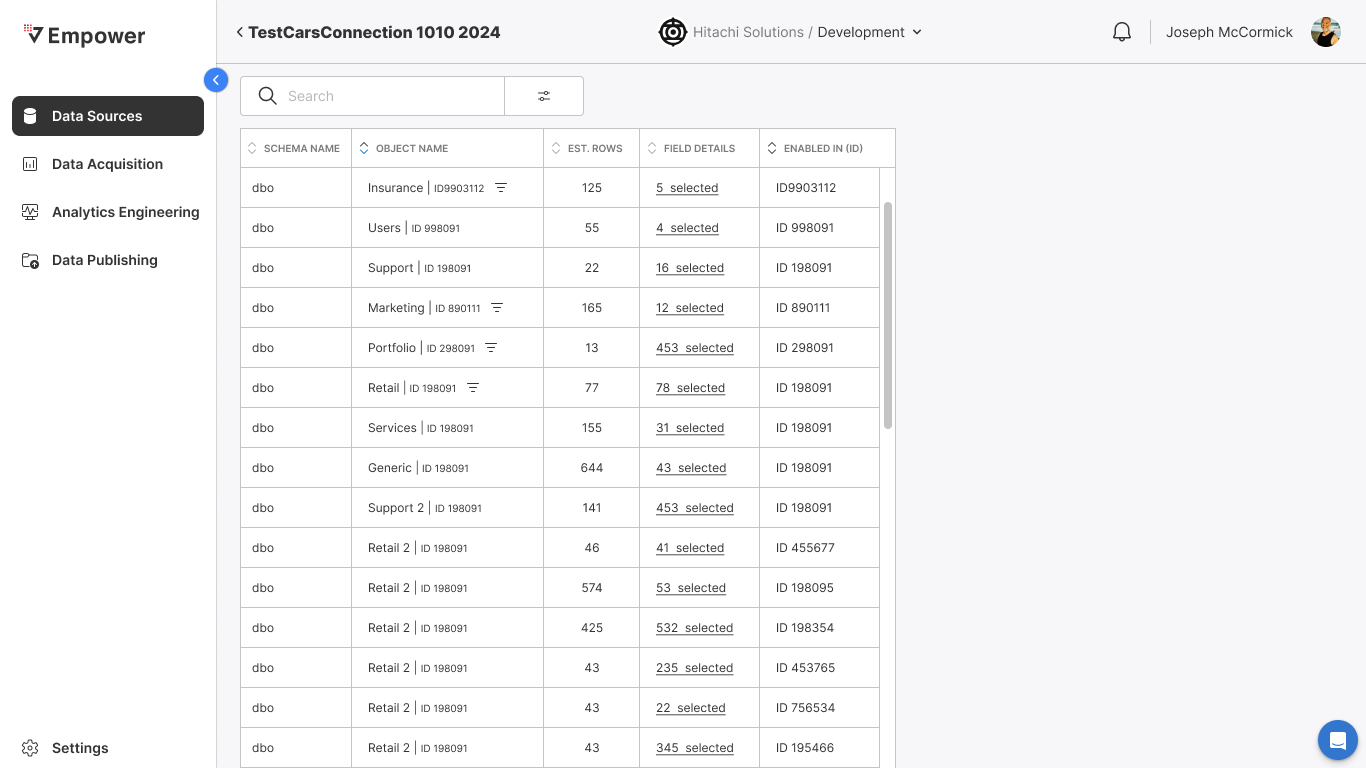
- The metadata extracted for that source is displayed with the following read-only fields:
- Schema Name
- Object Name
- Estimated Rows
- Field Details
- Enabled In (ID)
Search/Filter Metadata Catalog
Given
- That I am viewing the metadata catalog
When
- I select the search/filter bar
Then
- I can typeahead search on the schema name and object name
- I can filter the metadata catalog based:
- Schema Name
- Object Name
- Est. Rows
- Field Details
- Enabled In
Data Acquisition (DAQ) Flows
Archiving a Data Source (w/DAQ Flows!)
Data Source - More Options
Given
- That I have selected a Data Source
When
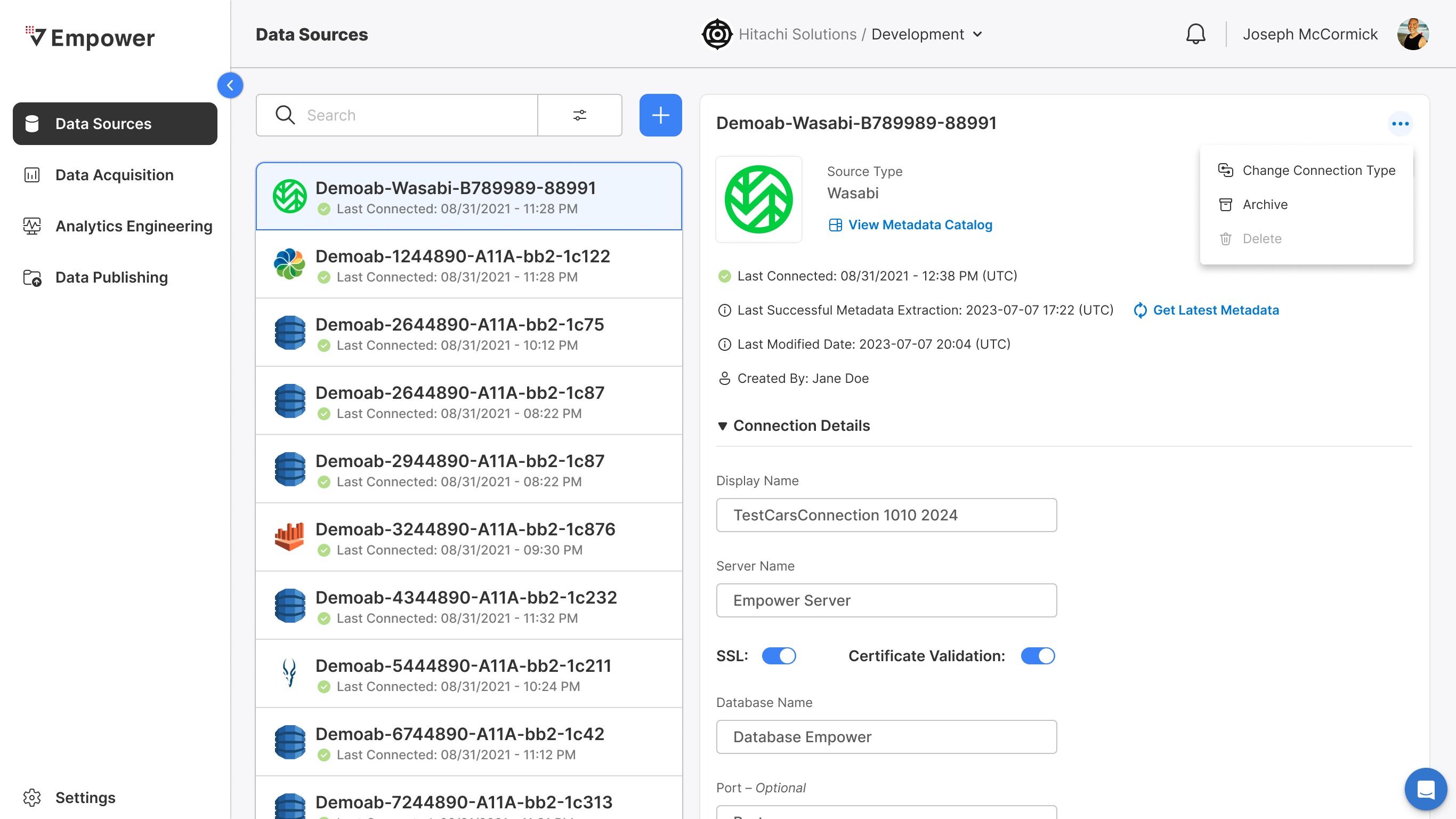
- I select the More Options menu
Then
- More Options displayed:
- Change Connection Type
- Archive
- Delete
Data Source - Select Archive
Given
- That I have selected More Options
When
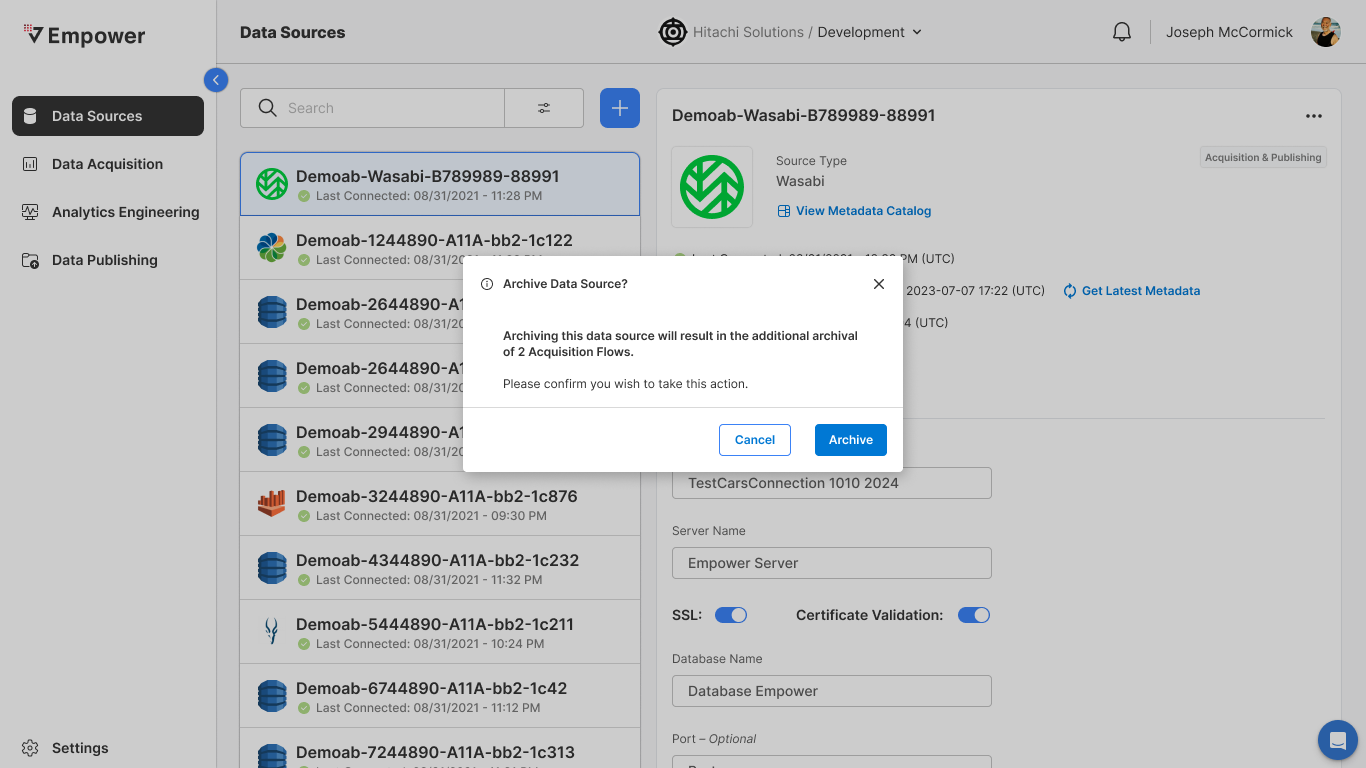
- I select the Archive option
And
- There are data acquisition flows configured for that source
Then
- Confirmation modal displays:
- "Archiving this data source will result in additional archival of<number> Aquisition Flows. Please confirm you wish to take this action."
Source Archived
Given
- I have selected to archive a source with DAQ flows configured to it
When
- I select Archive in the confirmation modal
Then
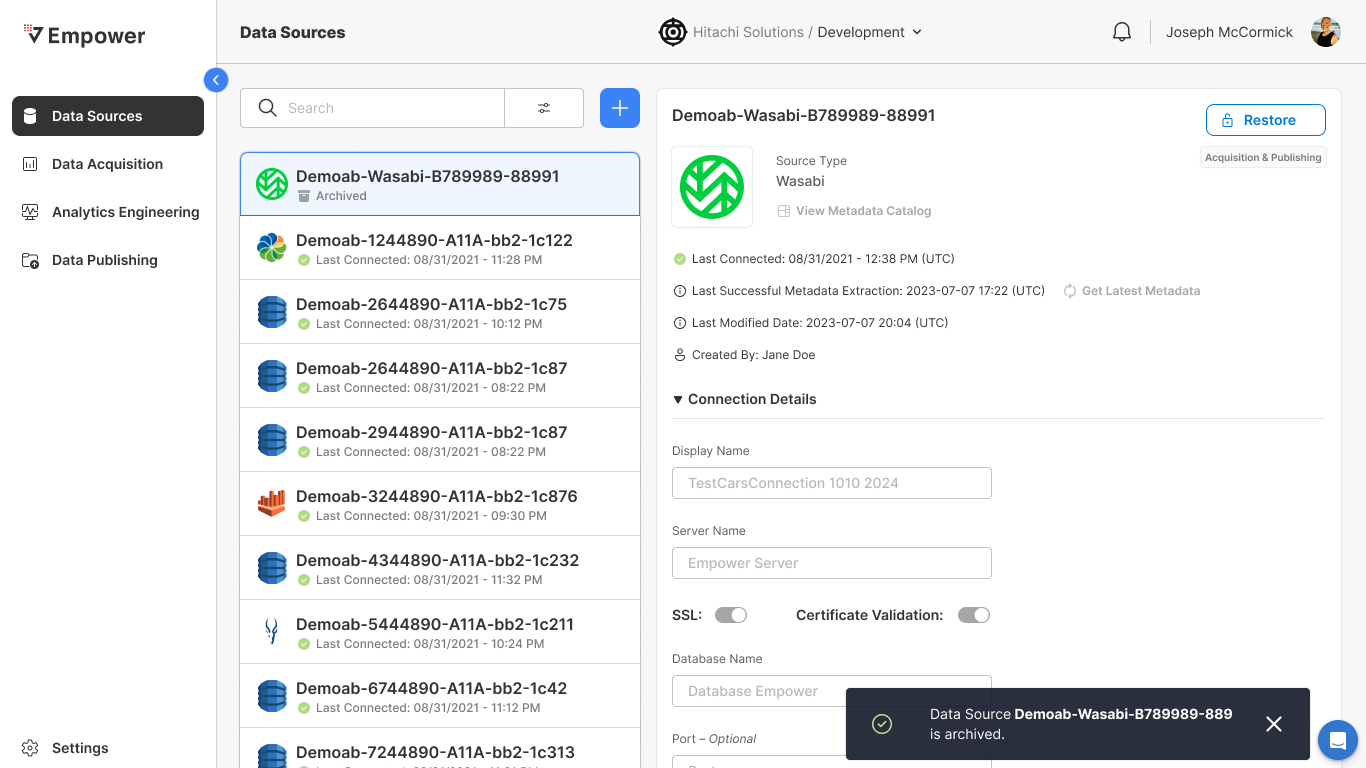
- Toast notification thrown that reads:
- Data Source<sourceName> is archived.
- Restore CTA appears at the top of the source
And
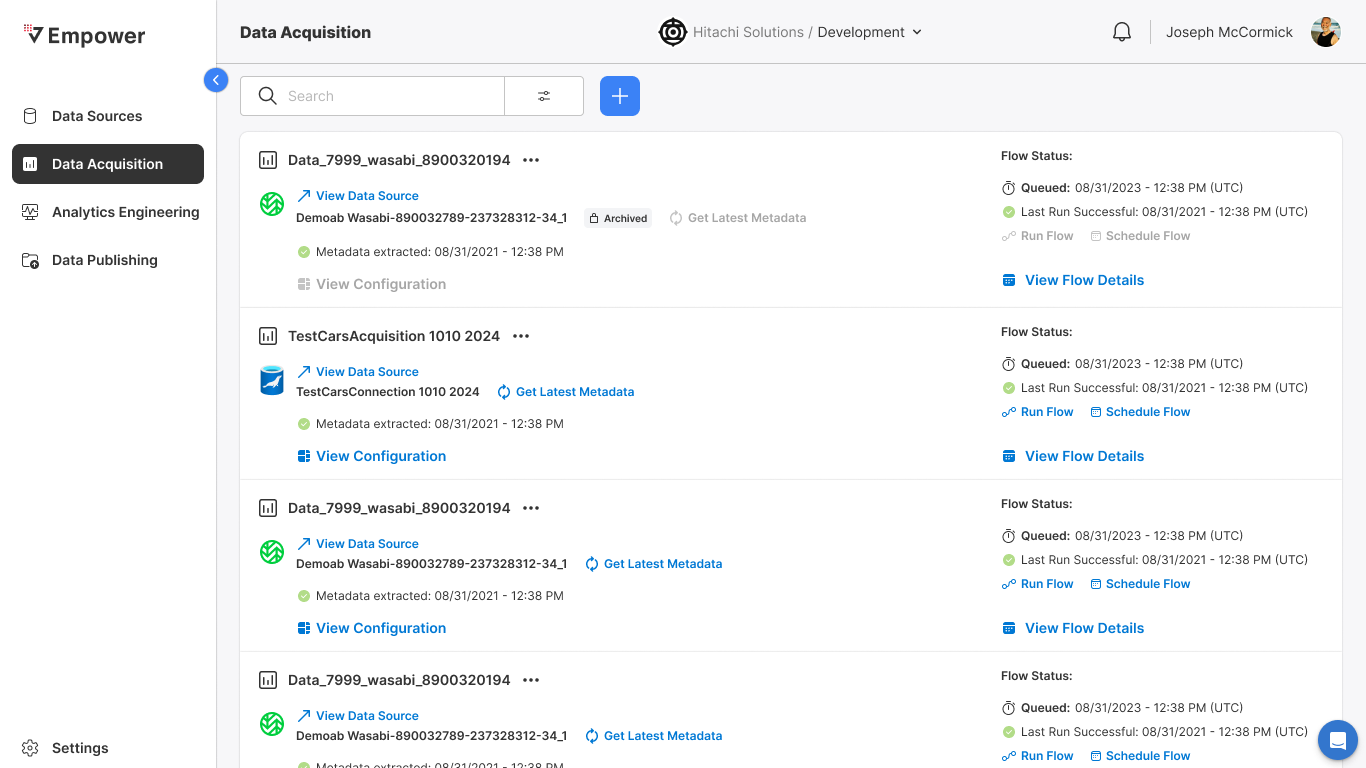
- On the DAQ page, the flows affiliated with the now archived source will appear Archived
- The following CTAs on the flows will be disabled:
- Get Latest Metadata
- View Configuration
- Run Flow
- Schedule Flow
Restoring A Data Source (w/DAQ Flows!)
Given
- That I have archived a data source
And
- That source has DAQ flows configured to it
When
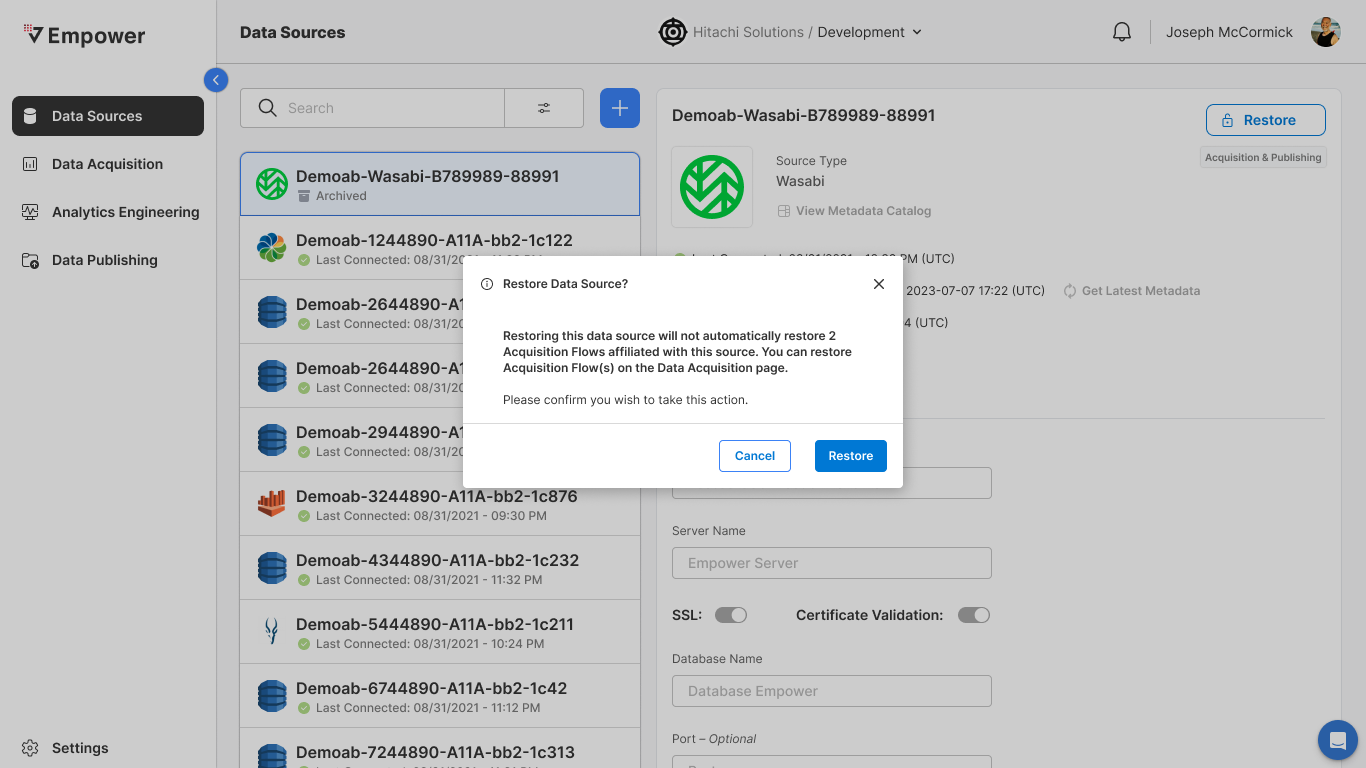
- I select the Restore CTA
Then
- Confirmation modal appears that reads:
- Restoring this data source will not automatically restore<number> Acquisition flows affiliated with this source. You can restore Acquisition Flow(s) on the Data Acquisition page. Please confirm you wish to take this action.
Source Restored
Given
- That I have opted to restore an archived data source
When
- I select Archive in the confirmation modal
Then
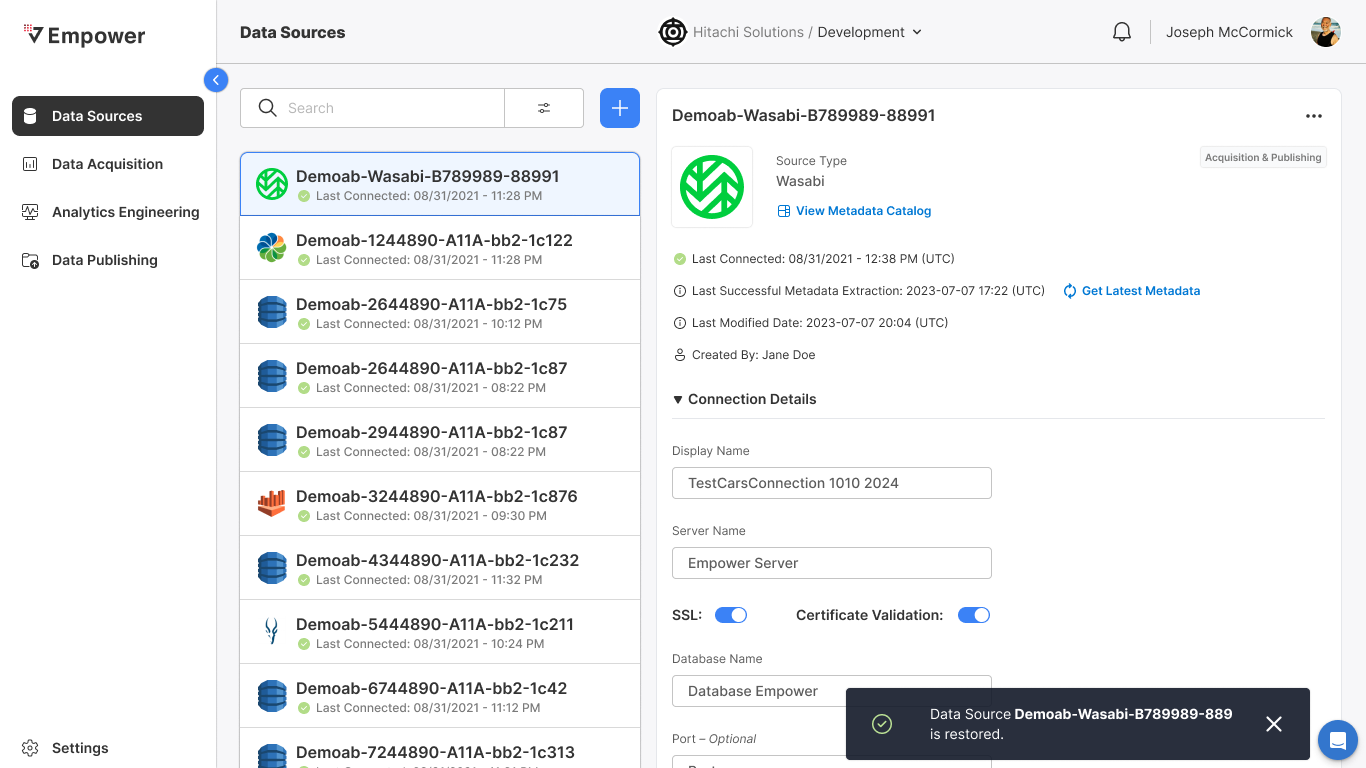
- Toast notification appears that reads:
- Data Source<sourceName> is restored
- Flows affiliated with that now restored source remain in an archived state
Create New Acquisition Flow
Select +
Given
- That I have navigated to the DAQ main page
When
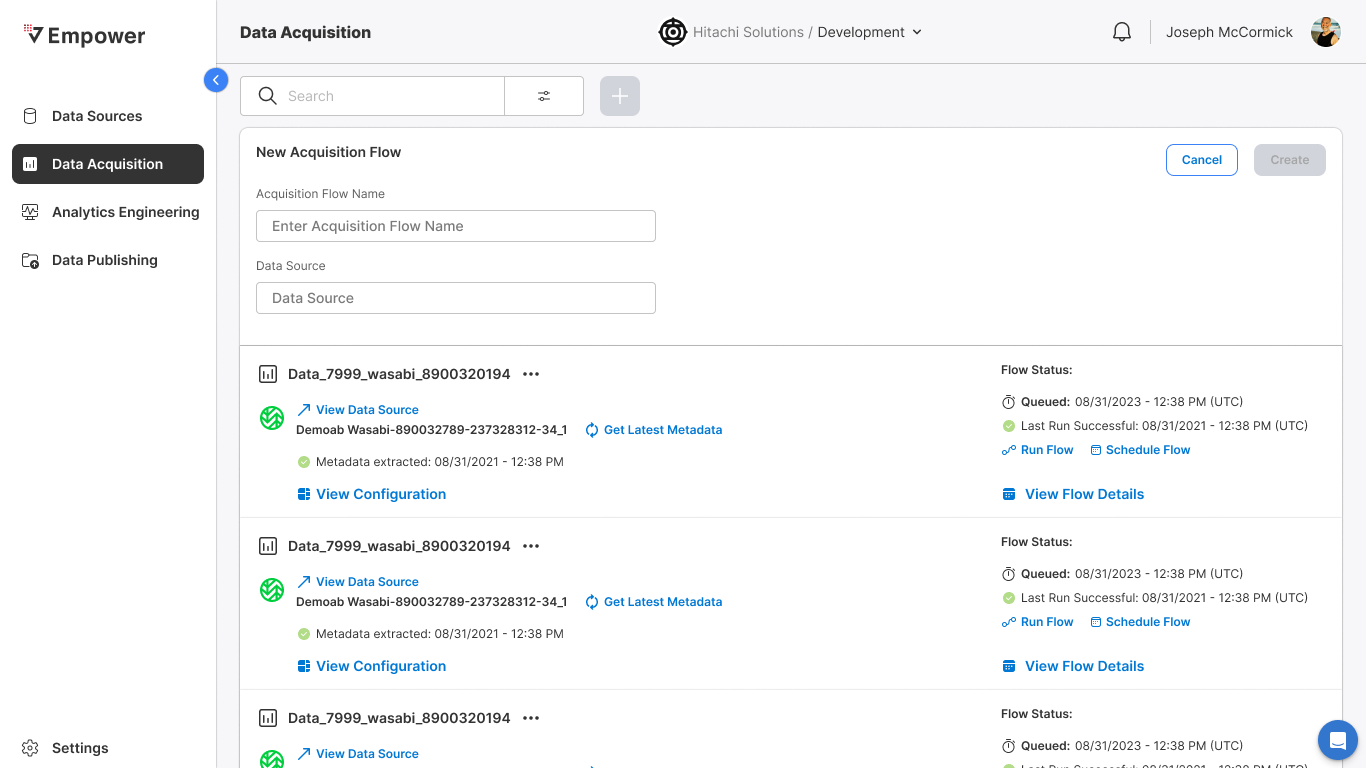
- I select the + CTA
Then
- A new panel opens at the top of the page entitled New Acquisition Flow with the following fields:
- Acquisition Flow Name
- Data Source
Select Data Source Field
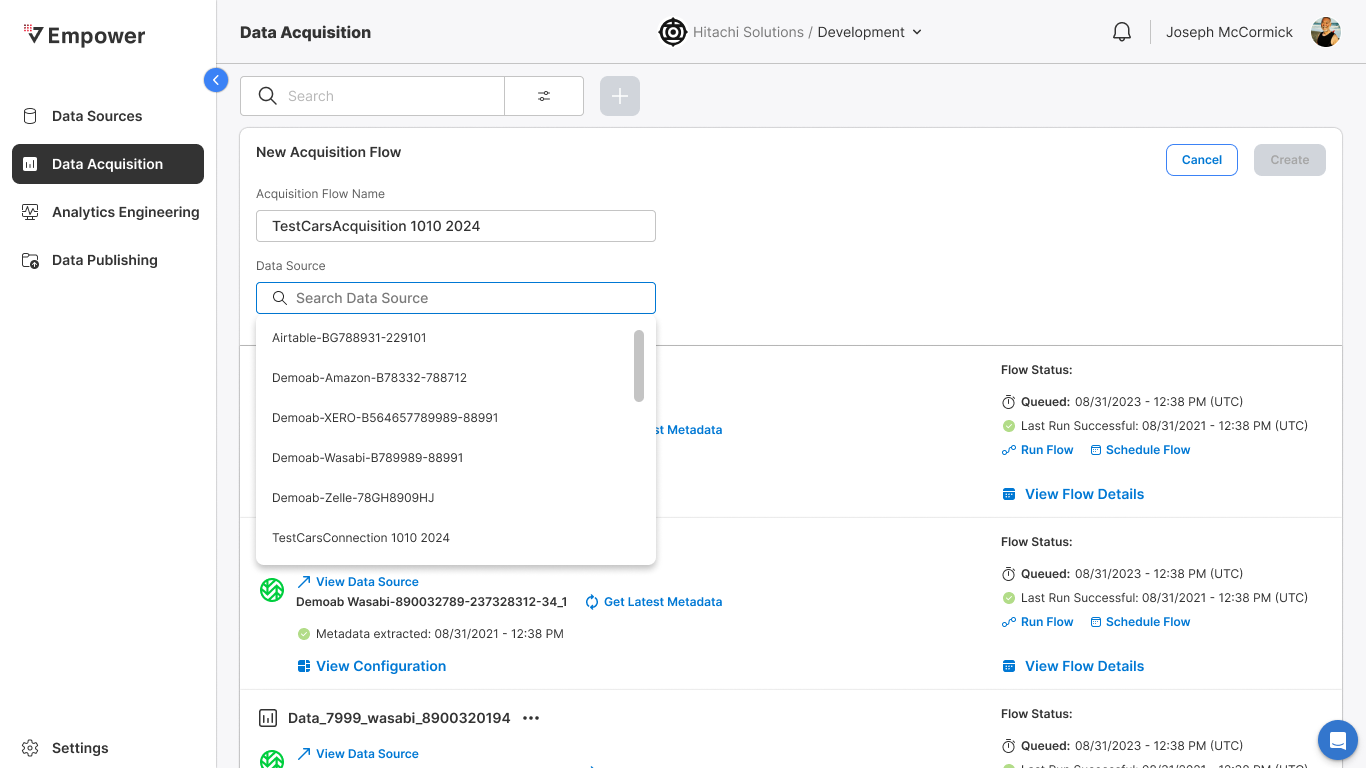
Given
- That I have selected to create a new Acquisition Flow
When
- I select the Data Source field
Then
- I can typeahead search for an existing Acquisition source
- I can select an existing source from the search dropdown
- I can only select a source that already exists as an Acquisition source
Enable Create CTA
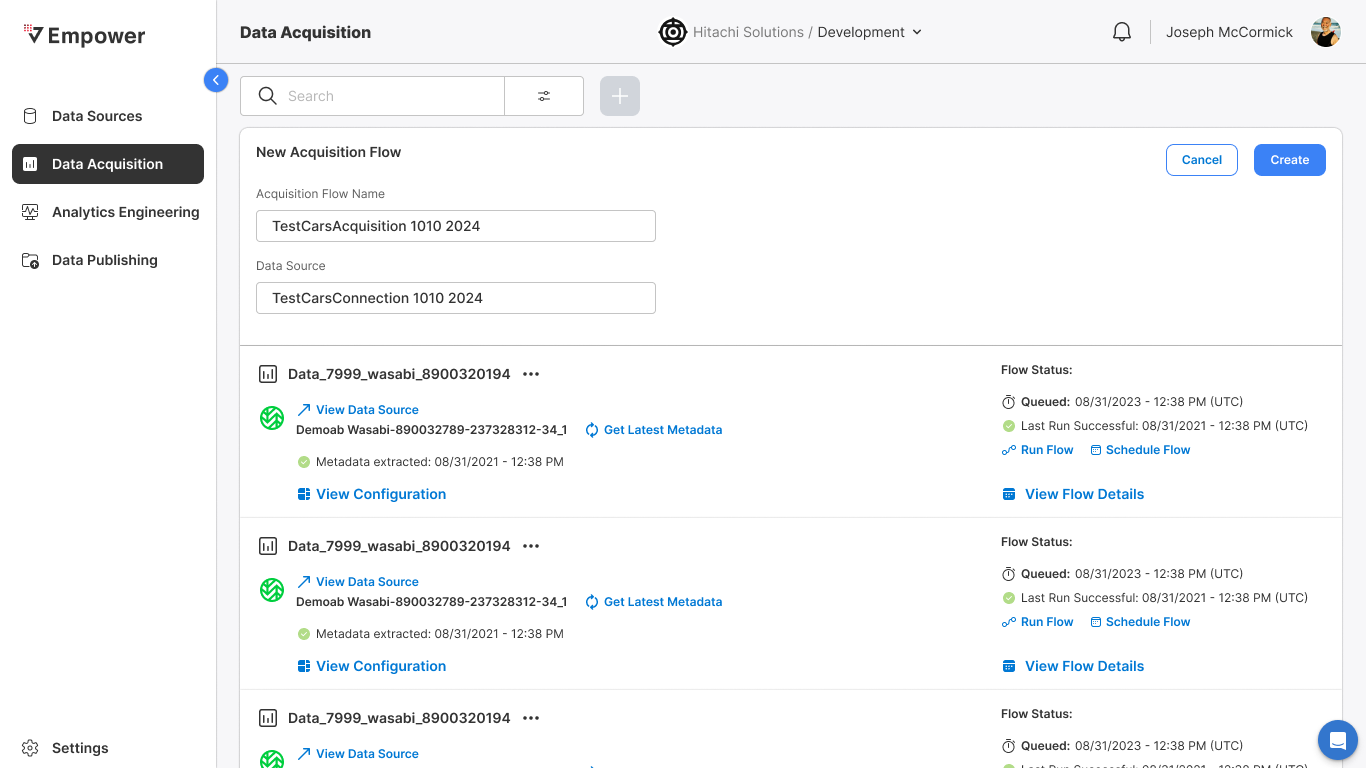
Given
- That I have selected to create a new Acquisition Flow
When
- I have successfully populated the Acquisition Flow Name and Data Source fields
Then
- Create CTA becomes enabled
Flow Created
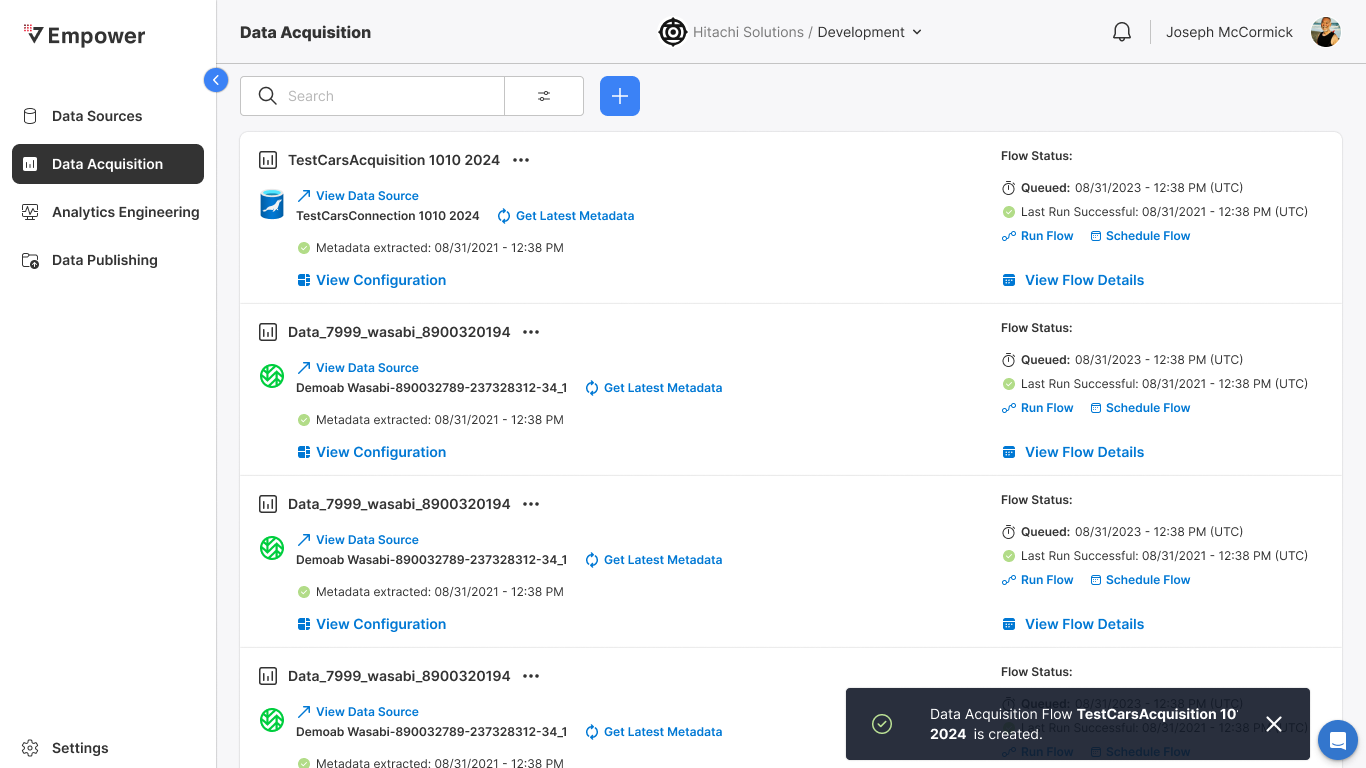
Given
- I have successfully populated the Acquisition Flow Name and Data Source fields
When
- I select the Create CTA
Then
- A new record of the newly-created flow appears on the DAQ main page
- Toast notification thrown that reads:
- Data Acquisition Flow<flowName> is created.
Configuring an Acquisition Flow
Edit Acquisition Flow - More Options
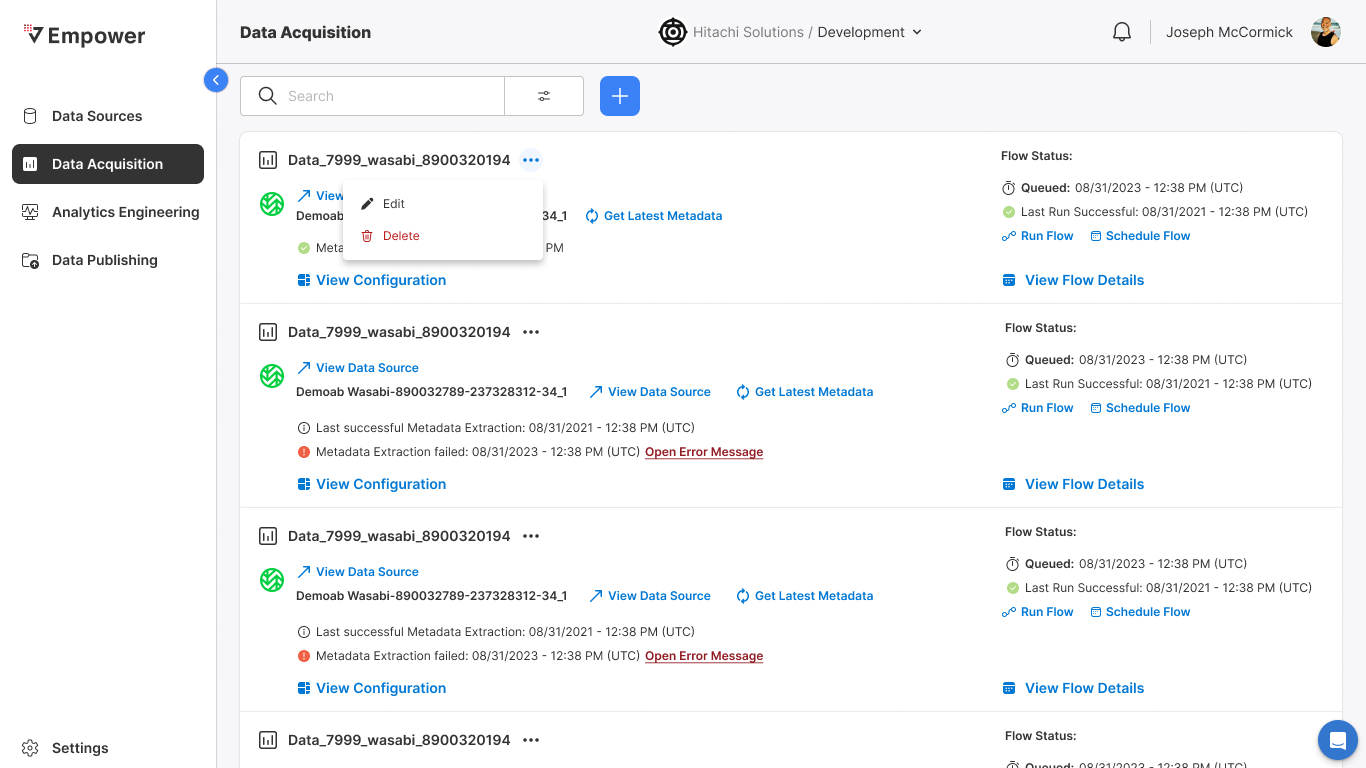
Given
- That I am on the DAQ Main page
When
- I select the More Options menu for a flow
Then
- The More Options menu is displayed for that flow with the following options:
- Edit
- Delete
Edit Acquisition Flow - Edit
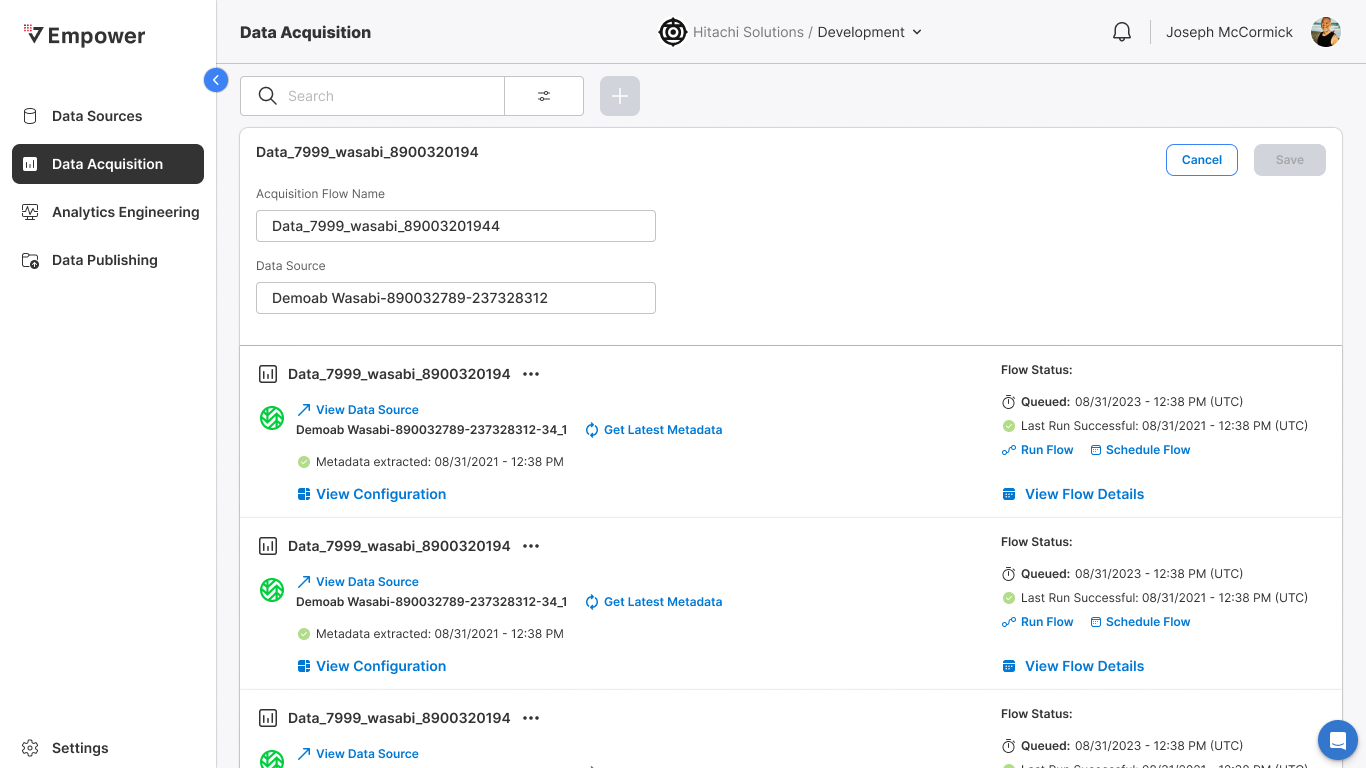
Given
- That I have selected the More Options menu for a flow
When
- I select Edit
Then
- The Edit view for that flow is displayed where the user may edit:
- Acquisition Flow Name
- Data Source
Edit Acquisition Flow - Save Edit
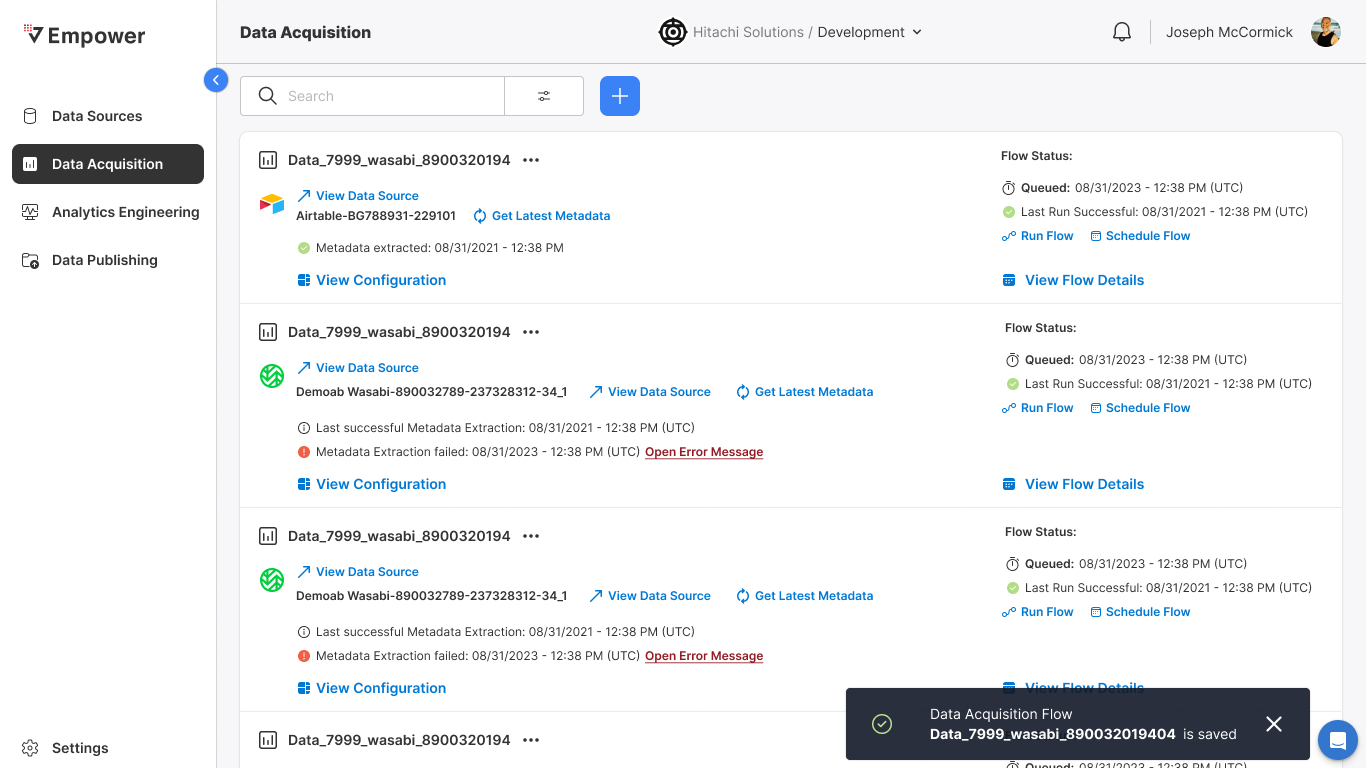
Given
- That I have edited my Acquisition Flow Name and/or Data Source
When
- I select the Save CTA
Then
- Flow record is updated
- Toast notification thrown that reads:
- Data Acquisition Flow<flowName> is saved.