Manual API Debugging for Config Promo
How To Access Empower Swagger
- Navigate to the Swagger URL for the specific environment to debug on
- The Swagger URL can be constructed using the Enterprise, Organization and Environment names, i.e.
- https://{{organization}}.{{enterprise}}.empoweranalytics.io/core/{{environment}}/api/docs/#/
- The organization is only necessary if the org being accessed is NOT the default org, i.e.
- https://{{organization}}.{{enterprise}}.empoweranalytics.io/core/{{environment}}/api/docs/#/
- The Swagger URL can be constructed using the Enterprise, Organization and Environment names, i.e.
Logging In To Empower Swagger
-
Click Authorize in the top right corner of the empower swagger page

-
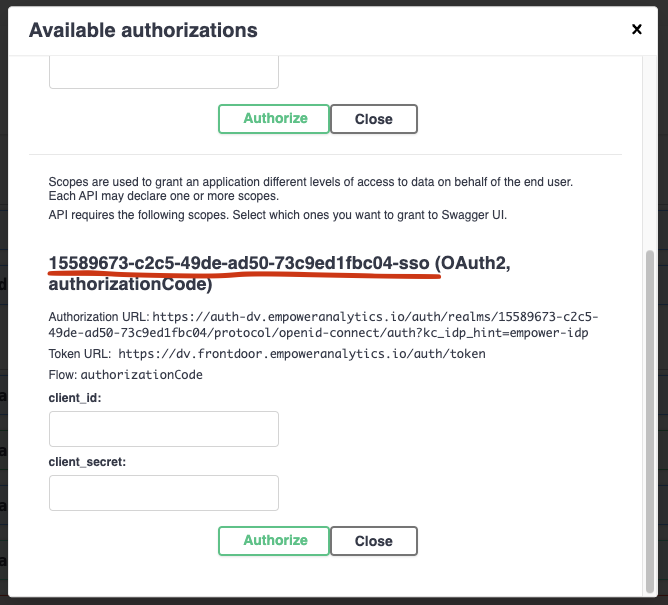
Scroll Down to reach the -sso login for the specified environment. This is labeled as {{environment guid}}-sso
-
-
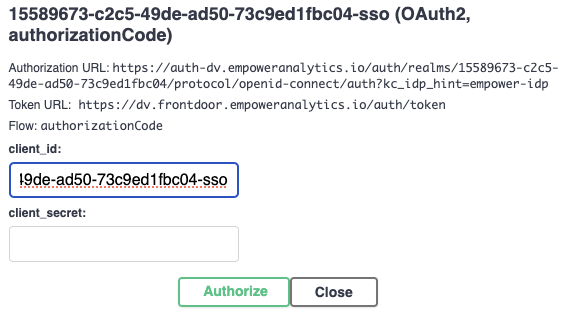
Copy the {{environment guid}}-sso string (including the -sso) and paste it into the field for client_id
-
-
After filling in clientid, select_Authorize and choose your hitachisolutions credentials if prompted, once done, you have successfully signed in to the empower swagger page
View Config Promo Failures
-
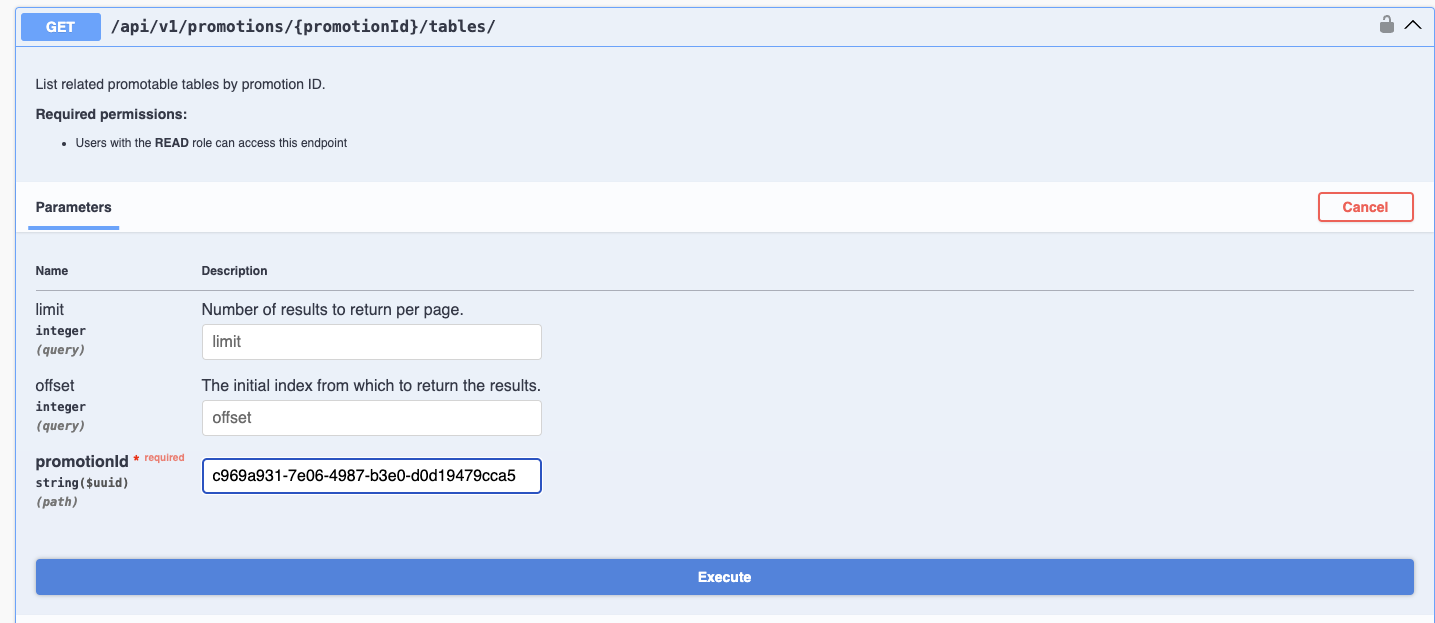
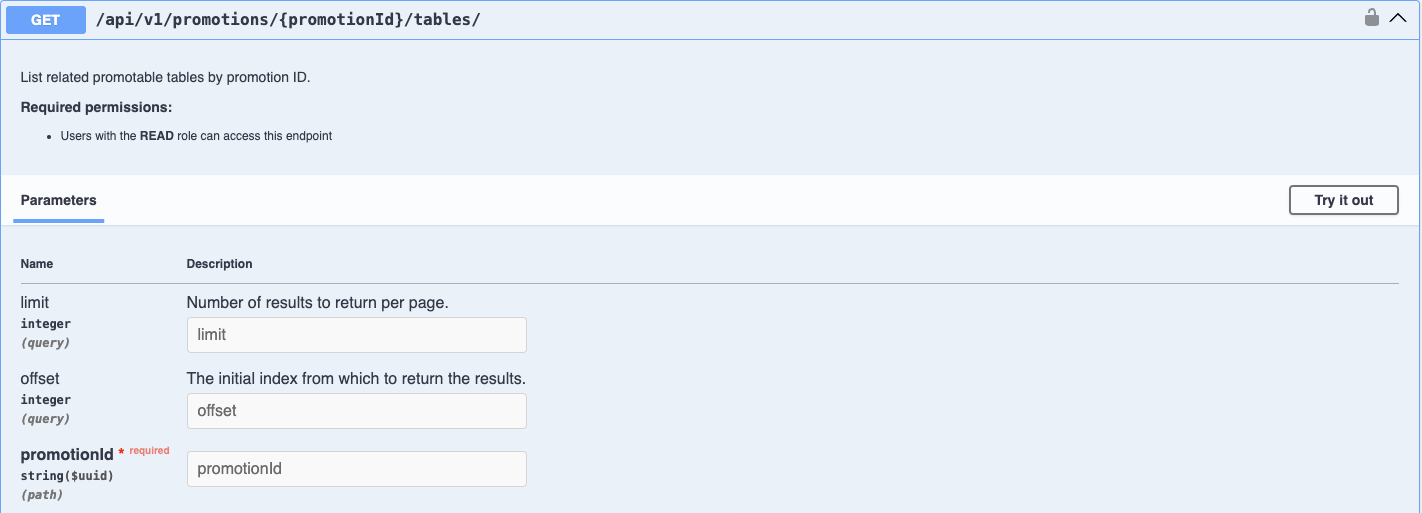
After signing in to the empower swagger page for the specified environment, navigate to the GET endpoint for /api/v1/promotions/{promotionId}/tables/
-
-
Select 'Try it out' and enter the GUID for the failed promotion under the promotionID field, this guid can be found from the main empower UI by selecting the failed promotion and copying it from the url, for example: https://neo.empoweranalytics.io/data-sources(fullscreen:settings/data-migration/c969a931-7e06-4987-b3e0-d0d19479cca5) the guid for the promotion in this URL is c969a931-7e06-4987-b3e0-d0d19479cca5
-
Once the promotion ID has been entered on the swagger page, select Execute in order to view the API Response:
-
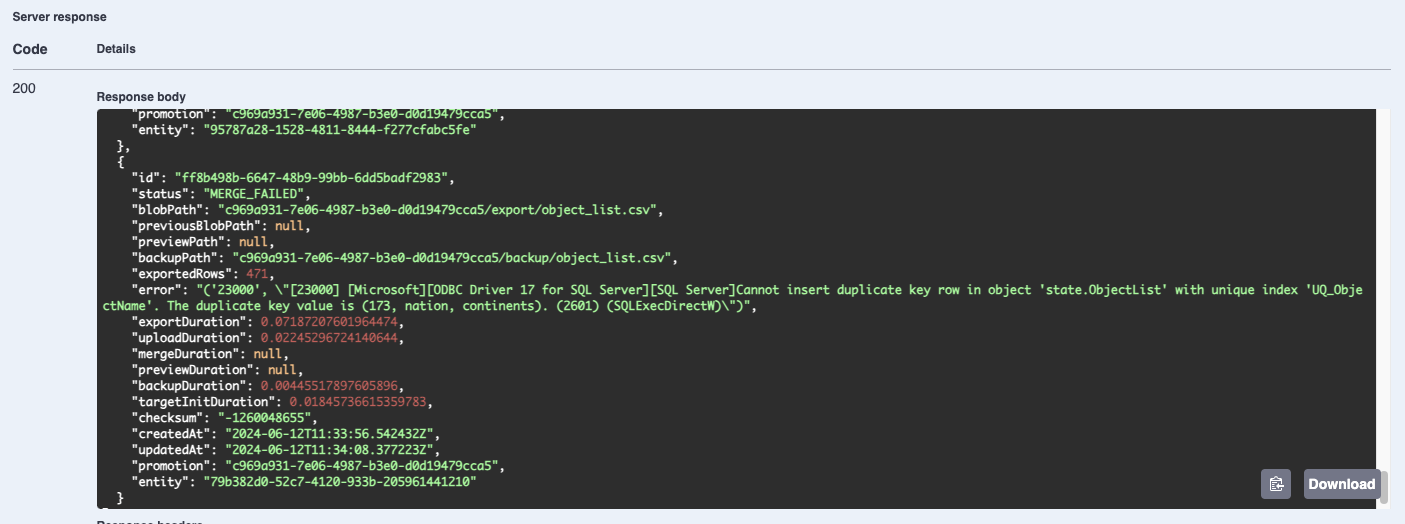
Scroll through the response body in order to identify the error
-
In this case the error is on state.ObjectList with a duplicate entry, the duplicate entry can be cleared on the environment we are trying to promote into and the promotion can be ran again.
-
{"id": "ff8b498b-6647-48b9-99bb-6dd5badf2983","status": "MERGE_FAILED","blobPath": "c969a931-7e06-4987-b3e0-d0d19479cca5/export/object_list.csv","previousBlobPath": null,"previewPath": null,"backupPath": "c969a931-7e06-4987-b3e0-d0d19479cca5/backup/object_list.csv","exportedRows": 471,"error": "('23000', \"[23000] [Microsoft][ODBC Driver 17 for SQL Server][SQL Server]Cannot insert duplicate key row in object 'state.ObjectList' with unique index 'UQ_ObjectName'. The duplicate key value is (173, nation, continents). (2601) (SQLExecDirectW)\")","exportDuration": 0.07187207601964474,"uploadDuration": 0.02245296724140644,"mergeDuration": null,"previewDuration": null,"backupDuration": 0.00445517897605896,"targetInitDuration": 0.01845736615359783,"checksum": "-1260048655","createdAt": "2024-06-12T11:33:56.542432Z","updatedAt": "2024-06-12T11:34:08.377223Z","promotion": "c969a931-7e06-4987-b3e0-d0d19479cca5","entity": "79b382d0-52c7-4120-933b-205961441210"}
-