Gerkin UX Requirements
Empty State
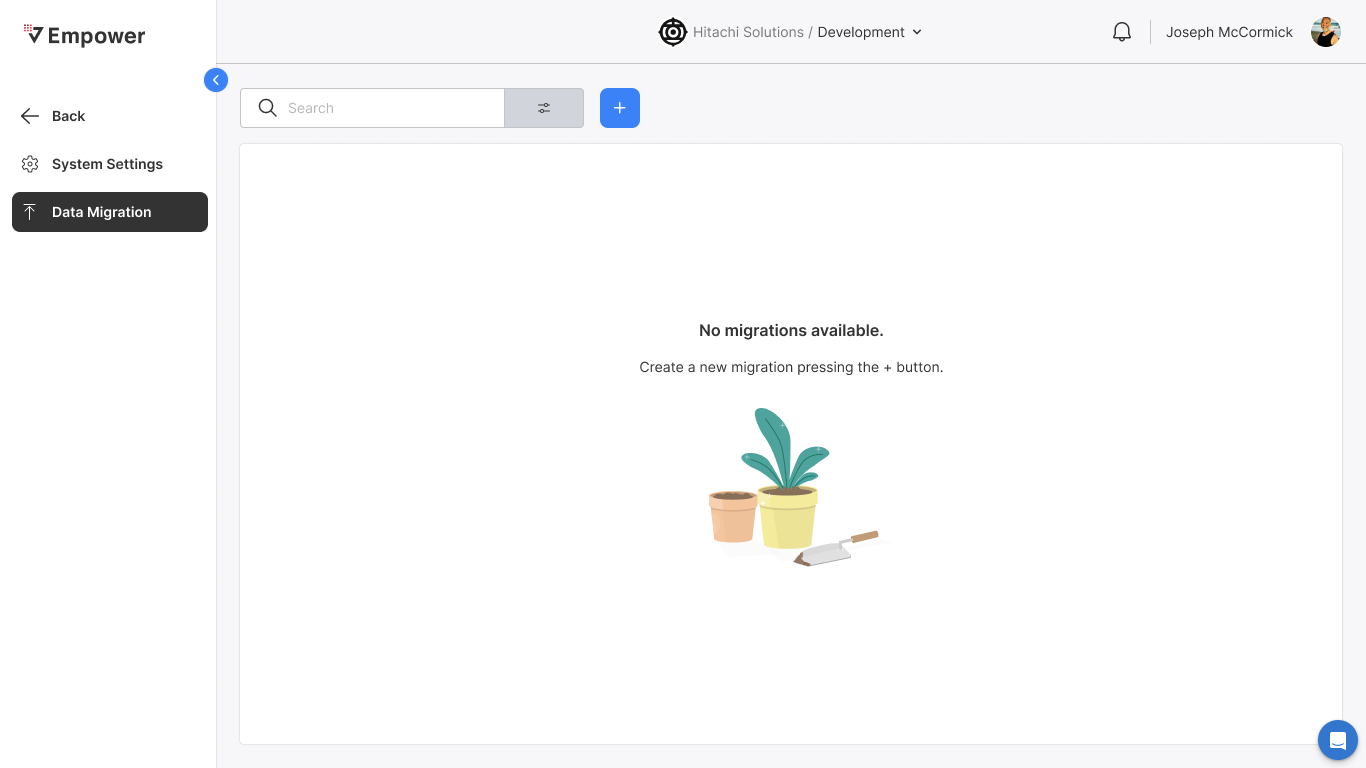
Given I have no previous promotions in the environment I am currently in
When I navigate to the Data Migration module
Then
- Empty state screen displayed
- I can only create a new promotion f I have access]
Access Requirements
Promotion from DV to CD
Given that my source is DV
When my role is:
- Super Admin OR,
- Enterprise Admin OR,
- Enterprise Writer + Org Admin OR,
- Enterprise Writer + Org Executor OR,
- Enterprise Writer + DV Admin OR,
- Enterprise Executor + CD Admin OR,
- Enterprise Executor + CD Writer OR,
- Org Admin OR,
- Org Writer + DV Admin OR,
- Org Writer + DV Executor OR,
- Org Executor + CD Admin OR,
- Org Executor + CD Writer OR,
- DV Admin + CD Admin OR,
- DV Admin + CD Writer OR,
- DV Executor + CD Admin OR,
- DV Executor + CD Writer
Then I can target CD
Promotion from CD to SG
Given that my source is CD
When my role is:
- Super Admin OR,
- Enterprise Admin OR,
- Enterprise Writer + Org Admin OR,
- Enterprise Writer + Org Executor OR,
- Enterprise Writer + CD Admin OR,
- Enterprise Executor + SG Admin OR,
- Enterprise Executor + SG Writer OR,
- Org Admin OR,
- Org Writer + CD Admin OR,
- Org Writer + CD Executor OR,
- Org Executor + SG Admin OR,
- Org Executor + SG Writer OR,
- DV Admin + SG Admin OR,
- DV Admin + SG Writer OR,
- DV Executor + SG Admin OR,
- DV Executor + SG Writer
Then I can target SG
Promotion from SG to PD
Given that my source is SG
When my role is:
- Super Admin OR,
- Enterprise Admin OR,
- Enterprise Writer + Org Admin OR,
- Enterprise Writer + Org Executor OR,
- Enterprise Writer + SG Admin OR,
- Enterprise Executor + PD Admin OR,
- Enterprise Executor + PD Writer OR,
- Org Admin OR,
- Org Writer + SG Admin OR,
- Org Writer + SG Executor OR,
- Org Executor + PD Admin OR,
- Org Executor + PD Writer OR,
- DV Admin + PD Admin OR,
- DV Admin + PD Writer OR,
- DV Executor + PD Admin OR,
- DV Executor + PD Writer
Then I can target PD
No Access
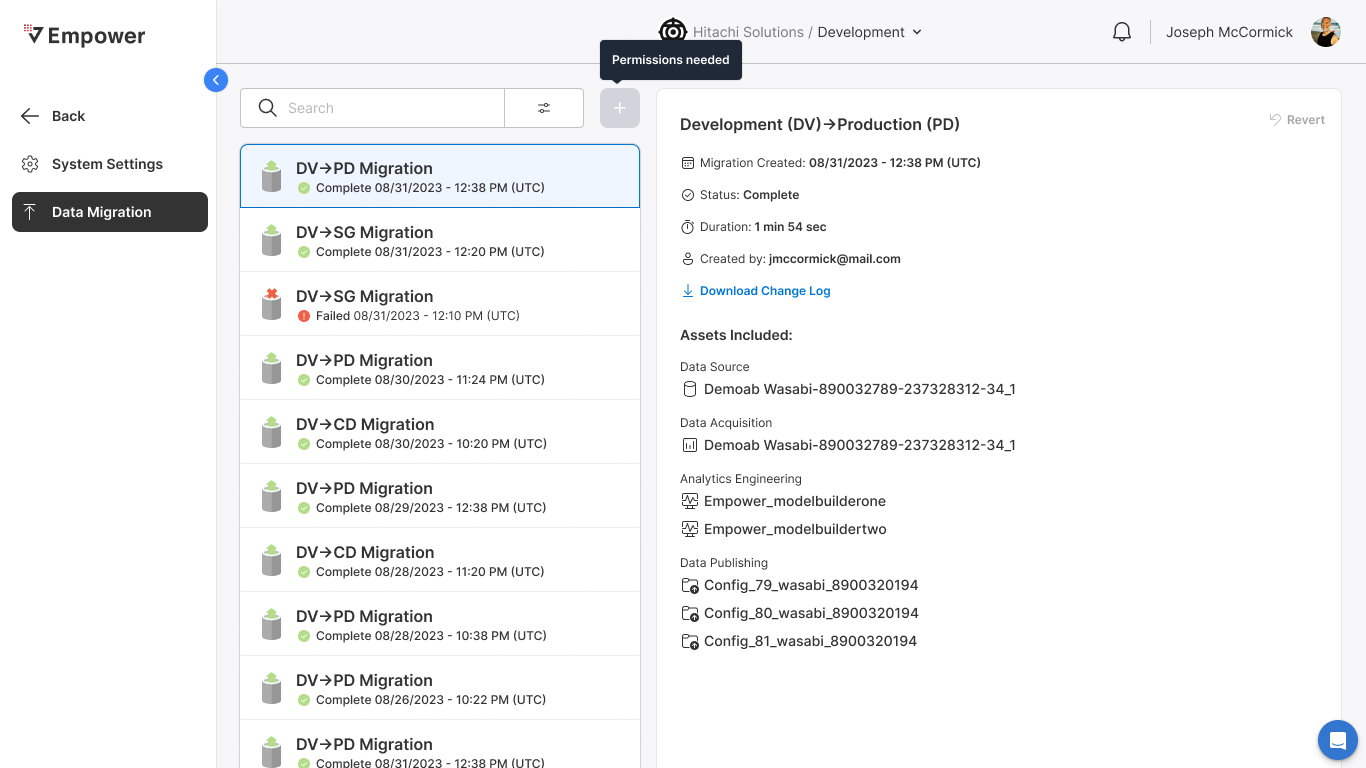
Given I do not have the required role access
When I hover over the + New Migration button
Then
- Permissions Needed displayed in tool tip
- Button is disabled
- I can only search/filter/review previous migrations
Search & Filtering
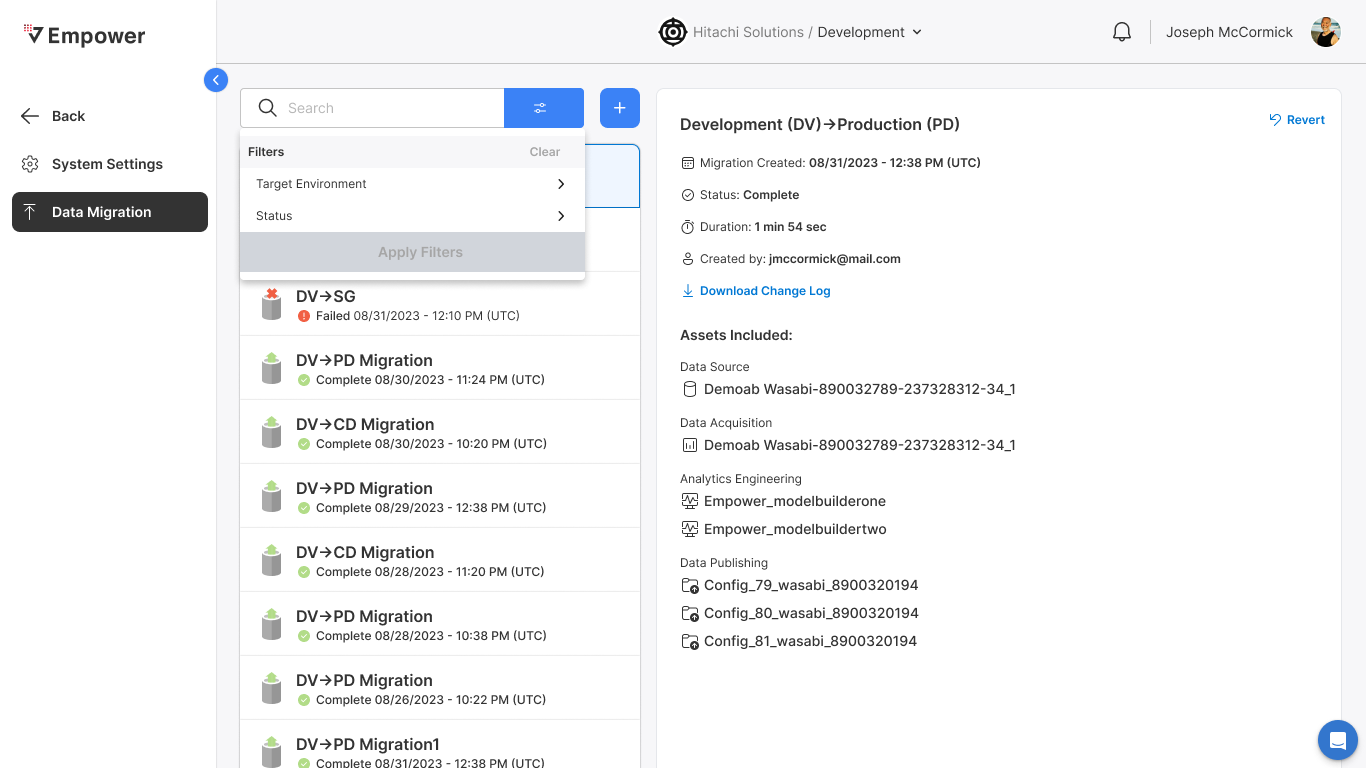
Filtering
Given I have previous promotions
When I select the filter icon
Then I am able to filter the promotion list by
- Target Environment
- Status
Search
Given I have previous promotions
When I enter at least one character in the search bar
Then The search list updates to the search criteria entered
New Migration Management
Create New
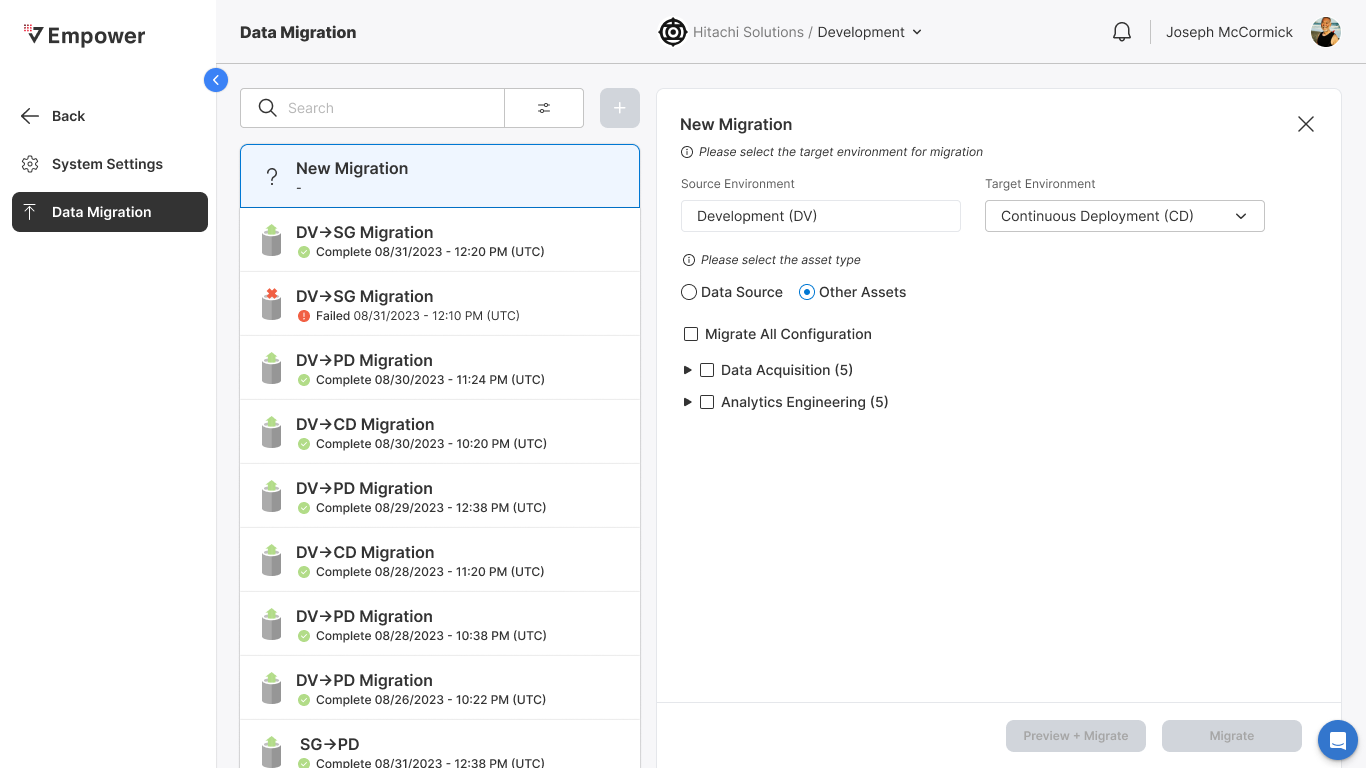
Given I have the required role access
When I select + New Migration
Then
- New Migration record appears atop the migration list
- New Migration form displayed
Target Environment Selection
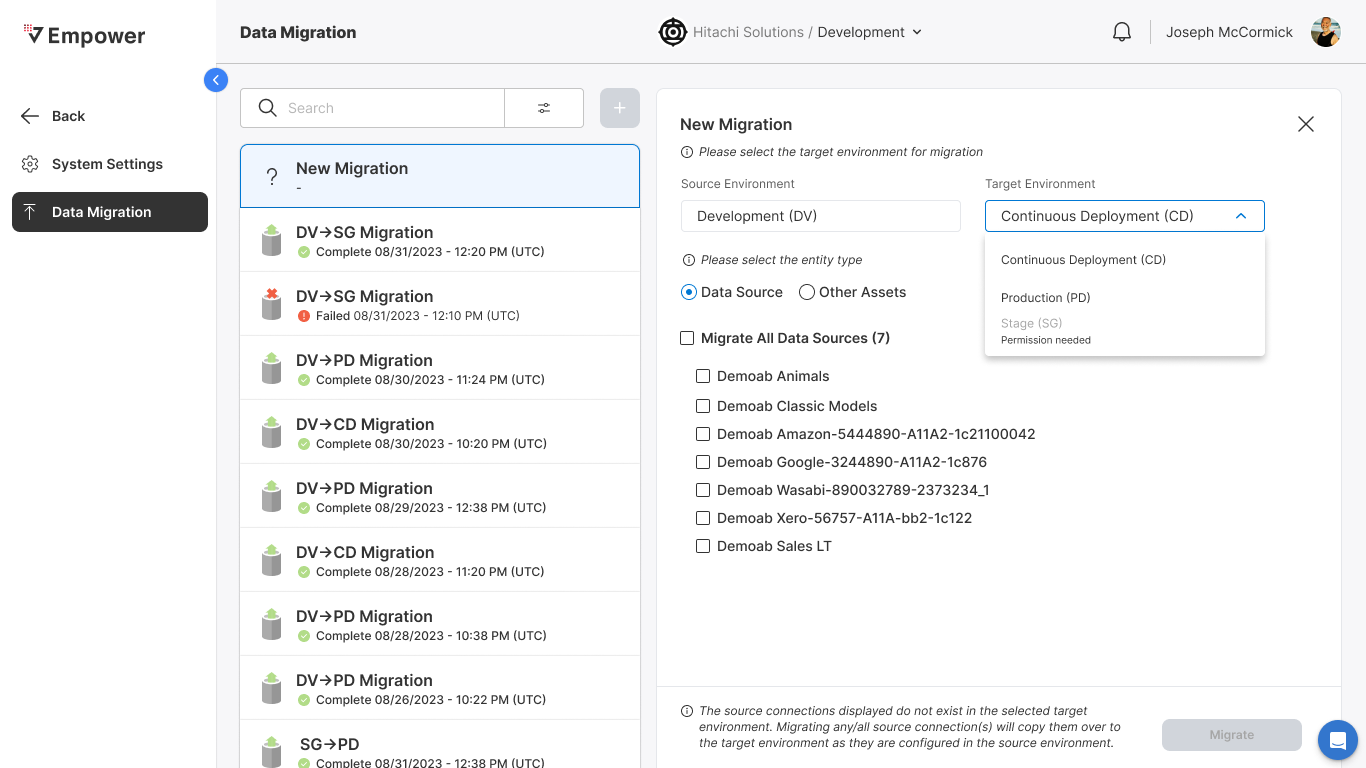
Given I have selected + New Migration
When I select the Target Environment drop down
Then
- Promotable target environments displayed
- I can select a target environment to which I have the required access
Entity Selection
Data Sources Available
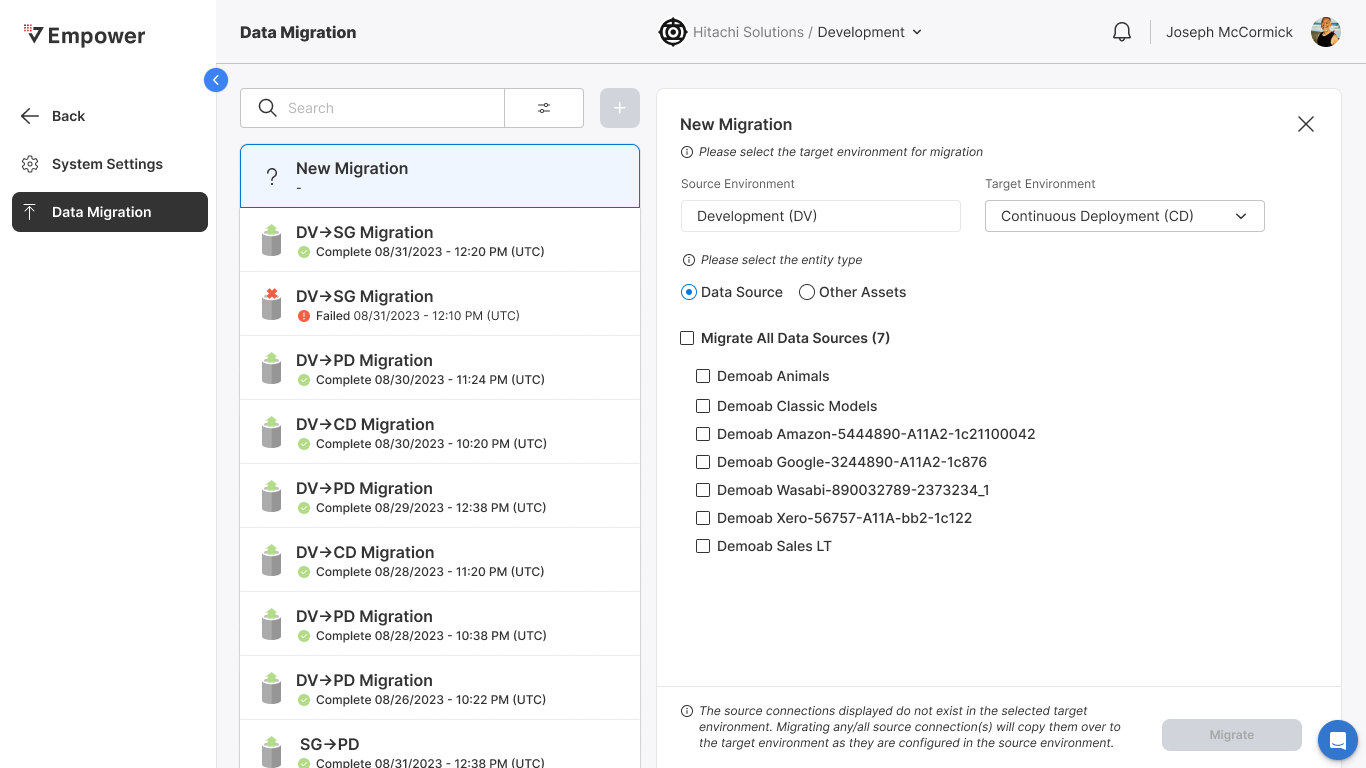
Given I have selected + New Migration
When I select Data Source
And there are deltas between my source and selected target environment
Then
- All promotable data sources displayed
- Migrate All Data Sources option displayed
Data Sources Unavailable
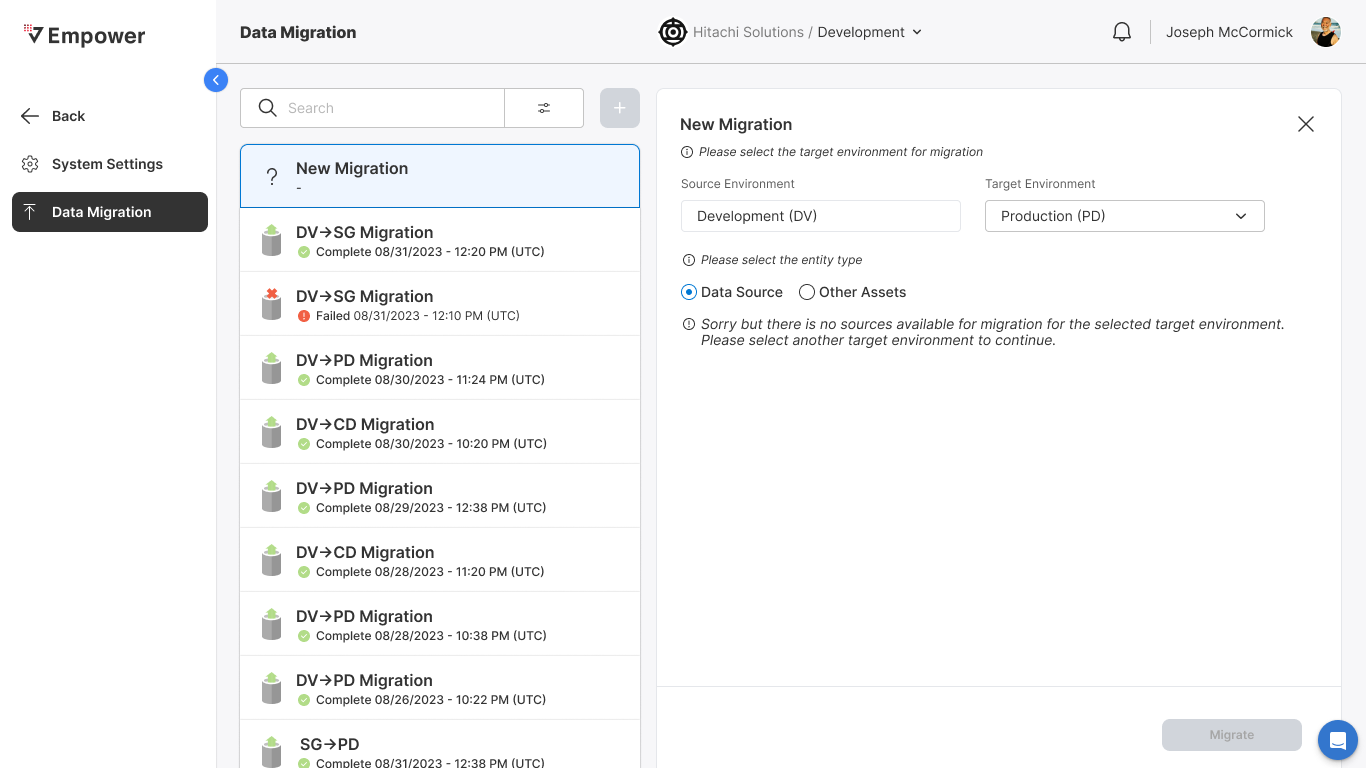
Given I have selected + New Migration
When I select Data Source
And there are no deltas between my source and selected target environment
Then
- No promotable sources displayed
Migrate All Data Sources
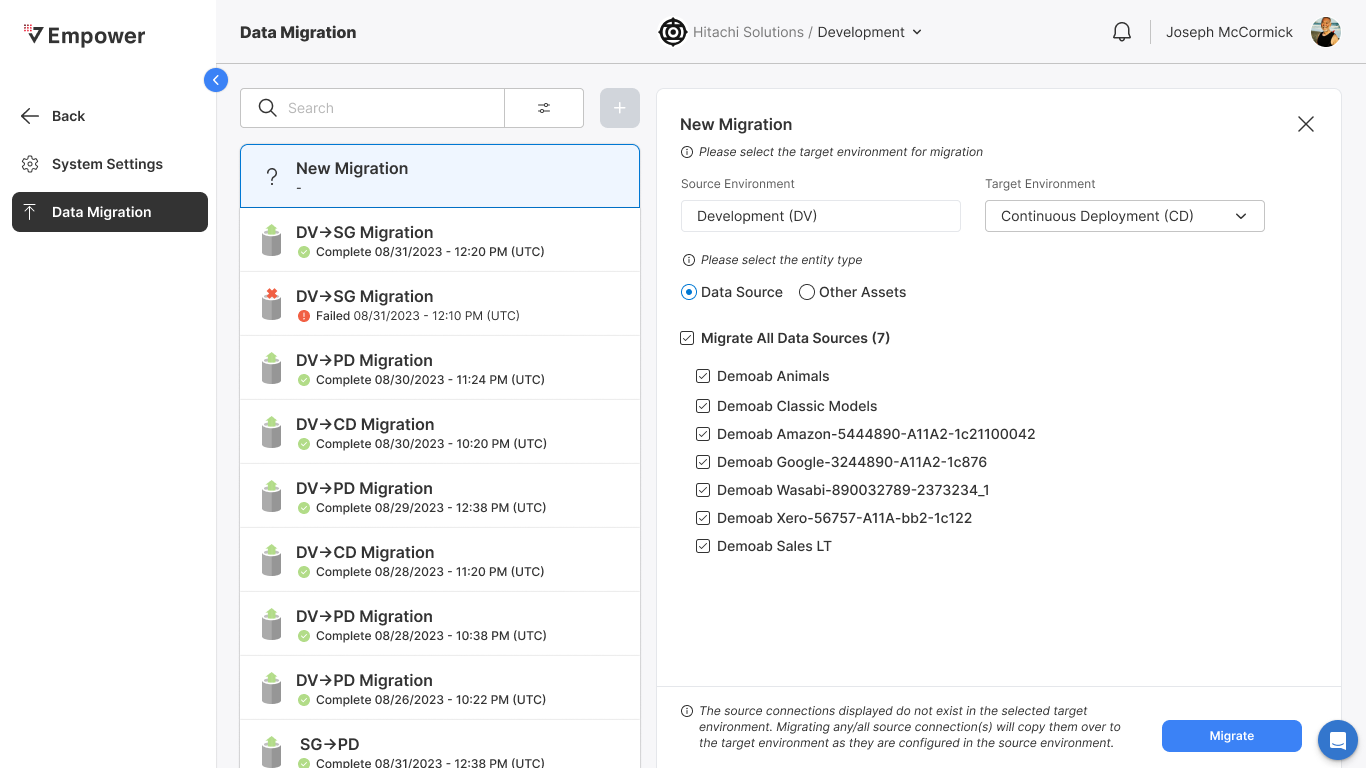
Given I have selected Data Source
When I select Migrate All Data Sources
Then
- All promotable sources displayed
- Migrate button becomes active
Migrate Other Assets
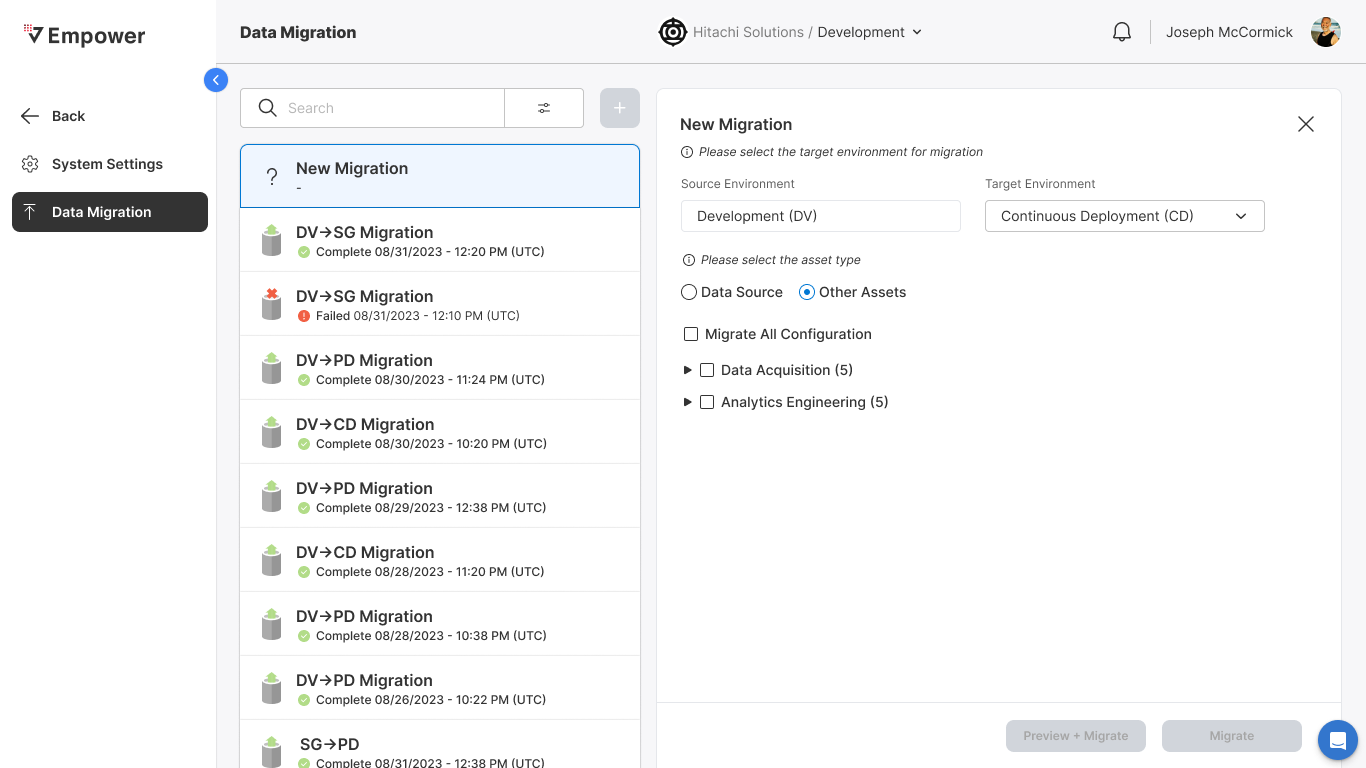
Given I have selected New Migration
When I select Other Assets
Then
- All promotable assets displayed
Selecting Other Assets
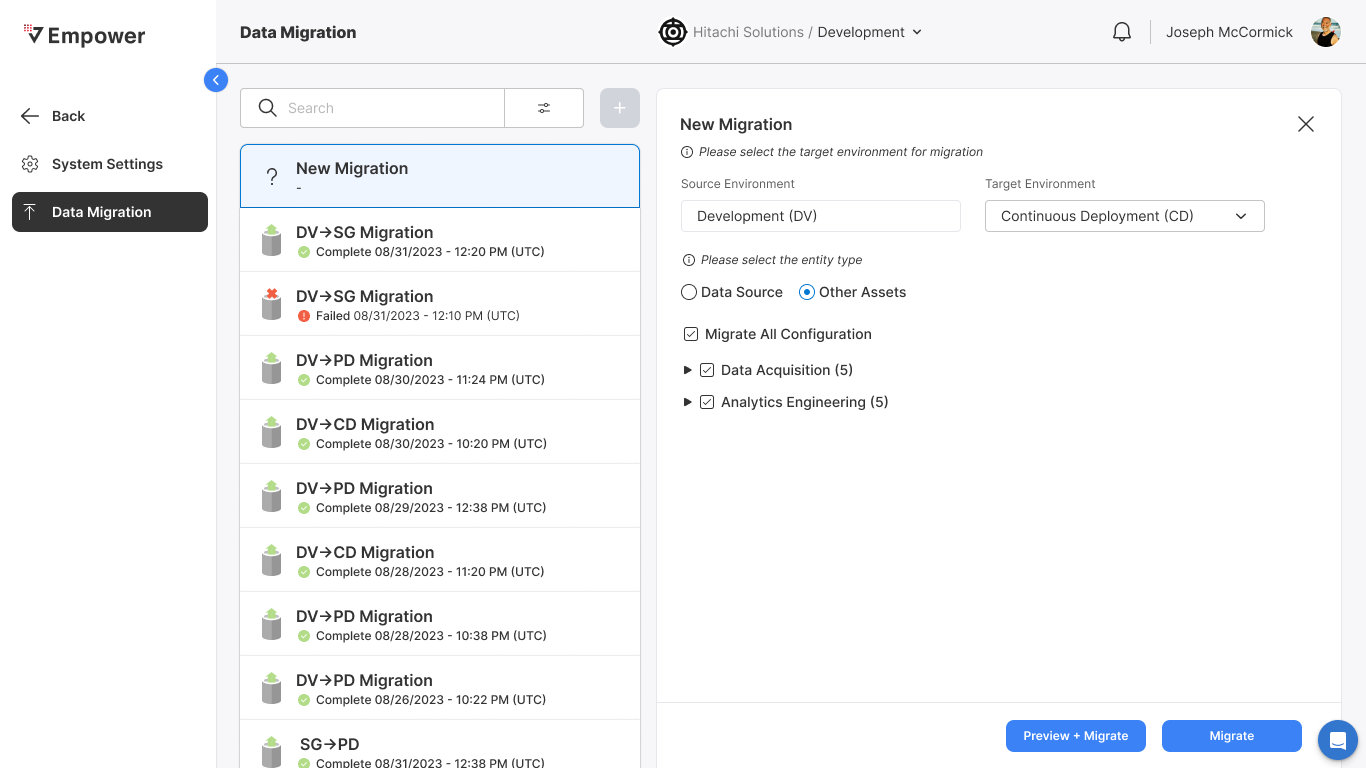
Given I have selected Other Assets
When I select at least one promotable asset
Then
- Preview + Migrate becomes active
- Migrate button becomes active
Generating Preview
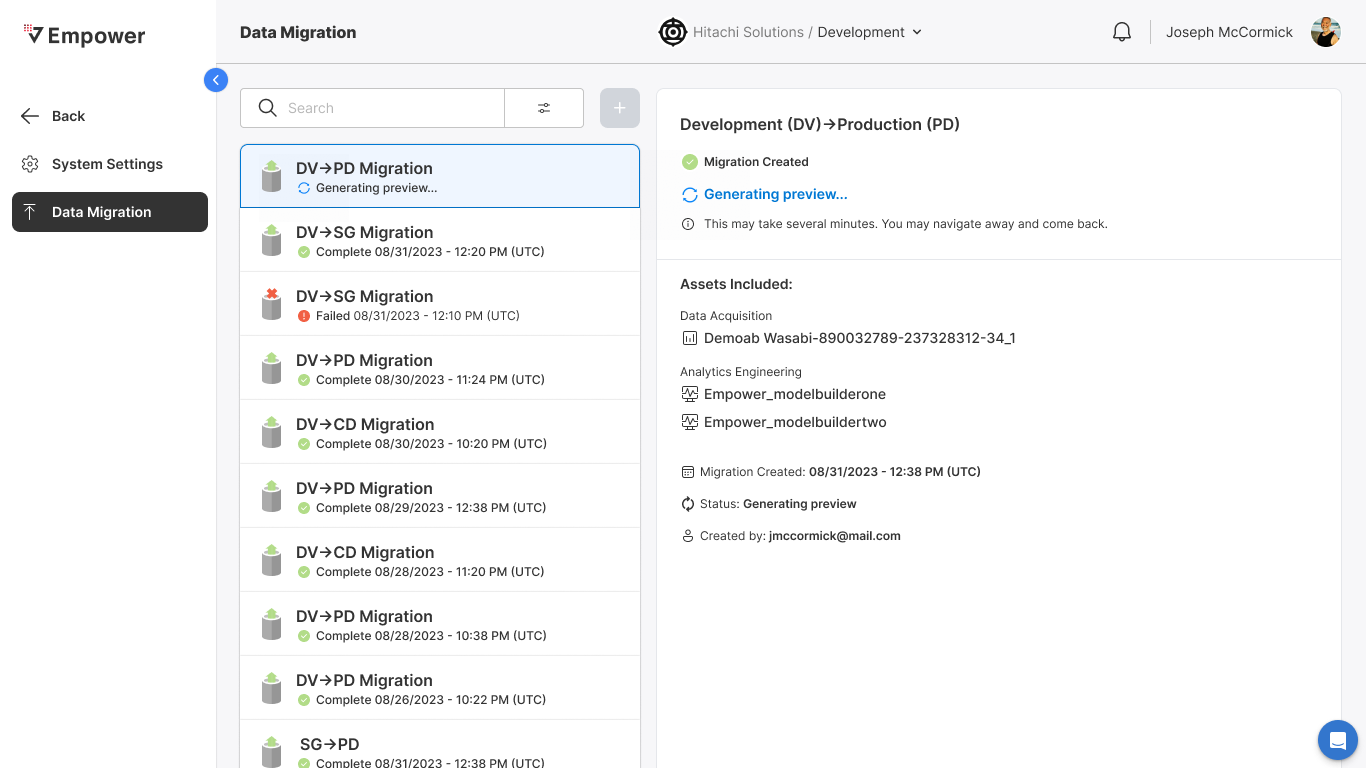
Given I have selected at least one promotable asset
When I select Preview + Migrate
Then
- Generating preview screen displayed
- Migration status updates to: "Generating Preview"
Preview Complete
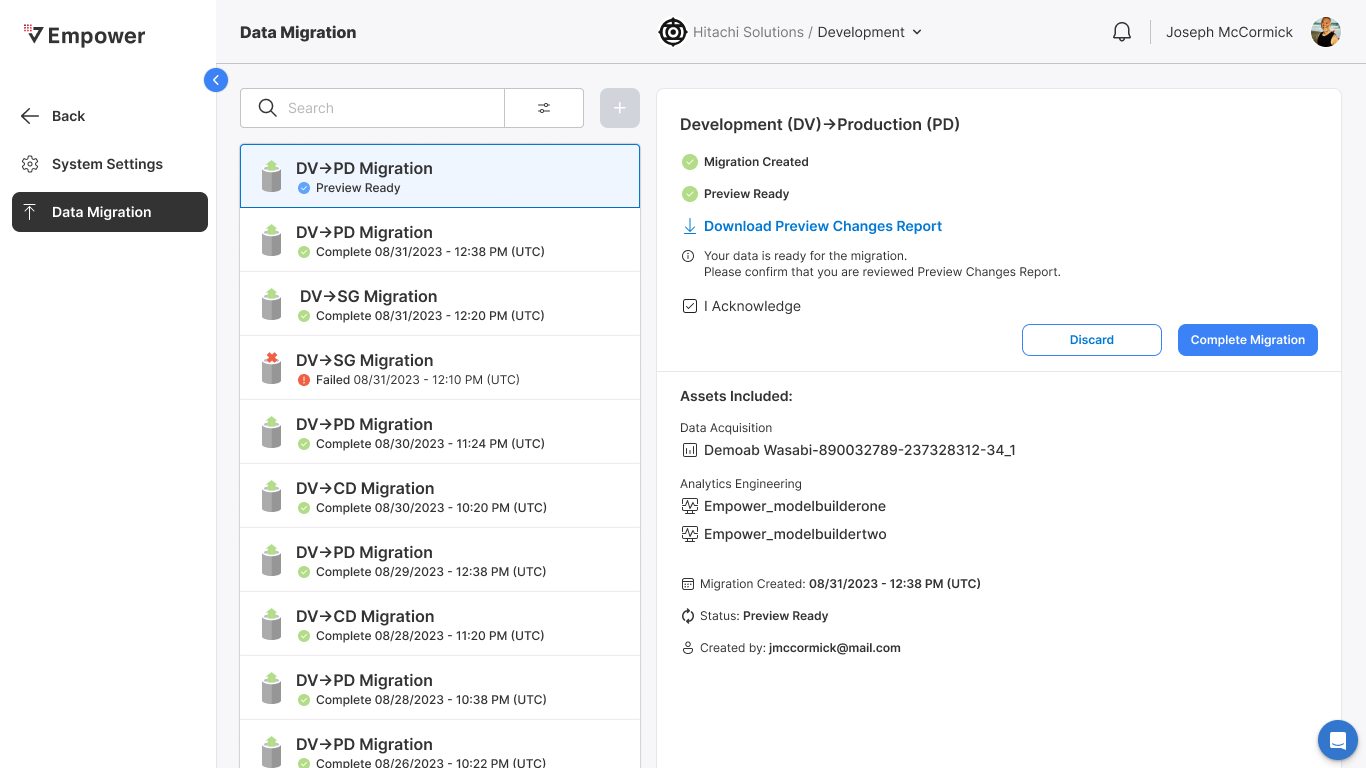
Given I have selected Preview + Migrate
When preview generation completes
Then
- Migration status updates to "Preview Ready"
I Acknowledge Agreement
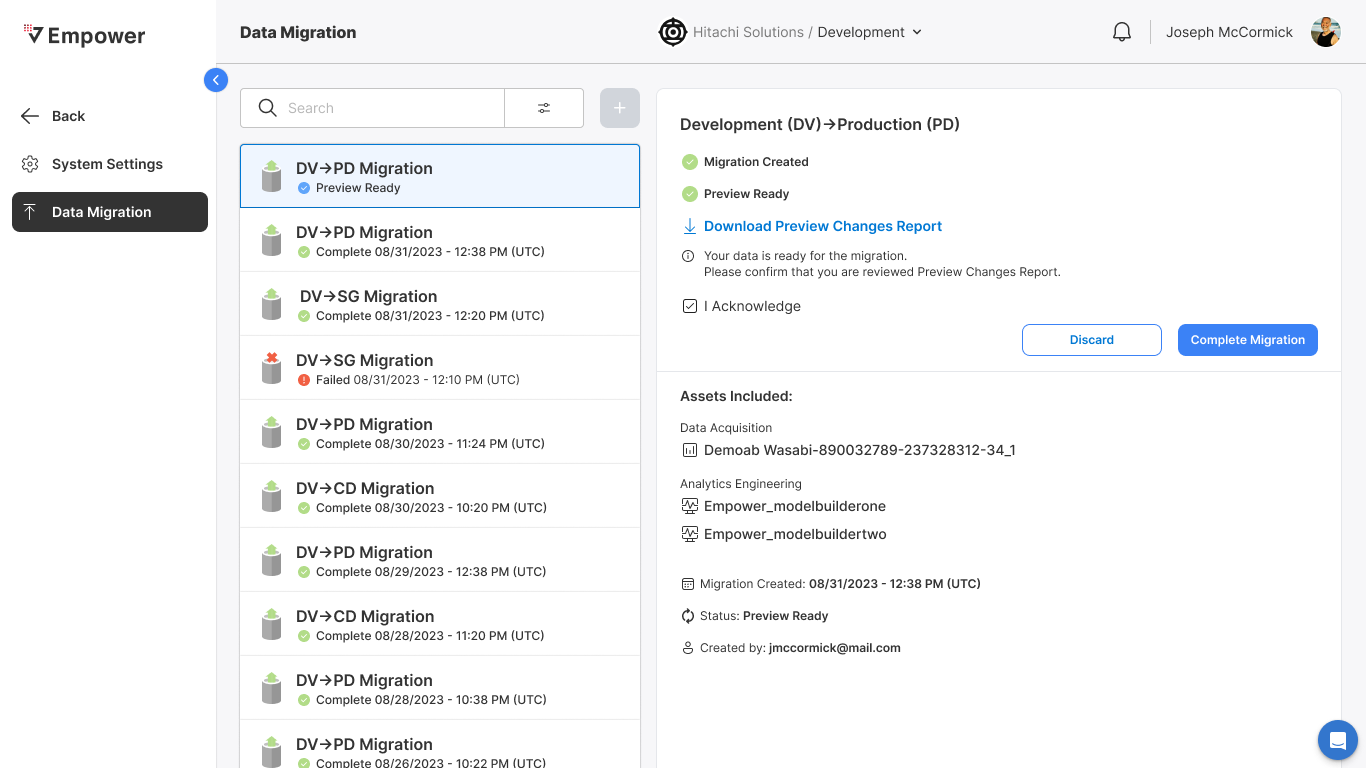
Given preview generation completed
When I select I Acknowledge
Then
- Discard and Complete Migration becomes active
Discarded Migration
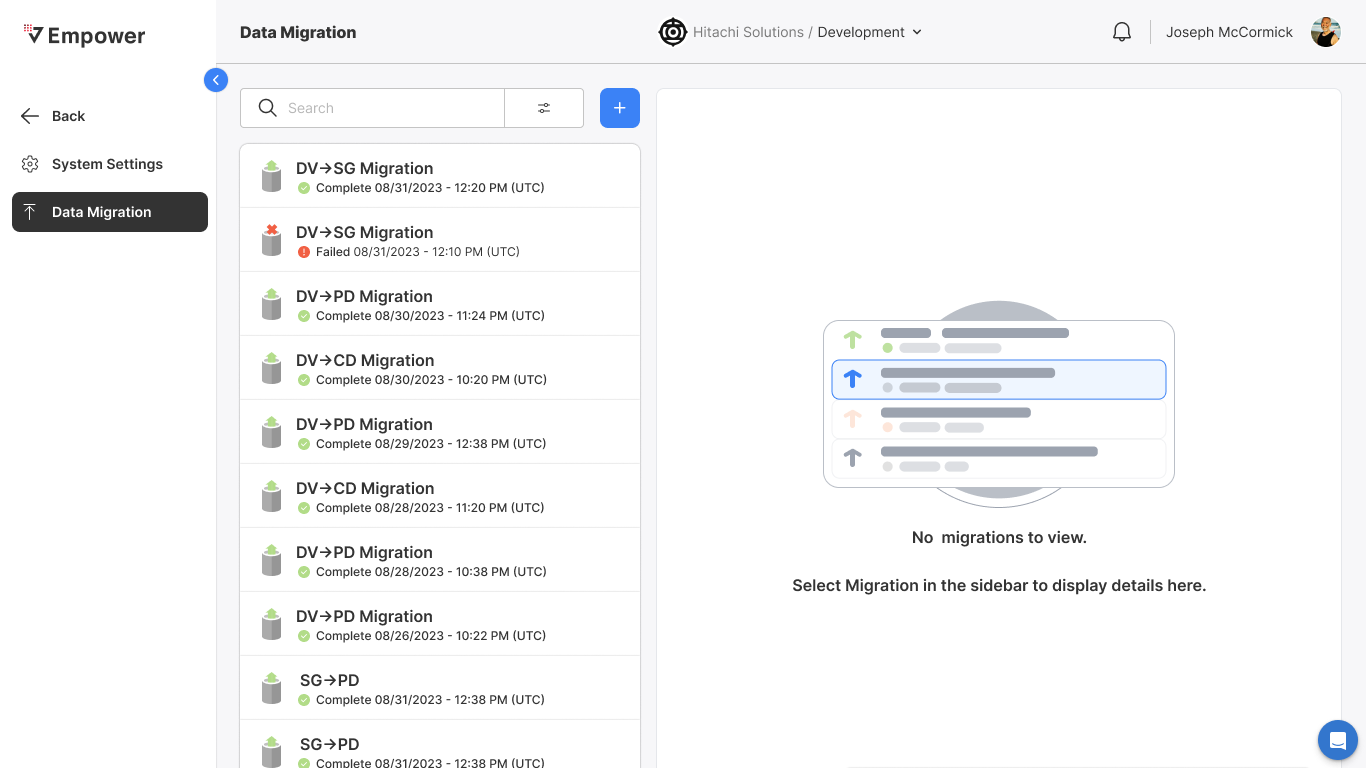
Given I selected I Acknowledge
When I select Discard
Then
- Migration discarded
- Record of migration removed from migration list
- User is redirected to empty state view of data migration module
Completing Migration
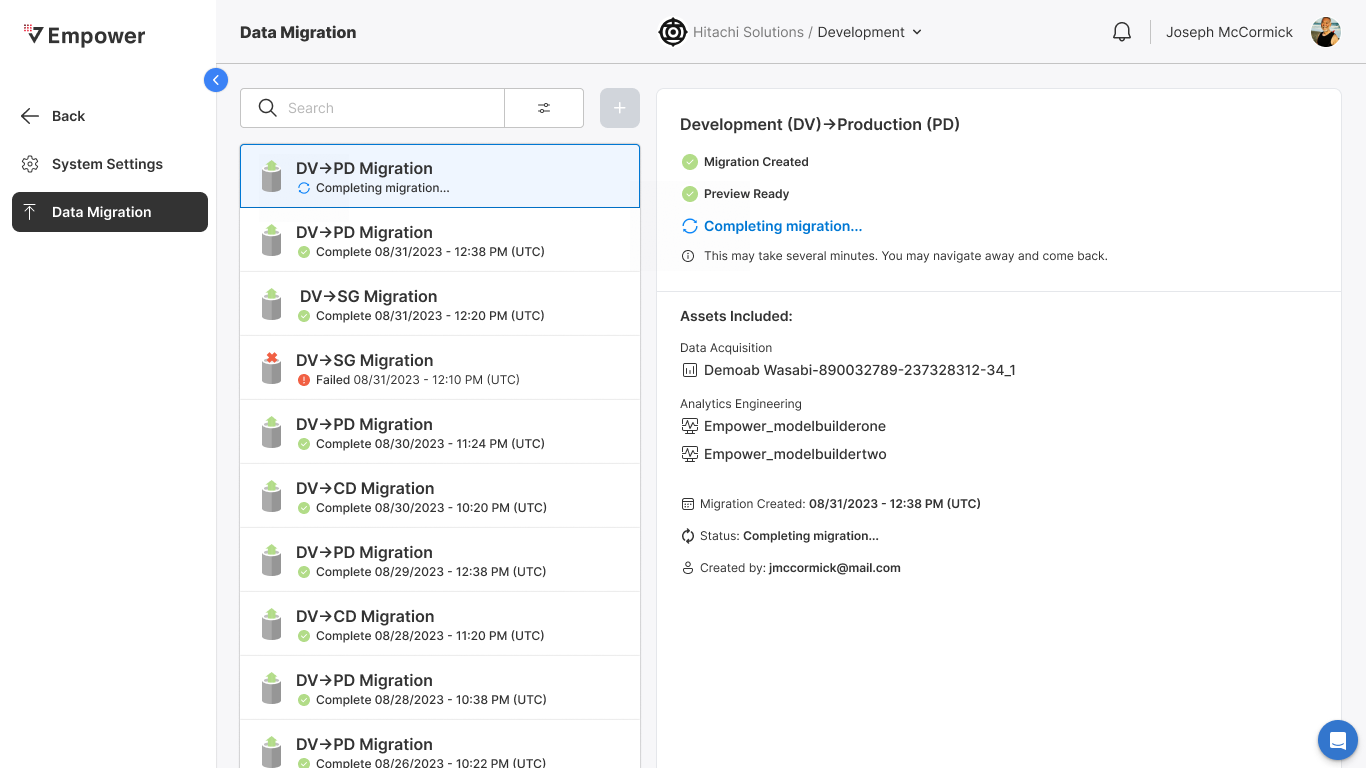
Given I selected I Acknowledge
When I select Complete Migration
Then
- Status updates to "Completing Migration"
Completed Migration
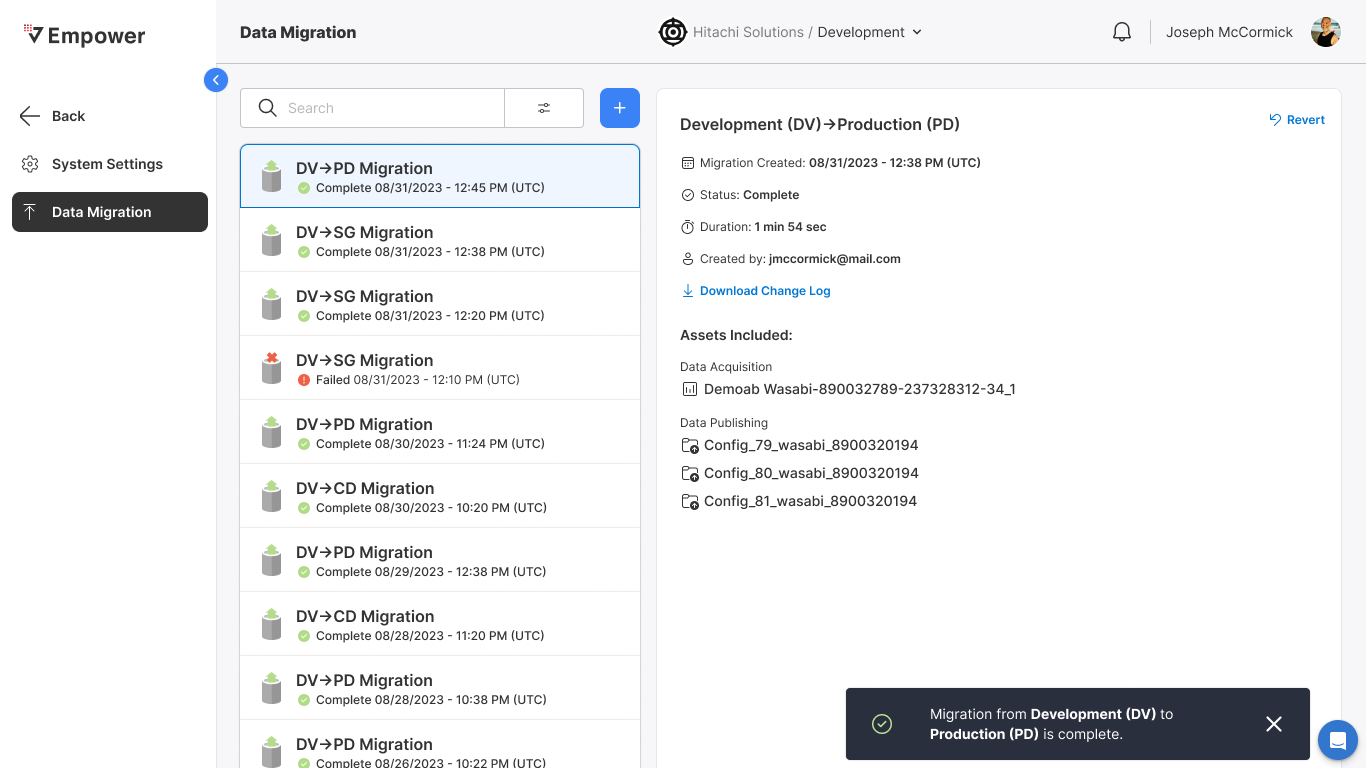
Given I selected Complete Migration
When migration completes
Then
- Status updates to "Complete"
- Global toast is thrown "Migration to <targetEnv> complete"
Revert Migration
Trigger Revert
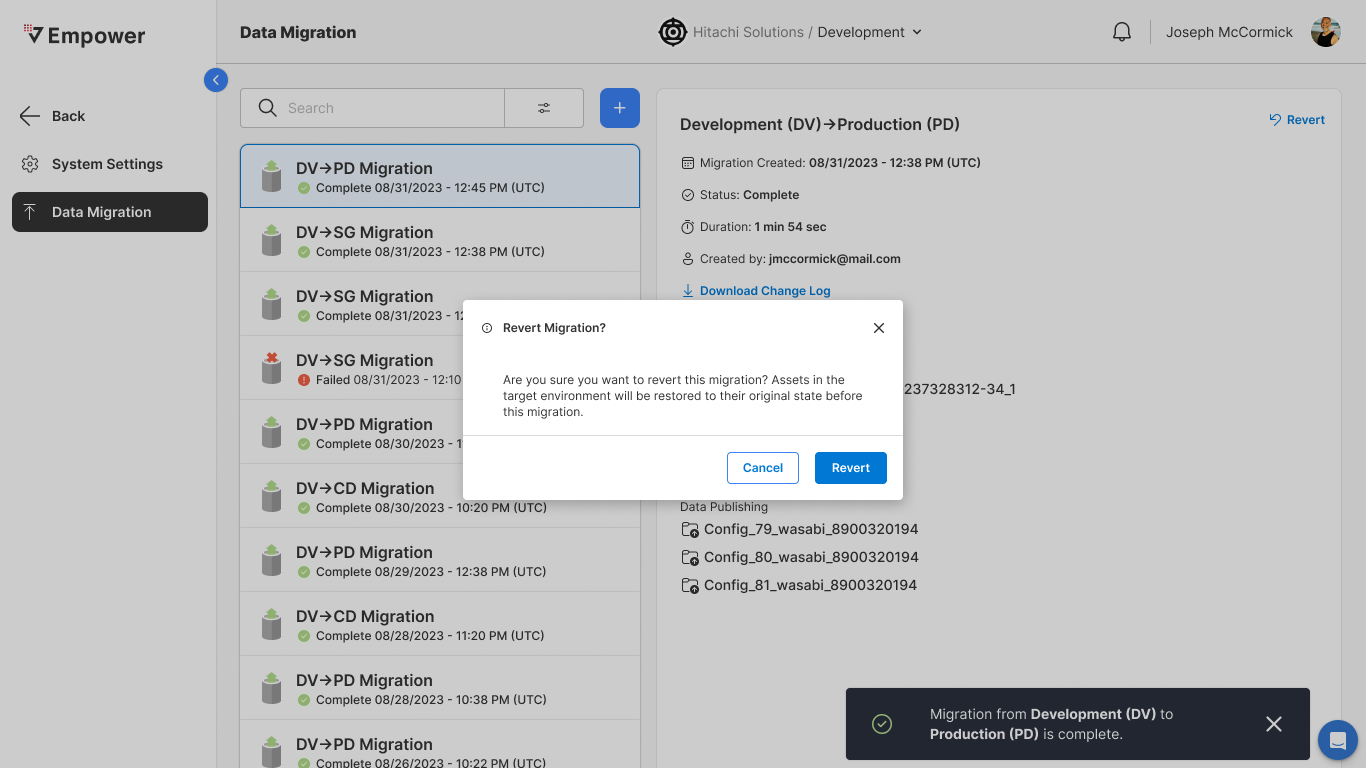
Given a migration has completed
When I select Revert
Then
- Modal opens to confirm revert
- User is able to continue to revert
- User is able to cancel revert
Cancel Revert
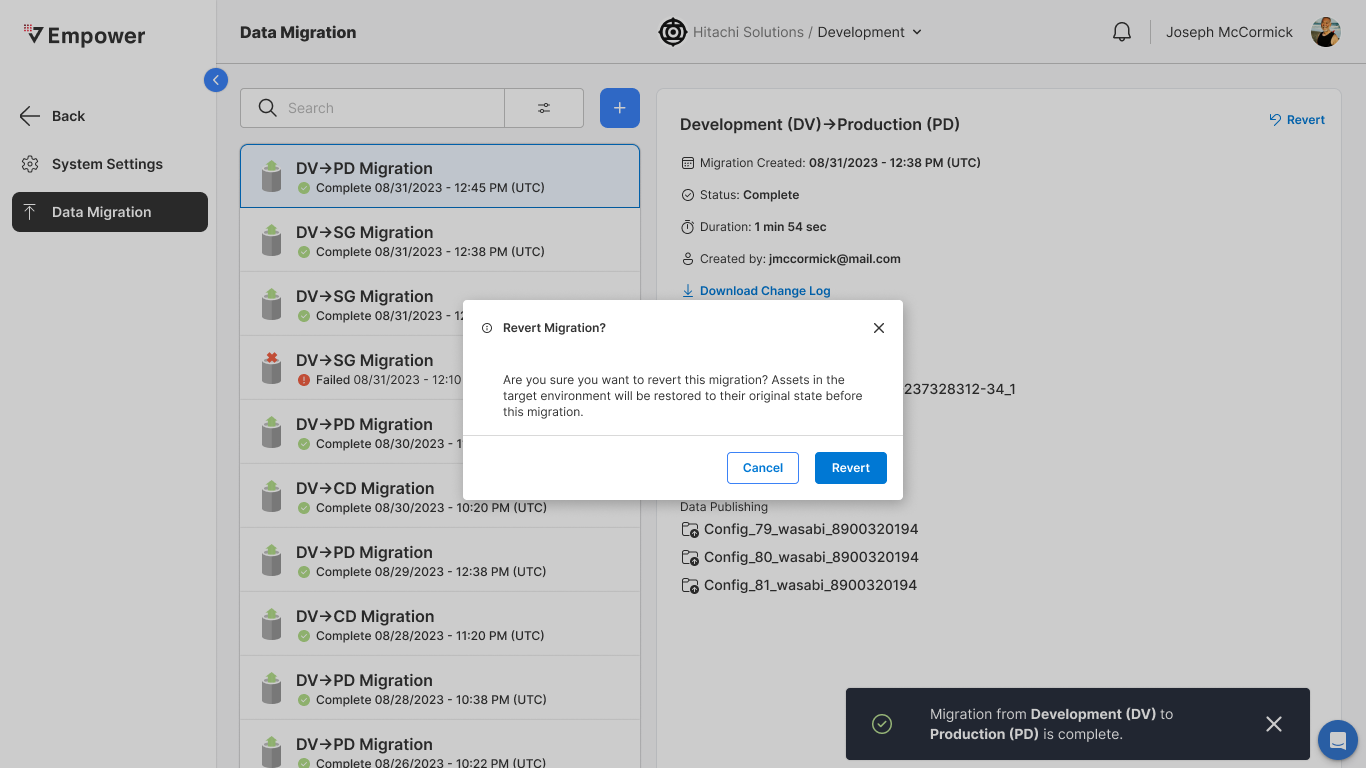
Given I selected Revert
When I select Cancel
Then
- Revert migration modal dismissed
- Revert process abandoned
- Migration instance remains
Confirm Revert
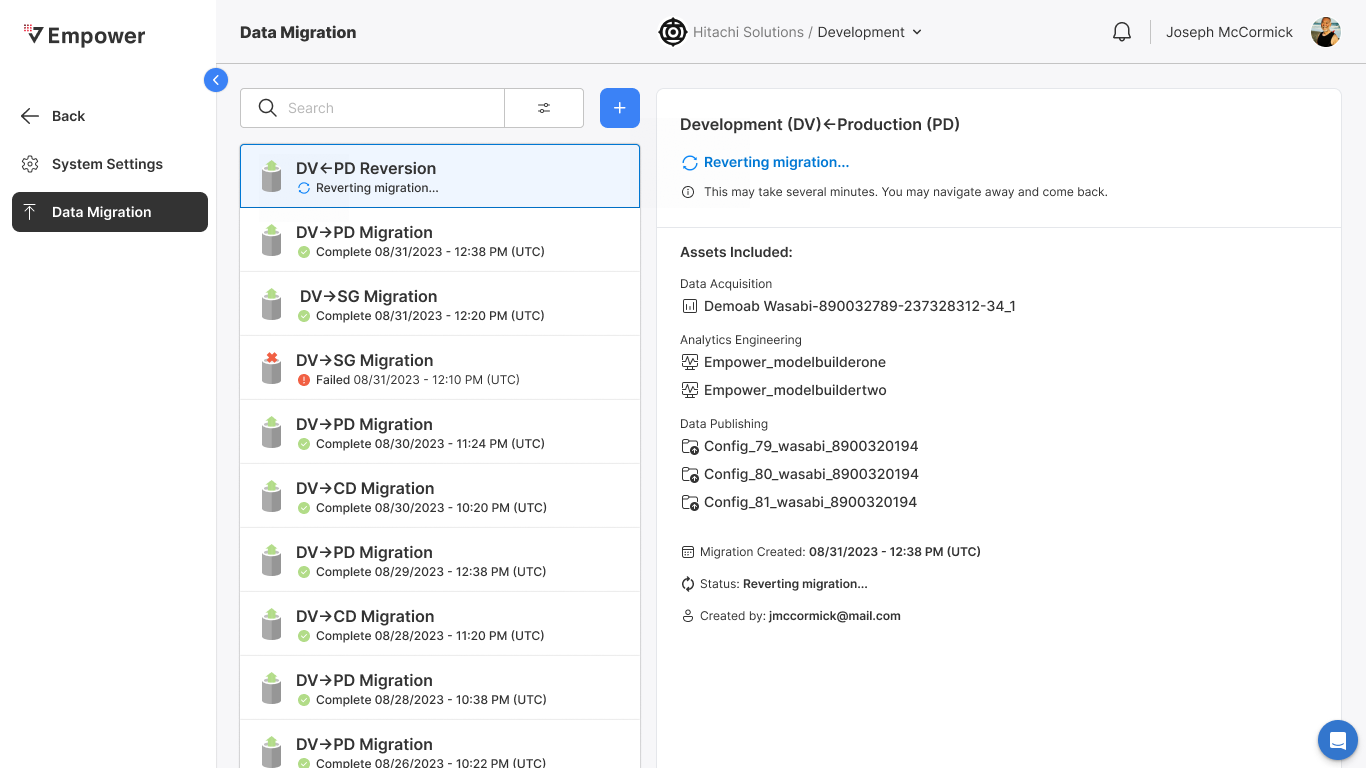
Given I selected Revert
When I confirm Revert
Then
- Status updates to "Reverting Migration"