Updating Key Vault Access Policies
📘 This article calls out how to change access policies for keyvault. In general, you should not have to do this internally.
Adding a new Key Vault Access Policy
- Navigate to the desired key vault
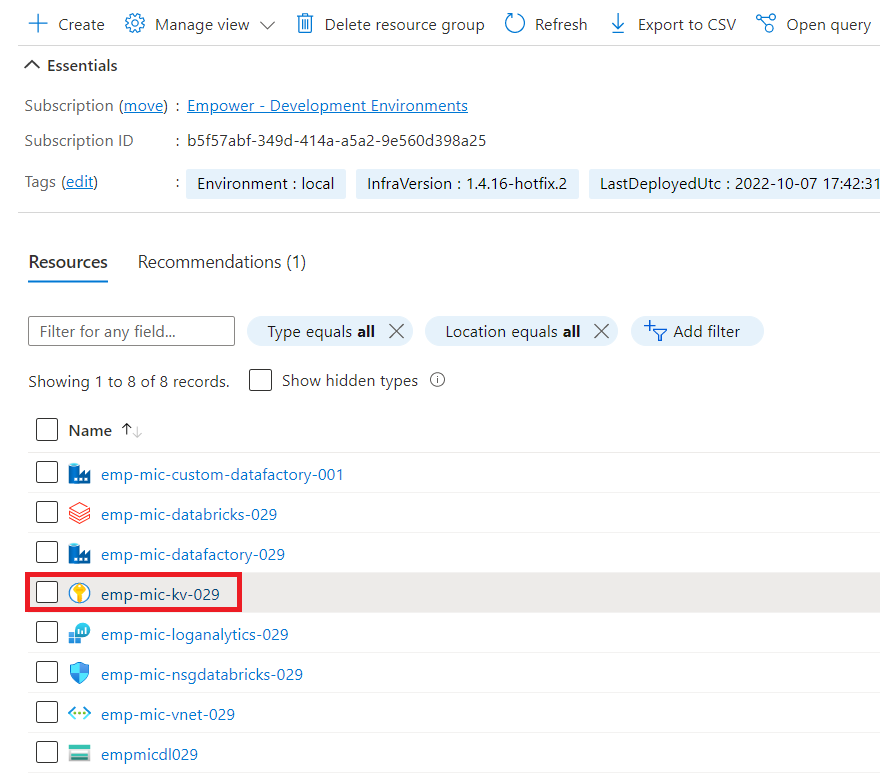
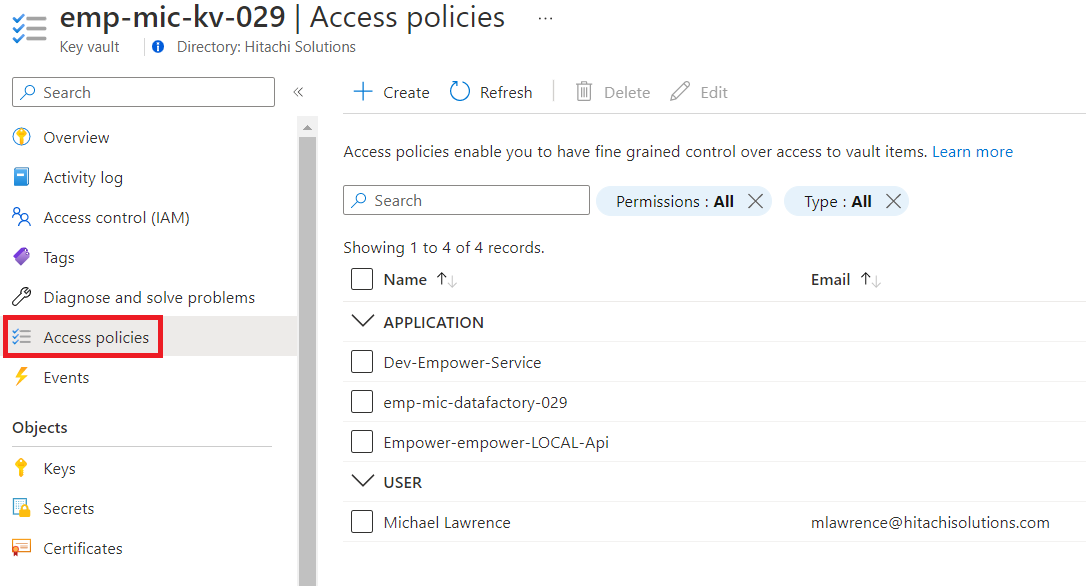
- Navigate to the access policy tab in the keyvault and select create at the top of the access policies tab
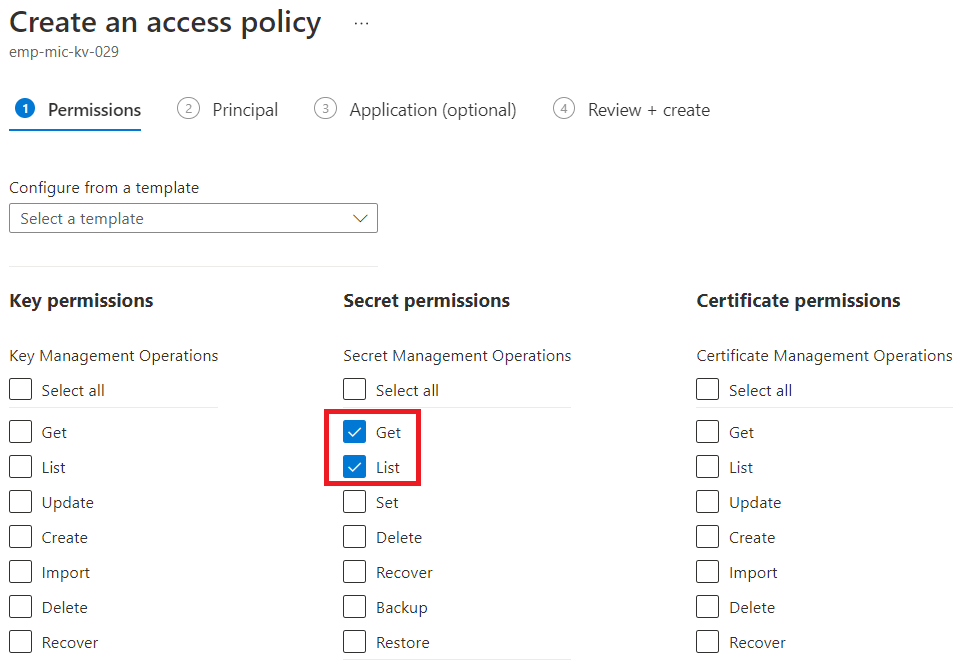
- Select the permissions you would like to give the policy
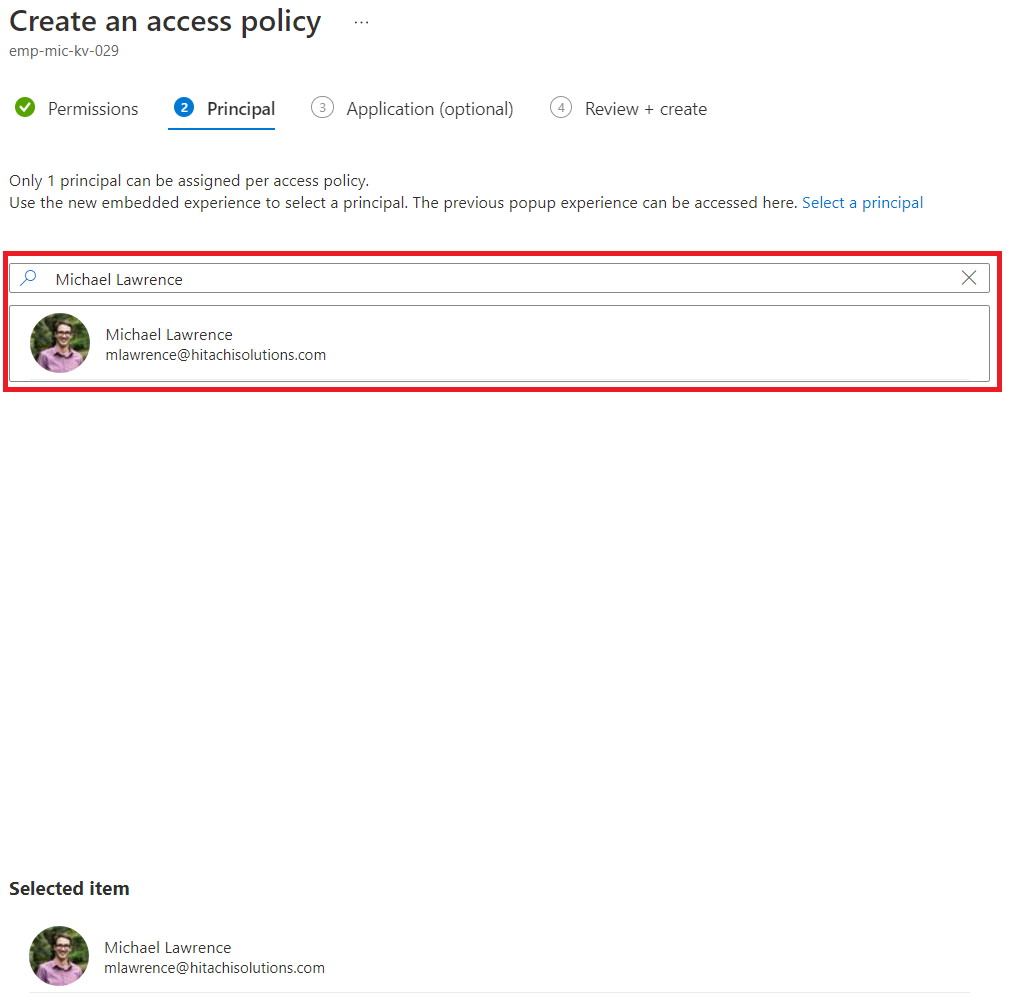
- Search for and select the principal you would like to apply the policies to
- Navigate to review and create and create the access policy. You have now added a new access policy
Editing an existing access policy
- Follow the steps above to reach the access policies tab
- Check the access policy you would like to edit and select edit at the top of the page
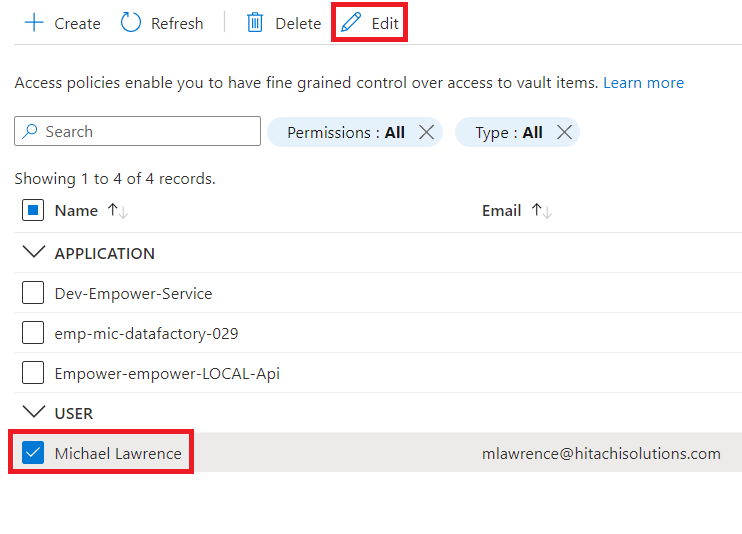
- Repeat the steps outlined in the section above to change the access policy