Datalake and StateDB Access
Datalake Access
The customer Datalakes have a firewall placed around them. Data engineers working for that customer must add their IP addresses to the firewall whitelist to gain access.
Pre-requisites
- The engineer must have contributor access on the customer's resource group.
- This will be automated in the future, but for now ask a member of the SRE team.
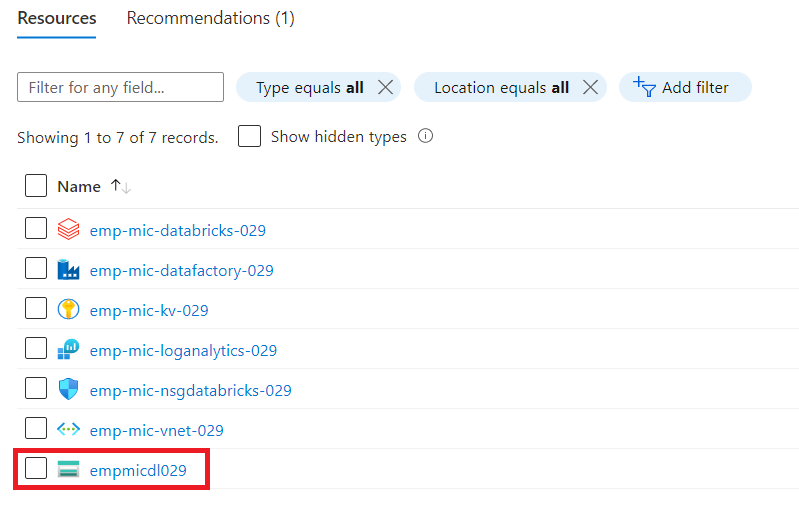
- First, select the datalake in the customer's resource group.
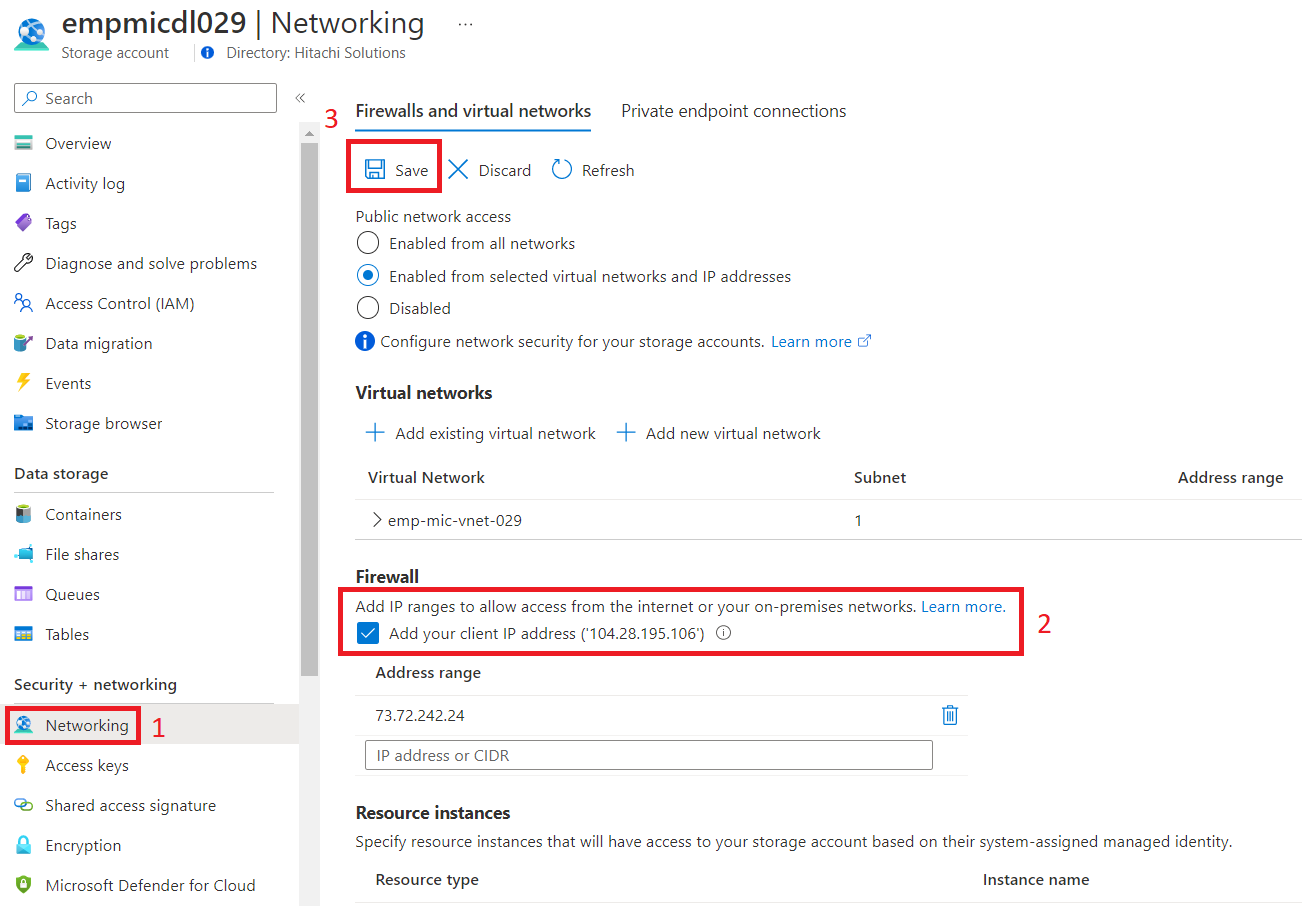
- Then, Select the networking tab. Check the box to add your IP address and hit SAVE.
State DB Access
State DB is also protected in a network. However, unlike the datalake firewall, an IP whitelist is unnecessary. Instead, it is required that the engineer be on the Cloudflare zero trust VPN.
To setup Cloudflare follow the Cloudflare guide