User Story Writing
User stories are a way to describe the desired functionality of product backlog items. High-priority user stories tend to be more detailed; low-priority user stories tend to be less detailed. Teams add details as stories rise in priority, either by creating acceptance criteria or by splitting big stories into smaller pieces (or both).
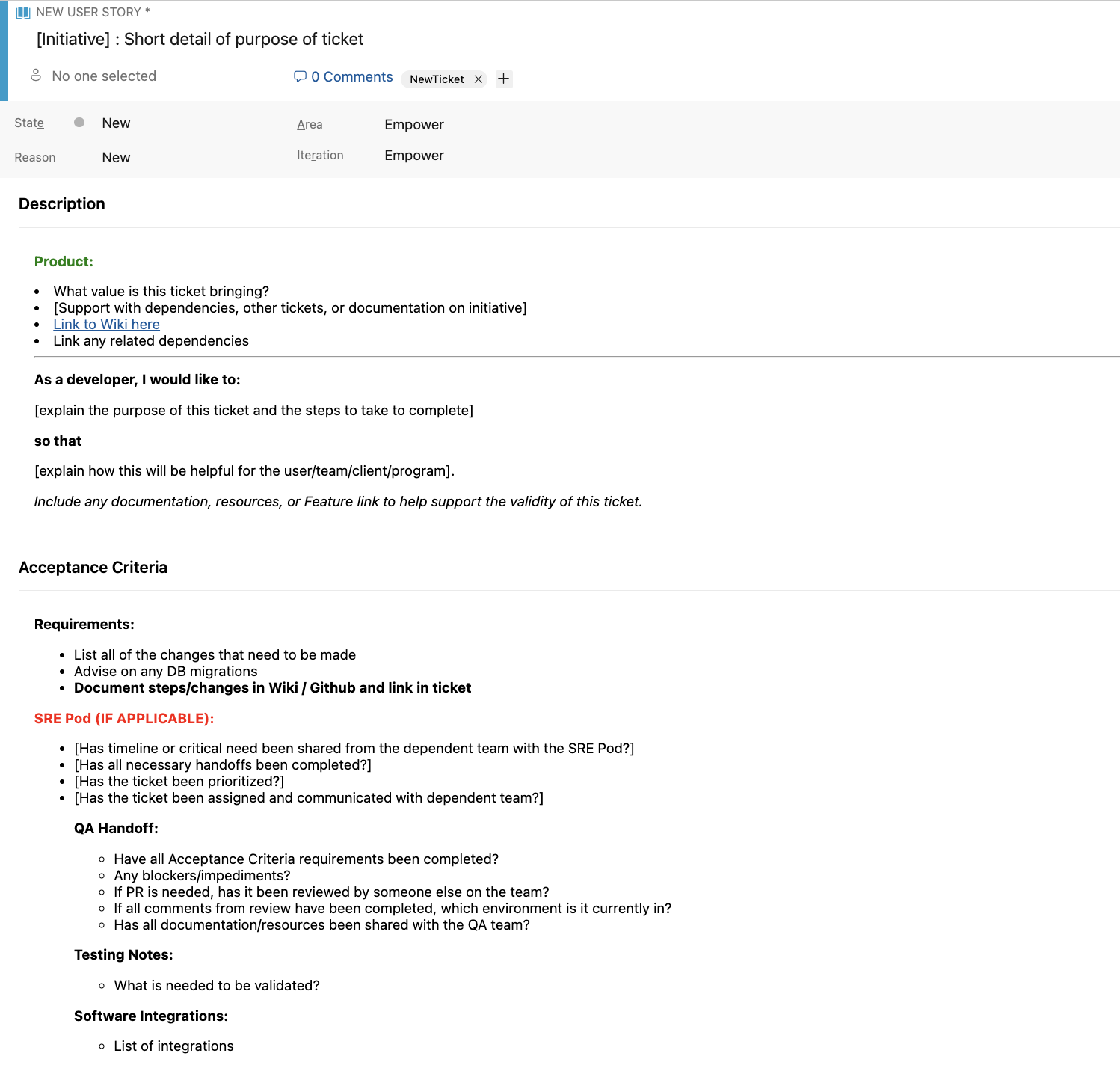
User Story Template – This will help the developer or anyone that views the user story the purpose, what needs to be done, and who it might affect.
“As a[role],
I [want to],
[so that].”
Acceptance Criteria –
• What does the developer need to do in this user story?
• What resources are available for reference?
• PRs - links, does it need to be reviewed? Moderated?
• QA? Develop into Master? Production?
Definition of Ready: The purpose of DoR is for the user story to be defined by Product and the team (technical side) to understand what needs to be completed in order for the user story considered, "done".
Outcomes:
• Is the user story clearly defined?
• What needs to be accomplished? - Acceptance Criteria
• Was there a spike done beforehand? - if yes, provide the documentation for it
• Is there going to be PRs involved? - if yes, is the PR ready to be linked in the story? Does it need to be moderated?
- Does it need to be in QA and/or Prod?
• *Also consider - the size of the user story - can it be split up?
Definition of Done: The purpose of DoD is that the user story is considered completed with all tasks / acceptance criteria done.
Outcomes:
• Did the developer ensure that all work needed for the user story has been completed?
• If a PR was included, ensure that there are no issues and everything "works".
Best Practices:
• First, make sure that the whole team understands the user story, ask questions, and add any additional info.
• Lastly, review what was needed in the user story and if the developer has completed all tasks, notify Product that the story is completed and that Product can "close out the story".